

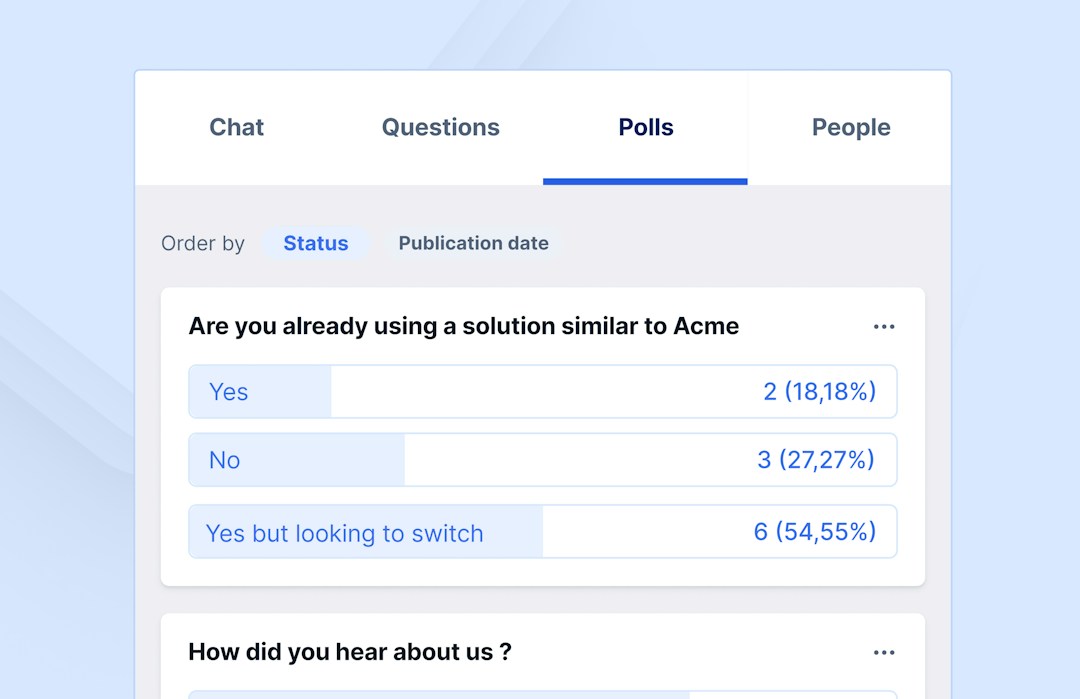
Most webinar platforms, including Livestorm, let you build polls in advance and trigger them at a specific moment during the session, with results shown to the host in real time.
Webinar Glossary
Webinar live polls
Webinar live polls sample attitudes or opinions towards a certain subject during a presentation.
What are webinar live polls?
A poll is a sampling of attitudes or opinions towards a certain subject. In a webinar, live polls can be made in advance and scheduled periodically. On some platforms, the results of the live polls will be anonymous to everyone viewing the webinar. Hosts can access attendee data and see how audience members responded.
Benefits of adding live polls to webinars
Some benefits of adding live polls to webinars are:
- Engage your audience
- Learn more about attendees
- Quiz audiences
- Gather feedback
- Find new content ideas
Live polls are engaging for audiences. Engaged audiences tend to be more responsive to making purchasing decisions.
Live polls also help webinar organizers learn more about their audiences. They can check for an audience’s understanding of certain topics. Educational institutions can use polls to quiz students on topics. Or, customer support can reinforce their training sessions with polls.
Live polls are also a great way to get direct feedback about a webinar presentation. They can act as a feedback loop from an audience to presenters. Hosts can learn immediately if their content is working, and make adjustments as needed.
Live polls also help to filter ideas for new content. This will make an audience feel like their interests are being met.
Best practices for webinar live polls
Polling questions should always be framed in a way that serves the audience. For example, questions about demographic information might be useful for presenters to know but could signal to respondents that the webinar organizer cares only about gathering their information. It’s best to frame live polls in a way that is related directly to the webinar material.
The easier it is to respond to a poll the higher the participation rate will be. Avoid grouping multiple questions together, as audiences could become confused. The more simple the phrasing, the better. There is a magic number of live polls to include in a webinar. A typical 45-minute webinar benefits from two to three live polls. Any more and it could distract respondents from the webinar. Finally, it is always a good rule to direct attendees to the live polls. Showing viewers where to find the live polls, and prompting them to answer them can encourage responses.
Editorial & methodology — Written and reviewed by the Livestorm content team, based on first-party product experience and platform documentation. Last updated: July 2026.
Frequently Asked Questions
How do you add a live poll to a webinar?
How many polls should you include in a single webinar?
Two to three is common: enough to gather insight and re-engage the audience without interrupting the flow too often.
Are poll responses anonymous?
Typically yes to other attendees, though the host and platform can usually still see individual responses.
What's the best time in a webinar to run the first poll?
Early on, often in the first five to ten minutes, to re-engage attendees right after the opening and give the host a read on who's in the room.



Try Livestorm for free
Get started in minutes and run your first engaging webinar today.
- No credit card needed
- No installation required