Analyze your data
Analyze all of your data with Livestorm's powerful reporting features.
Published on December 10, 2020 • About 10 min. read
Written by Molly Hocutt
Livestorm's Virtual Meeting Kit
Table of content
Share this article
Key Takeaways
A wide range of webcams is available, with strong options tailored for individuals, teams, or streamers, and prices ranging from under $100 to over $3,000.
Key features such as resolution (up to 4K), frame rate (30–60 fps), field of view, lighting, and built-in audio significantly impact video conferencing quality.
Notable models include the Logitech Brio 4K for high-quality video, Razer Kiyo for affordability and lighting, Anker PowerConf C300 for group meetings, and Meeting Owl Pro for 360° rooms.
Advanced functionalities such as motion tracking, smart lighting, and AI auto-framing enhance meeting experience but often increase cost.
Selection of webcam should consider use case, compatibility, portability, and the quality of accompanying conferencing software.
Webcams are more than just a work tool. They’re a way of improving internal communication and connecting you closely with other members of your team through a screen. Just a simple look, nod, or facial expression can convey a message, and having proper video conferencing software that captures your audio and video in high-quality can take your business relationships to the next level.
Here are some of our favorite video conferencing cameras available on today’s market. While we’ve attempted to provide a wide range of manufacturers and pricing options, all of these options share one key feature: they’re well worth the money.
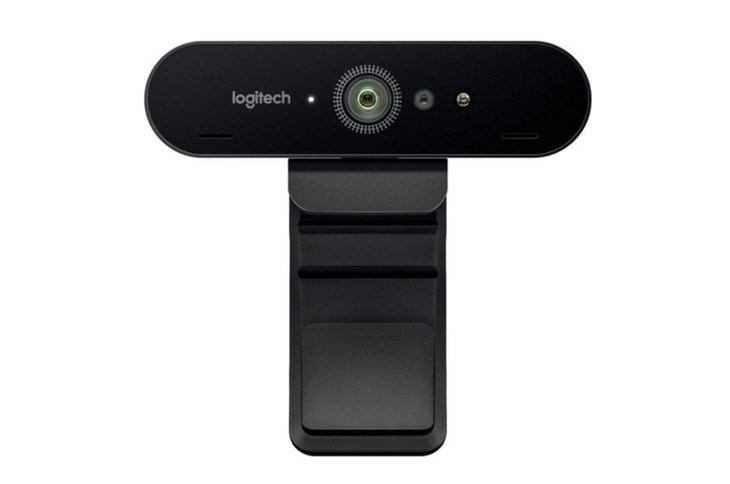
We've been fans of the Logitech Brio 4K video conferencing camera for a long time and it's easy to see why. Priced at $269.99, this webcam is easy to use with intuitive presets. You can modify everything from the frame rates to the angle of your shot with the advanced settings panel. The Logitech Brio 4K uses HDR technology to automatically adjust to any lighting environment. The 4K resolution delivers detailed videos, and it boasts facial recognition features for effortless access and security. This one can be great for video conferencing for education, like streaming videos for e-learning platforms.
Captures truly high-quality images
Supports biometric face recognition for Windows Hello
Great audio quality
Analyze your data
Analyze all of your data with Livestorm's powerful reporting features.
It’s expensive for a webcam
Quality of the clip and some parts of the camera don’t match the price
Doesn’t have optical zoom
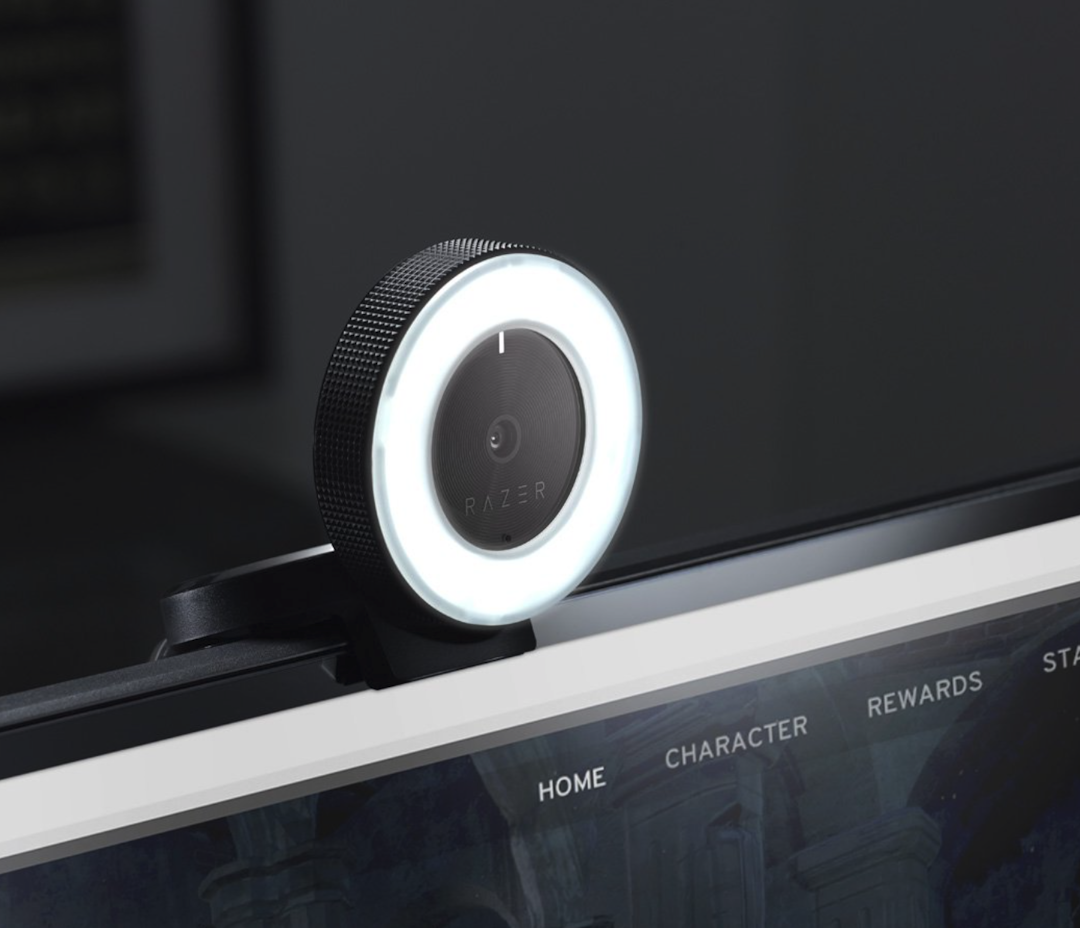
With its built-in, circular ring light equipped with 12 powerful LEDs, the Razer Kiyo is probably the best option on this list when it comes to illumination. Pricing starts at $99 and its unique lighting design provides a flattering view of your face during calls, and you can further hone your visual appeal with adjustable intensity and daylight adjusting tools. The camera itself is no slouch either, capturing video at an impressive 1080p resolution and 30 frames per second. If you’re on a tight budget and are happy to settle for a tiny bit less, a 60fps at 720p option is also available. Pair it with a video conferencing background to really shine.
This webcam with ring light offers superb image quality even with poor lighting
Highly resistant due to lens Gorilla Glass
Great audio quality and noise reduction
It needs a USB 3.0 port (faster transfer rate)
It’s larger than most webcams
Poor autofocus functionality
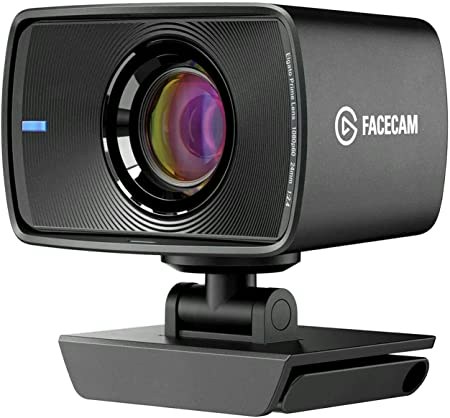
This webcam is great for gamers, streamers, and content creators. It’s a small camera that streams in 1080p at 60fps—most standard cameras have a max of 30fps. Pricing for Elgato Facecam starts at $169, making it much more affordable than a DSLR camera. This webcam includes a Sony STARVIS CMOS sensor for better light capturing, helping you be always properly lit even in low-light conditions. Plus, the Elgato Facecam has 8 built-in lenses that serve different purposes like maximizing sharpness and preventing lens flares. This one is also a great webinar webcam.
Is the best price-value solution for streamers in the market
It’s really easy to mount over your computer or where you prefer
It’s really light and portable
Doesn’t have a built-in microphone
Works with USB 3.0 and it’s not compatible with all computers
Doesn’t have HDR
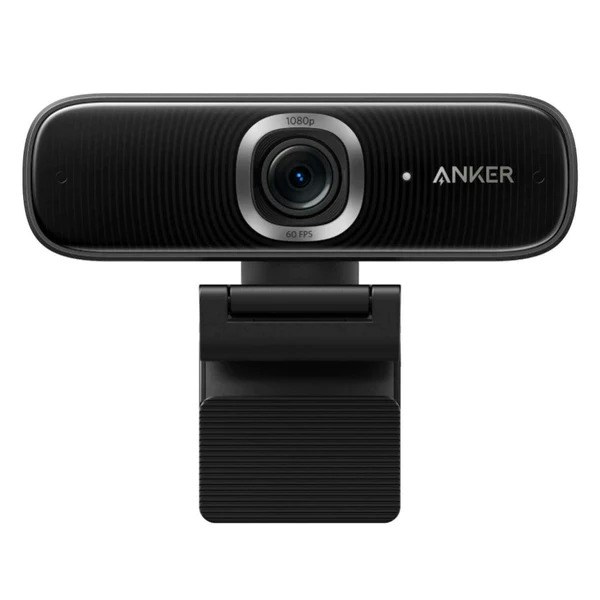
This 115-degree wide-angle conference room camera that streams at 1080p at 60 fps is great for meetings with a group of people in the room. The Anker PowerConf C300 comes with a built-in microphone and is only $129.99. It’s compatible with Windows and Mac, and is highly portable. This conference room camera comes with an attached clip to easily mount it over your computer. It also comes with two privacy shields to block the lens when you’re not in a meeting.
Its very-wide angle makes it one of the best conference room webcams in the market
Has a great light enhancement in poorly lighted rooms
Great built-in microphone
The angle can be too wide for individual use
Some users reported bugs
It’s not compatible with all versions of Windows and Mac
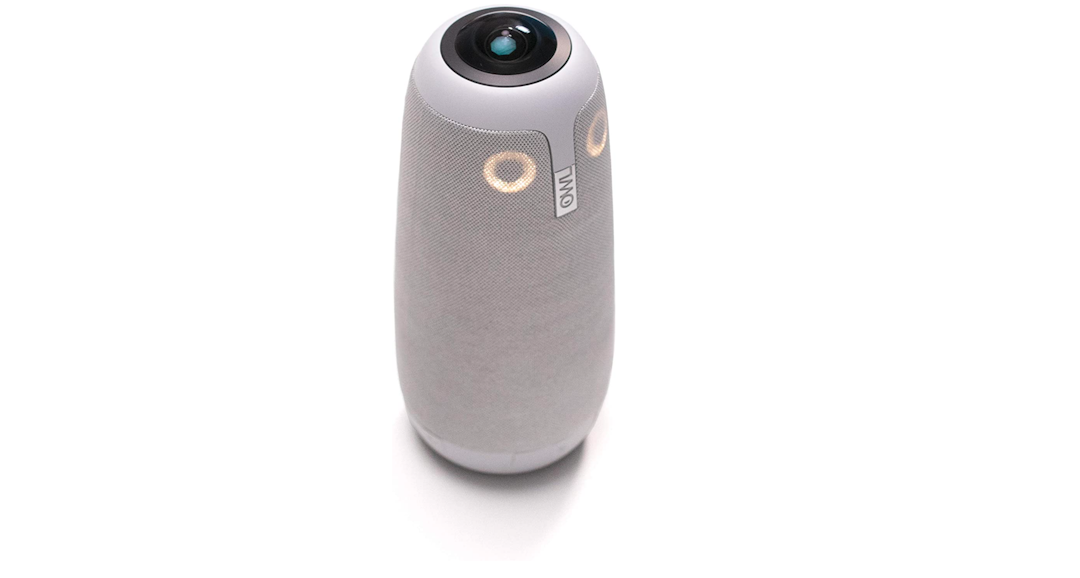
If your heart is set on getting the absolute best in video conferencing technology, no matter the cost, it’s hard to beat the Meeting Owl Pro for performance, versatility, and ease of use. This sleek device offers every feature you could want from a video conferencing camera, including a 1080p resolution; 360° rotation capability; 360° tri-speaker; automatic focusing and highlighting tool; automatic volume equalizer; and more.
The dreaded “can-you-hear-me-now” pre-meeting hassle is eliminated by the camera’s 8 smart microphones, which can pick up any voice within an 18-foot radius. Even the setup is a snap. This UBS video conference camera requires no installation—just plug in the USB, and go. All of this doesn’t come cheap, though; the newer Meeting Owl Pro retails at $1,000, while the original Meeting Owl is available for $800.
Crisp and noise-free audio
360 view that offers a great panoramic view of the room
Autofocus on the person who’s talking
It’s quite expensive
It might not be the best video conferencing camera for personal use, but is one of the best webcams for conference rooms
User interface is not flexible for customization
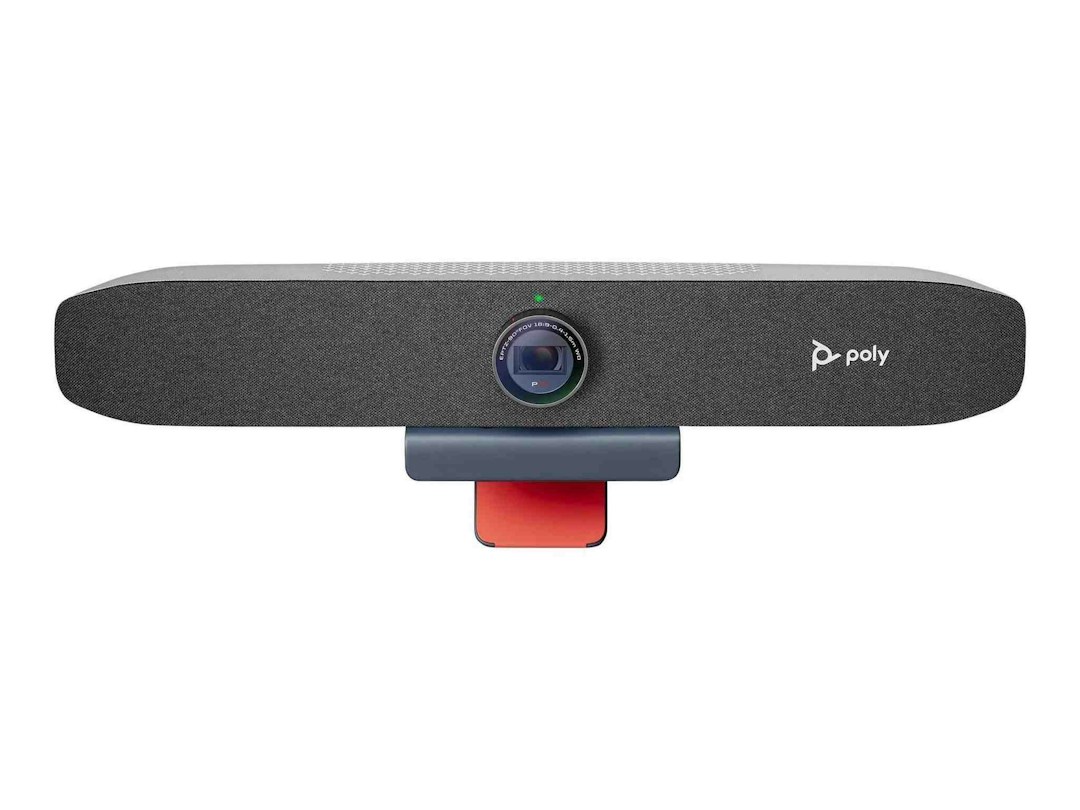
If you’re looking for a web camera with high video quality (1080p), that’s also easy to set up, and perfect for individual use. Then, the Poly Studio P15 is the right choice for you. This camera starts at $381 and it was designed to stick right on top of your monitor and replace your incorporated laptop webcam. The Poly Studio P15 is not as small as other webcams, but its horizontal design makes it highly portable. This webcam with a microphone and speakers has a noise-canceling feature that improves the quality of your conference calls. The integrated webcam speakers can be used in meetings or at any other time.
It’s both a camera and a speaker
It streams video in 4K
Users can block the camera by twisting the lens
It can be heavy for small laptops and users may require to get an additional stand to mount it
Color saturation on video is not high definition
It doesn’t have optical zoom
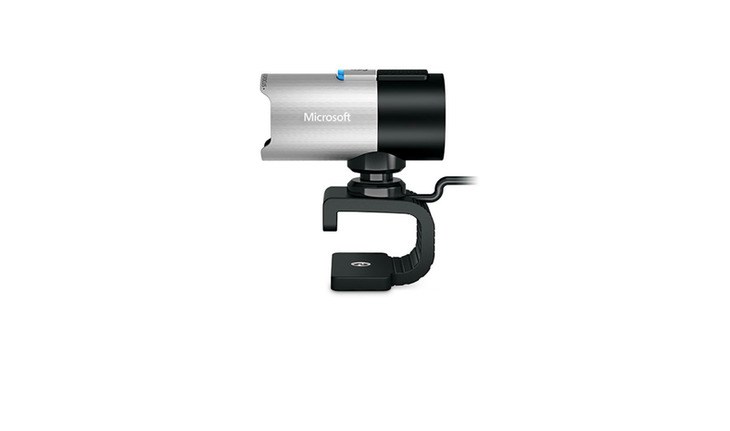
The LifeCam Studio is intended for professional use, and looks like it, with a rather industrial design resembling that of a CCTV camera. The LifeCam’s video resolution can be set at 1080p for a high-definition, widescreen experience, or at 720p, which can help bandwidth-limited calls flow more smoothly and cleanly. The LifeCam Studio also boasts a built-in microphone; a 360° rotation capability; and Microsoft’s patented TrueColor system, which automatically adjusts to provide the optimum light and exposure settings while users are filming. You can pick one up for $99.95. Read more about the best lights for video conferencing.
This wide-angle conference room camera has the ability to move 360° without having to move the computer
The clip and tripod mount make it easy to attach the camera wherever you want
Great video quality
It’s bigger than most webcams, which makes it less portable
The camera can record at 1080p, but video conferencing platforms like Zoom require extra steps and a bandwidth of at least 3mbps to stream in HD. Livestorm supports 1080p setups via a video encoder
The autofocus has some issues
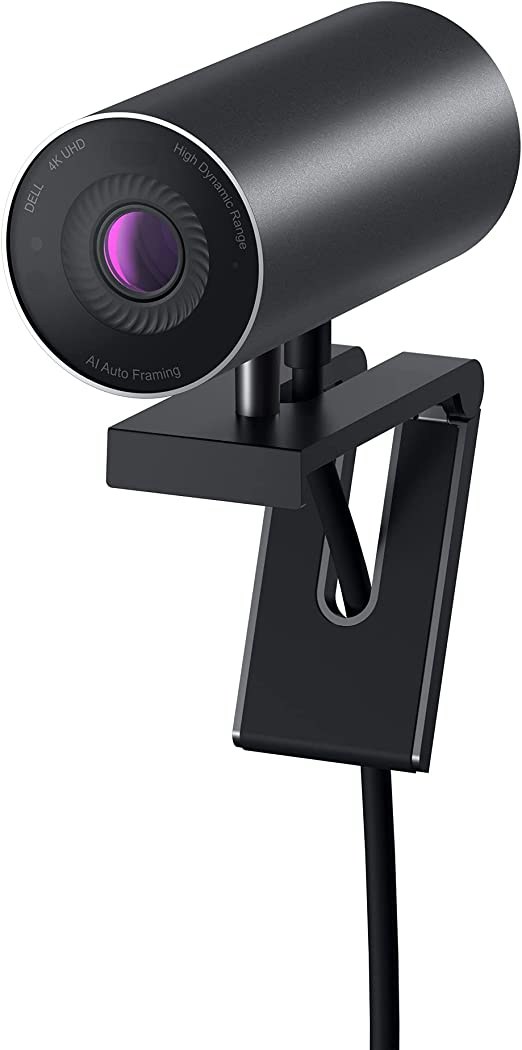
If you’re looking for a 4K webcam that can improve your teleconference game, then the Dell UltraSharp Webcam might be your best choice. You can get this webcam for less than $200. The Dell UltraSharp Webcam allows you to customize your settings. Also, its 4K Sony STARVIS CMOS ensures your face is always in high quality even in poor lighting situations. This USB web meeting camera is a plug-and-play solution that requires no installation. If you have a monitor, this might be your best option.
Offers AI auto-framing to always put you in the middle of the screen
It’s really easy to set up and customize
Has a magnetic mount for your monitor and tripod
It’s too heavy to mount it over a laptop screen
Doesn’t support Mac users
Unlike other webcams, this one doesn’t have a built-in microphone
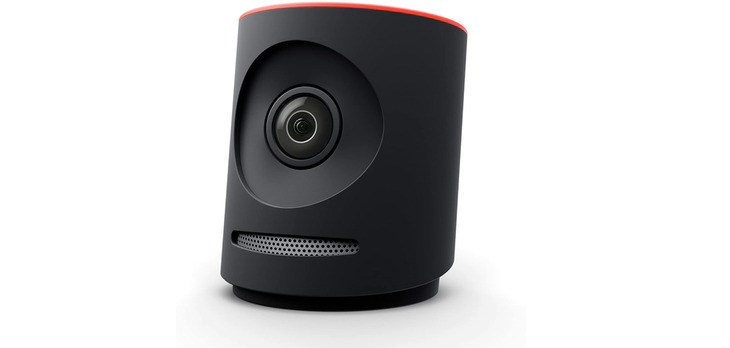
If looking for something in the $500-$600 range, the Mevo Plus is a great mid-priced webcam that’s especially great for travelers. This small-but-mighty device can stream video to Facebook Live, YouTube, Twitter, and more in 1080p HD, from virtually anywhere, thanks to its Wi-Fi and LTE capabilities. For basic video conferencing, all you need is an Android phone (version 6 or higher) or an iOS (version 9.3 or higher); you can also access extra features with an optional $180-per-year subscription plan. As we said, the Mevo is perfect for jet setters and frequent flyers, as its mobile editing suite allows you to zoom, pan and cut on the go; and at only 2.5 inches tall, it won’t take up too much room in your carry-on.
It’s a high-quality camera that captures 1080p video
Small and portable, has a simple video conference setup
150-degree angle makes it perfect for video conferencing meeting rooms
Hidden extra fees to get access to all features
Connecting to some video conferencing apps might require a workaround. It’s not the best camera for Zoom meetings
It’s more expensive than most webcams.
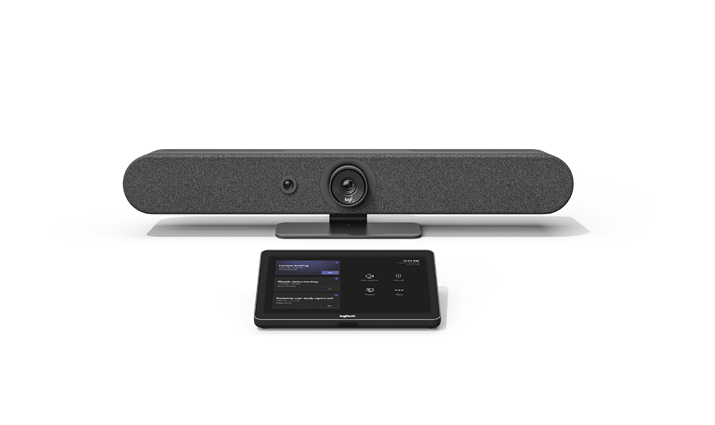
If you’re the type of person that thinks better when standing up and walking around the room, the Logitech Rally Bar Mini is the best camera for you. Its lens uses AI to pan and tilt and follows the speaker so you can always be on screen while moving around the room. The video resolution of this camera is 4K and the image resolution is 3840x2160 pixels. The Logitech Rally Bar Mini is not cheap ($3,050), but the quality and features make it a worthy solution for video conferencing rooms. Also, camera placement for video conferencing is something you’ll need to consider to ensure panning and tilting functionality can happen properly.
Doesn’t require a laptop or computer to work, can be connected directly to Microsoft Teams
Built-in video conferencing microphone that captures user’s voice as they move through the room while canceling the echo
The motion tracking is accurate and the lens moves quietly
It doesn’t have the best webcam setup since the camera placement for video conferencing is permanent, it becomes less portable
It doesn't have a shutter or a lens cover
It’s more expensive than other similar cameras
When looking for a video conferencing camera, you need to consider the image and audio quality, frame rate, field of view, and whether you need advanced features like motion tracking.
For those who are totally new to the wonderful world of video, the “resolution” is the number of pixels that appear on the screen. The higher the resolution, the clearer—and more professional—the video will appear. Generally speaking, 720p (“p” meaning “pixels”) is thought to be a good, high-definition resolution; 1080p is even better; and 4K the best. With that said, though, we recommend taking your bandwidth into consideration before springing for a 1080 or 4K video conferencing camera. If your internet connection isn’t very reliable, you might be better off settling for a lower resolution, with less interruptions, than a stuttering high-def model.
The software you use also plays a huge part in how your camera will perform. You’ll need to get a secure video conferencing software that allows high quality webcams that stream in 1080p to 4K.
The “frame rate” refers to the number of frames that appear per second of video. The higher the frame rate, the more smoothly the movements will flow in the final product. Most movies and TV shows are shot at 24fps (“frames per second”), since this is believed to be the frame rate that most closely mimics real-life movements. However, if your budget is rather tight, and all you’re planning to do is some basic video conferencing, a 30fps or 60fps camera should suit you just fine.
A movement-tracking webcam, also called an auto-tracking camera, is one that can swivel to focus on whoever’s moving or speaking during a video. Though this feature is especially helpful for those who have to move across a large space as they speak, like university professors, movement tracking is most commonly used during remote meetings to keep the camera pointed on whoever holds the floor. This can help meetings feel more organic, as viewers will see a “close-up” view of one speaker at a time, rather than a zoomed-out view of the entire room. However, if this feature is important to you, just be sure to do your research; some cheaper models can be frustratingly slow to track, causing more issues than they solve.
For the majority of remote employees, a camera’s field of view isn’t a major consideration—let’s be honest; the less your coworkers can see of your possibly-less-than-sparkling home office, the better. However, professionals in certain industries might benefit from a full-view or panoramic option. For example, if you were leading a remote gym class, you might want your students to see the entire room you’re training in for a truly immersive experience. Like everything else on this list, it all depends on your individual needs.
Lighting is usually one of the less-considered aspects of video conferencing which is a shame, because good lighting can do a lot to help inspire confidence in you and your business. While one of the best ways to improve your lighting skills is to study up on it, a smart lighting webcam can help by automatically balancing harsh shadows and brightening dark exposures. Video cameras with a “highlight active participants” feature can even keep the spotlight on whoever’s speaking/moving at a given time, just like the movement tracking feature mentioned above.
Audio quality can be just as important as video when it comes to web conferencing, if not more so. A good video conferencing camera should come with a microphone that helps filter out background noises, so your voice can come through clearly without being impeded by traffic/barking/your neighbor’s lawn mower. Additionally, you should have good webcam speakers, so you can hear your meeting guests just as well as they can hear you.
Owning a great video conferencing camera is just the first step for hosting a quality meeting or webinar. You also need a simple, powerful free video conferencing software you can rely on. A good and more complete alternative to Zoom is Livestorm. It enables companies around the world to design, create, and implement world-class video communication strategies. Watch this product demo to learn why over 3,000 companies trust Livestorm to host their webinars, employee onboarding, and online meetings, and check out our blog for more tips and tricks designed to help you succeed in the world of remote business.
To go further onthe subject read our what is video conferencing guide.
If you’re looking for a camera that improves your video conferencing experience, you should consider one of these options:
The best cam for Webex meetings depends on your personal preference and budget, but the Elgato Facecam or the Poly Studio P15 can be great solutions. These cameras are perfect for individual use, capture high-quality video, and have autofocus features.
Zoom doesn’t support all webcams. That’s why the Razer Kiyo might be the best webcam for Zoom meetings. It’s compatible with the platform, it costs less than $100, and it has a built-in light ring that increases the quality of your video. The Razer Kiyo also captures video at 1080p and 30 fps.
You can use a CCTV camera for video conferencing only if the brand and model of camera that you have supports it. Some CCTV cameras can be used as webcams but lose features like motion tracking. For further information, you should consult your particular model’s manual.
1080p at 30 fps delivers clear, natural video for most calls. 720p works well if bandwidth is limited, while 4K can improve clarity and enable digital zoom but is often capped by platforms.
A 65–78° FOV works best for solo participants, minimizing distortion and background clutter. For small groups or meeting rooms, 90–120° captures more people without repositioning the camera.
Built-in microphones are convenient for solo calls in quiet spaces, but a dedicated USB mic or headset typically provides clearer audio with less echo.
Most UVC-compliant USB webcams work in modern browsers like Chrome, Edge, and Firefox on macOS, Windows, and Linux. You'll need to grant camera permissions, and some platforms cap resolution at 720p or 1080p.
Yes, PTZ cameras easily frame multiple participants and switch views, with some offering auto-framing or speaker tracking. They cost more and may require a controller or HDMI capture card.
Position the camera at eye level with a slight downward angle, add soft front lighting, and avoid strong backlight. Clean the lens and lock white balance and exposure in camera software for consistent results.


Livestorm's Virtual Meeting Kit
Download Livestorm's virtual meeting kit to host efficient virtual meetings using our meeting preparation checklist, agenda and minutes templates.
About the author
Molly Hocutt - Content Manager
Molly joined Livestorm in 2019 as a Content Manager and manages written content production. Her work focuses on lead generation and organic website traffic.
Related categories
Featured resource
Livestorm's Virtual Meeting Kit
Download Livestorm's virtual meeting kit to host efficient virtual meetings using our meeting preparation checklist, agenda and minutes templates.