Vertical 9:16 for reels and stories, square 1:1 for feeds, and 16:9 for standard horizontal video. Match the ratio to the platform.
Video Glossary
Aspect Ratio
Aspect ratio is the proportional relationship between a video frame's width and height.
What is aspect ratio?
Aspect ratio describes the shape of your video frame, written as width to height. Common ratios are 16:9 for widescreen, 9:16 for vertical, and 1:1 for square. It decides how your video fits different screens and platforms.
Common aspect ratios and where they fit
16:9 is the standard for webinars, YouTube, and most horizontal video. 9:16 vertical suits phones and social reels. 1:1 square performs well in social feeds. Choosing the right ratio keeps your video from being cropped or letterboxed.
Why aspect ratio matters
Publishing the wrong ratio can waste screen space or cut off important content. Matching the ratio to the platform makes your video look native and professional, which is especially important for short-form video on mobile.
Reframing for different platforms
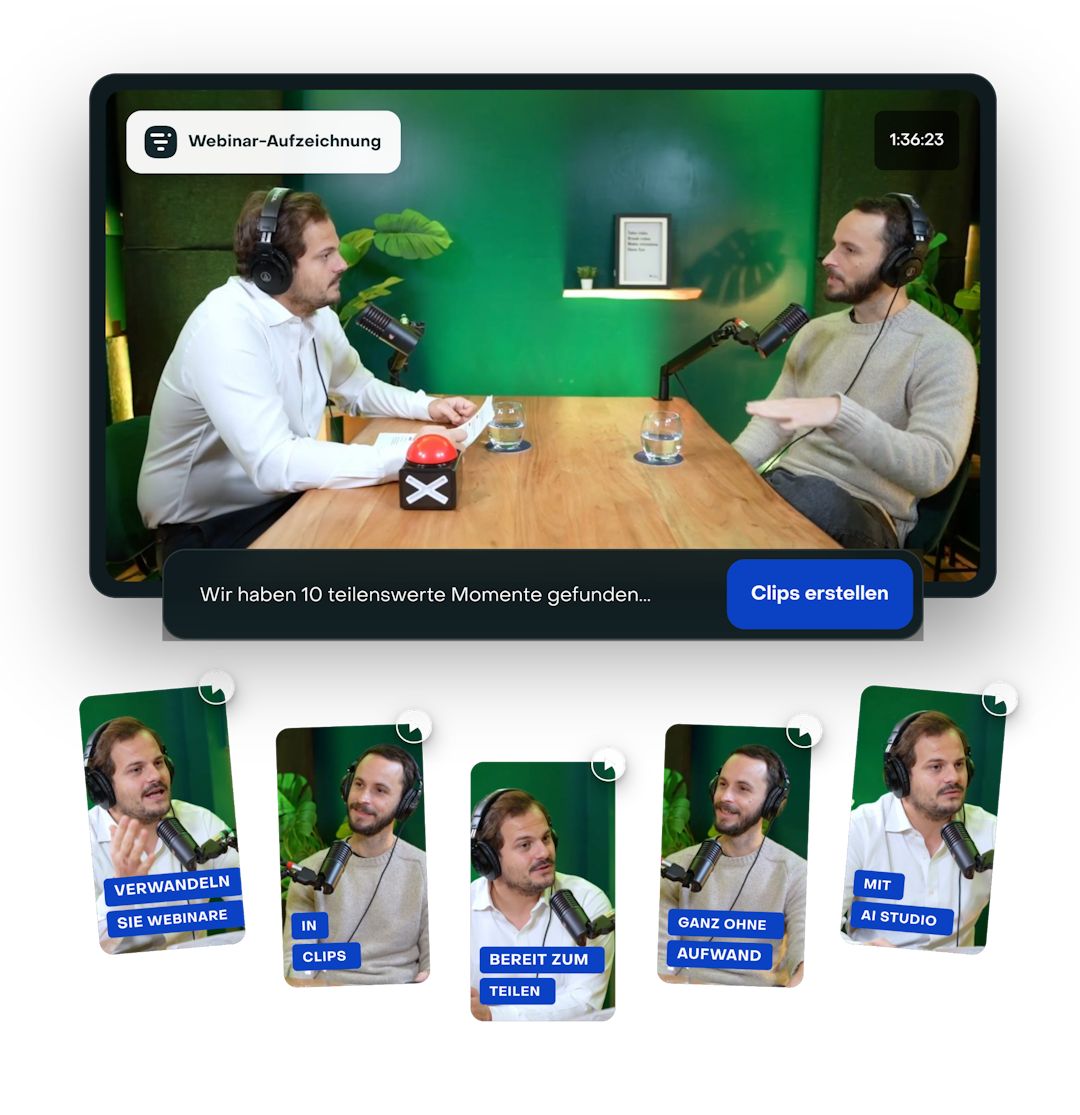
One recording often needs several ratios. When you turn a 16:9 webinar into vertical clips, tools like Livestorm AI Studio reframe the content so your subject stays centered.
Editorial & methodology — Written and reviewed by the Livestorm content team, based on first-party product experience and platform documentation. Last updated: July 2026.
Frequently Asked Questions
What aspect ratio should I use for social media?
What is the difference between 16:9 and 9:16?
16:9 is widescreen and horizontal, used for webinars and most video sites. 9:16 is vertical, built for phones and short-form social video.
Why does my video have black bars?
Because its aspect ratio does not match the screen or player, so the video is letterboxed. Exporting in the right ratio avoids this.
How do I turn a widescreen webinar into vertical clips?
Reframe the content so the subject stays centered. Livestorm AI Studio (https://livestorm.co/features/ai/livestorm-ai-studio) reframes 16:9 replays into vertical clips automatically.



Try Livestorm for free
Get started in minutes and run your first engaging webinar today.
- No credit card needed
- No installation required