Introducing The New Room Experience: a new way to engage, right inside the Room
Published on October 20, 2026 • About 2 min. read

Written by Olivier Thomas
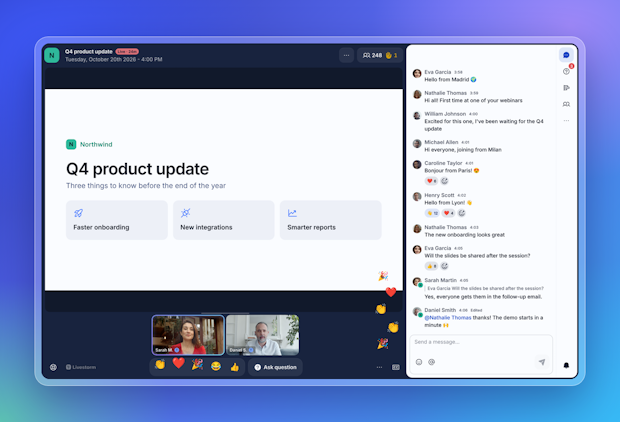
Table of content
Share this article
Every event lives or dies in the Room. It's where your speakers meet your audience, where questions come up, and where attendees decide whether to stay. So we rebuilt it.
Meet The New Room Experience: a new Room and a new chat, designed around one idea. Engagement should be effortless, for the people watching and for the people hosting.
It's included in every plan, at no extra cost, and there's nothing to turn on. It rolls out in two steps: from today on Free, Pro and Premium plans, and from Tuesday 27 October on Business and Enterprise plans.
A Room that invites people to take part
The easiest way to get people involved is to put the right buttons where they look. In the new Room, viewers get the emoji reactions and an "Ask question" button right under the stage. Reacting or asking a question takes one tap, and reactions float across the stage for everyone to see.
When live captions are on, each viewer can also set them their way: text size, colors, background and font.
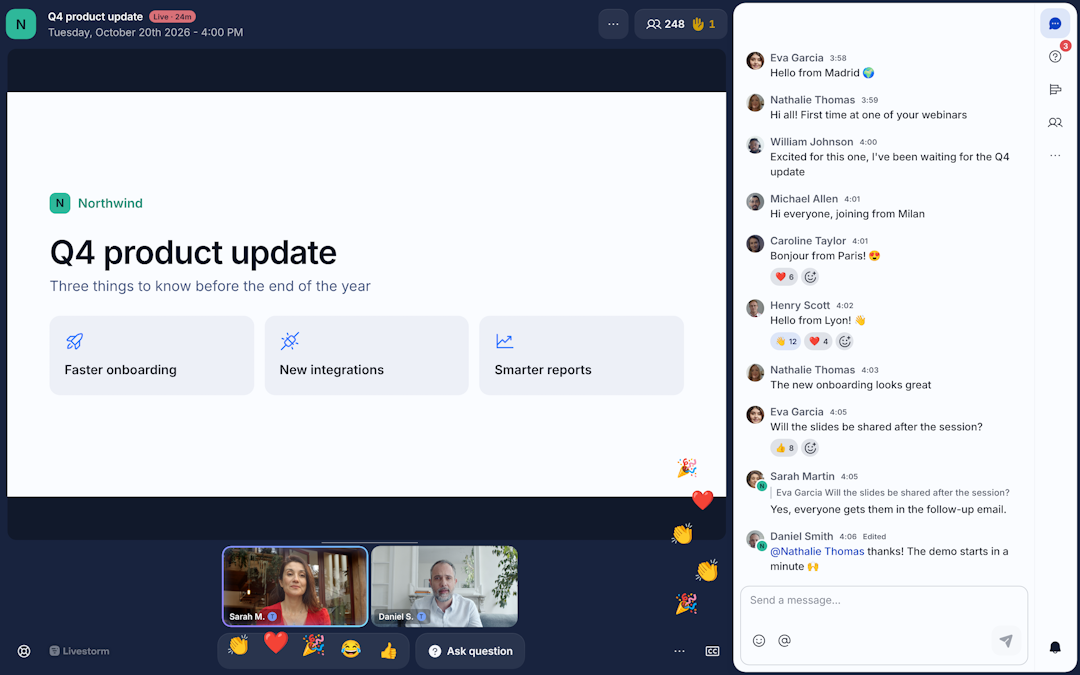
Each role sees what it needs
A viewer doesn't need the same Room as a host. Viewers get a clean view of the stage, without controls they'll never use. Organizers, moderators and speakers keep every stage control at hand, and the header and footer leave more space for what matters: the stage.
For hosts, raised hands no longer get lost: the people panel lists everyone waiting to speak. And when someone joins you on stage, you know right away.
A chat built for big audiences
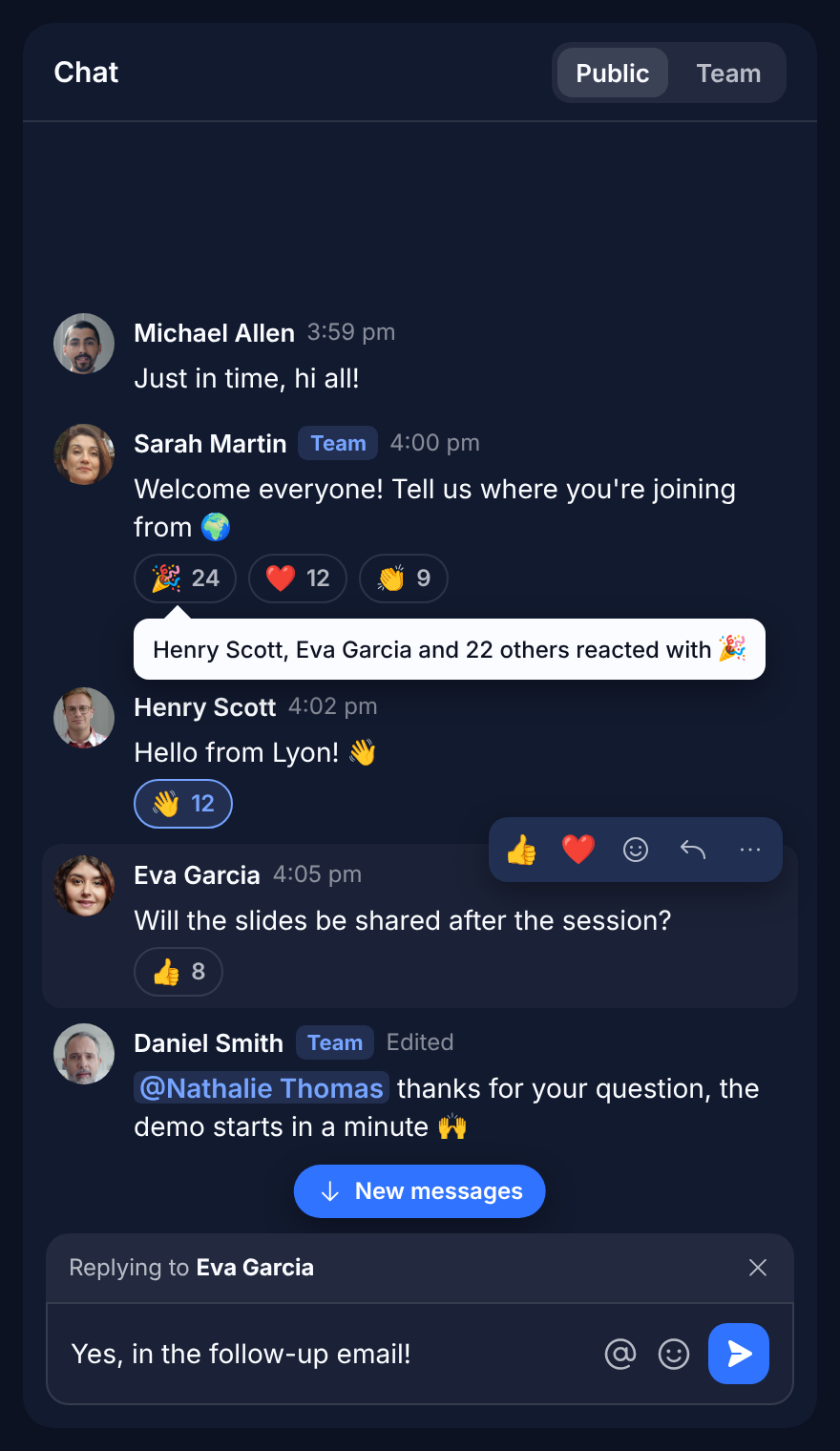
When hundreds of people talk at once, a chat needs to stay readable. The new chat is faster, and it gives everyone the tools of a modern conversation:
react to a message, or reply to it directly,
mention someone, so they know you're talking to them,
edit or delete your own messages,
jump back to the latest messages in one click,
see a preview of every link shared,
see at a glance who can read the Team chat.
Moderators can click a name to see the person's profile and messages, delete messages and remove participants, so the conversation stays on track.
Just as good on a phone
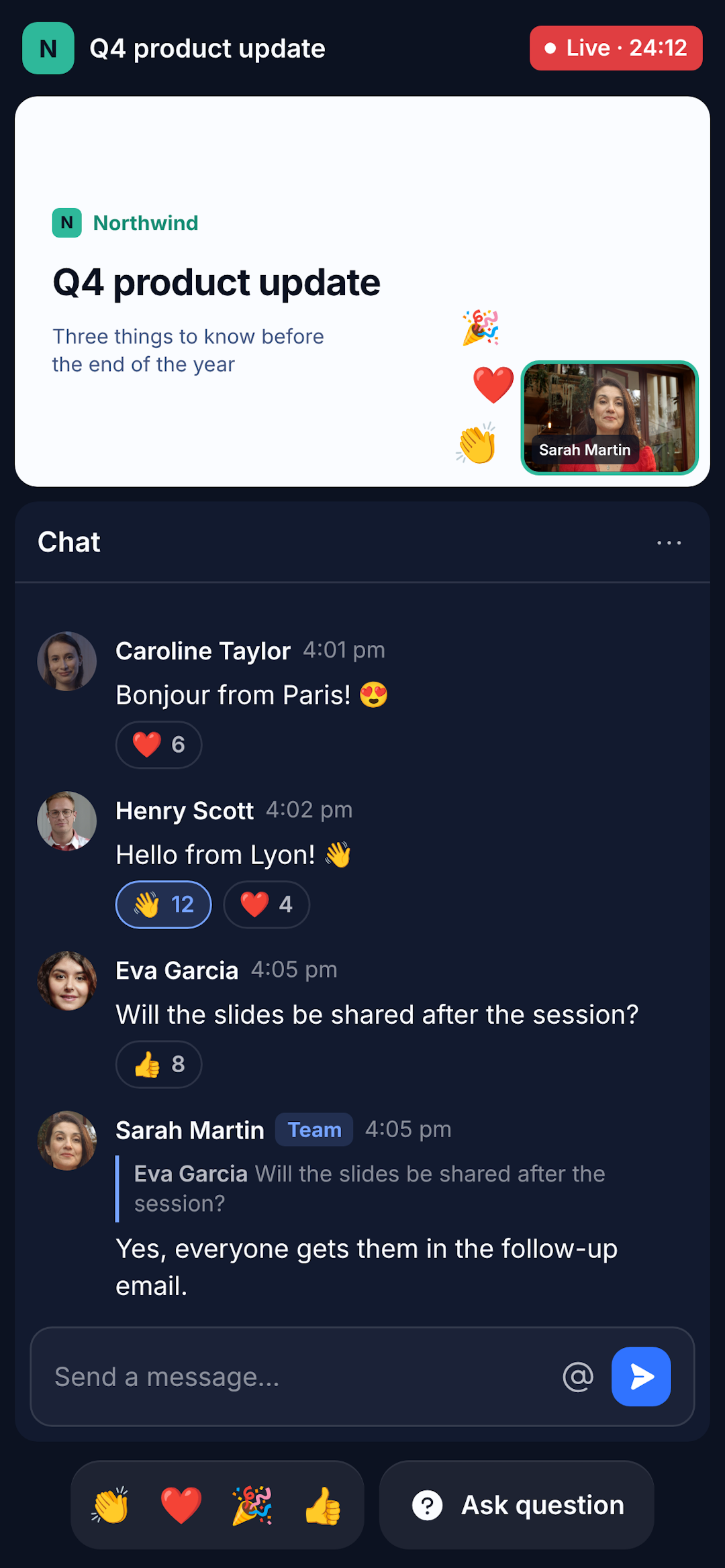
More and more attendees join from their phone. On mobile, the stage now sits on top and the chat below, so they can follow the speakers and the conversation at the same time.
A warmer welcome before the start
The lobby is refreshed too. While attendees wait, they see a countdown to the start. Hosts and speakers see who’s already here, and how many people are waiting before they go live.
More to learn from every event
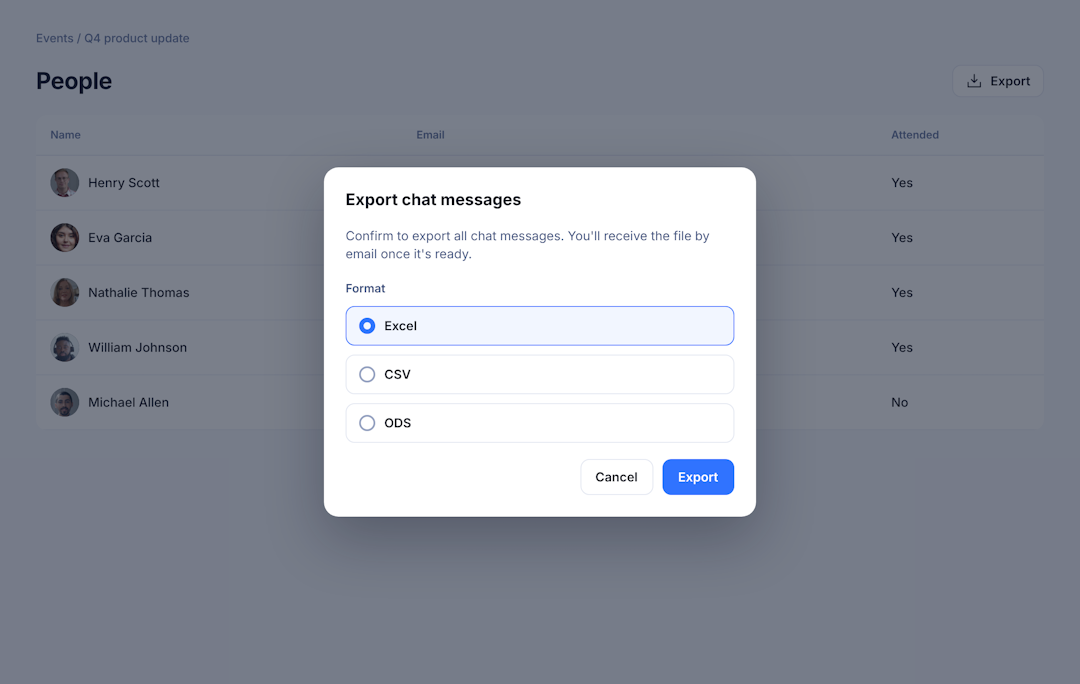
Every reaction, question and message tells you something about your audience. After the event, export the chat as an Excel, CSV or ODS file, for one session or the whole event, and use it for your follow-up. Developers can also get chat messages with our public API.
How to get started
There's nothing to do: your events move to the new Room on their own, today or on 27 October depending on your plan. Before your next big event, take two minutes to explore it in a test event with your speakers.
To learn everything the new Room can do, browse our help center. Questions? Write to help@livestorm.co, or to your Account Manager.
We can't wait to see what your audiences do with it. 🎉

About the author
Olivier Thomas - Senior Product Marketing Manager
Before joining Livestorm, Olivier built over 10 years of experience shaping go-to-market strategies and driving growth in complex tech environments. At Livestorm, he leads enterprise product marketing, structuring high-impact use cases, and building strategic positioning across industries. He also drives the go-to-market strategy for new features and integrations, ensuring launches translate into adoption and revenue impact.
Related categories