
Livestorm MCP
Livestorm is a webinar platform with an official MCP server. Connect it to Claude, ChatGPT, Microsoft 365 Copilot, Cursor and other AI assistants to create events, register attendees and pull engagement data in plain language. The server is remote (`https://mcp.livestorm.co/mcp`), you sign in with OAuth, and Livestorm is a verified connector in Claude's directory.
Sign up to install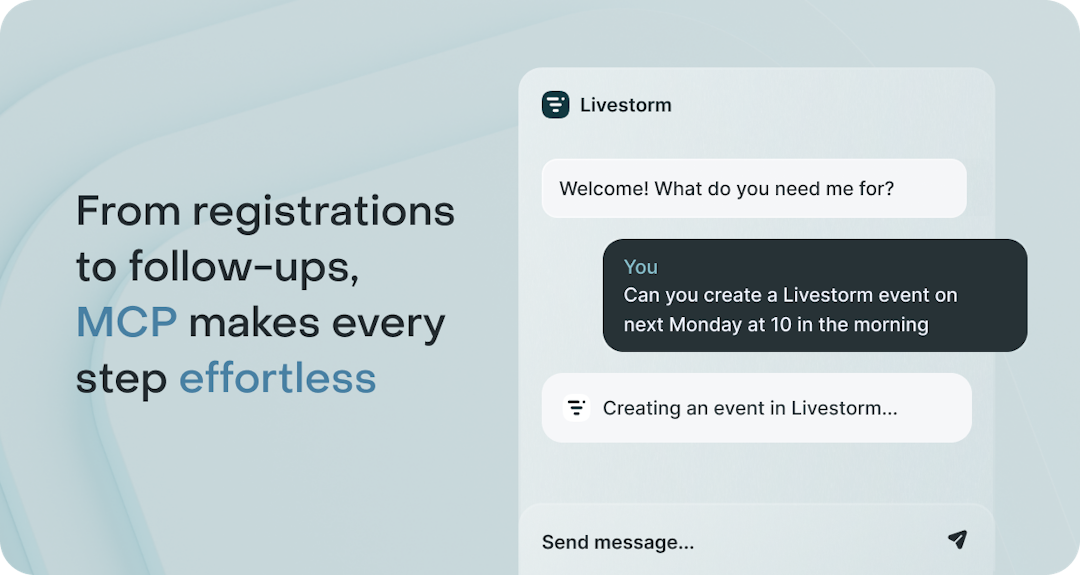
What is the Livestorm MCP server?
The Livestorm MCP (Model Context Protocol) server is Livestorm's official connection between your webinar data and AI assistants. It exposes the Livestorm public API as tools covering events, sessions, registrants, engagement data, tags, team members and webhooks, so an assistant can read your data and act on it in the same conversation.
It is a remote server at https://mcp.livestorm.co/mcp. You sign in with OAuth 2.1, and the assistant gets the same permissions as the Livestorm user who connects it. You can disconnect it at any time.
Livestorm MCP use cases
Custom registration experiences
Build tailored registration forms and flows (single or bulk):
- Collect sign-ups via custom HTML forms.
- Register individual contacts or bulk-import lists of registrants to specific sessions.
Sync event data with your CRM and marketing tools
Send registrant and engagement data to your CRM or marketing automation system, through webhooks or your CRM's own connector:
- Enrich lead profiles with event engagement data.
- Trigger nurturing workflows directly after an event.
Engagement scoring & lead nurturing
Track attendance, chat and Q&A activity, then let your assistant score leads and tag them in Livestorm. Use the tags to segment audiences, personalize campaigns and prioritize sales follow-ups.
Event impact analysis
Measure event performance by analyzing registration, attendance and engagement metrics. Export insights to your BI tools to track ROI and optimize future events.
Team management
Easily manage your Livestorm organization’s users and roles to keep your workspace clean and secure:
- Create and delete team member accounts.
- List all team members across the organization.
- Filter members by role, email, or other criteria to streamline admin tasks.
Which AI assistants work with Livestorm?
- Claude (web, desktop and Claude Code): verified connector, one click from Claude's directory. See Livestorm + Claude.
- ChatGPT: add a custom connector with the server URL.
- Microsoft 365 Copilot: through Copilot Studio.
- GitHub Copilot (VS Code), Cursor, Gemini CLI and Dust: add the server URL in the tool's MCP settings.
- Any other MCP client: through the mcp-remote bridge (requires Node.js).
How to connect the Livestorm MCP server
- In Claude, open the Livestorm connector in Claude's directory and click Connect. In other AI tools, add
https://mcp.livestorm.co/mcpas a remote MCP server. - Sign in with your Livestorm account to authorize access.
- Start asking, for example "List my webinars this month" or "Register these contacts to Tuesday's session."
Our developer documentation has client-by-client setup steps, and our help center article covers permissions.
Livestorm MCP requirements
You need a Livestorm account. The MCP server is available on all Livestorm plans, including Free; if the Public API isn't enabled on your workspace yet, contact support. Workspace owners and admins can connect it. Node.js is only needed for AI tools that use the mcp-remote bridge; Claude and ChatGPT connect natively.
Frequently asked questions
Does Livestorm have an MCP server?
Yes. Livestorm runs an official remote MCP server at https://mcp.livestorm.co/mcp. It connects your webinar and event data to AI assistants such as Claude, ChatGPT and Microsoft 365 Copilot, and Livestorm is a verified connector in Claude's directory.
Which AI assistants work with Livestorm?
Claude (web, desktop and Claude Code), ChatGPT, Microsoft 365 Copilot through Copilot Studio, GitHub Copilot in VS Code, Cursor, Gemini CLI and Dust. Any other MCP client can connect through the mcp-remote bridge.
How do I connect Livestorm to Claude or ChatGPT?
In Claude, open the Livestorm connector in Claude's directory, click Connect and sign in with your Livestorm account. In ChatGPT, add a custom connector with the server URL and complete the sign-in.
What can an AI assistant do in Livestorm?
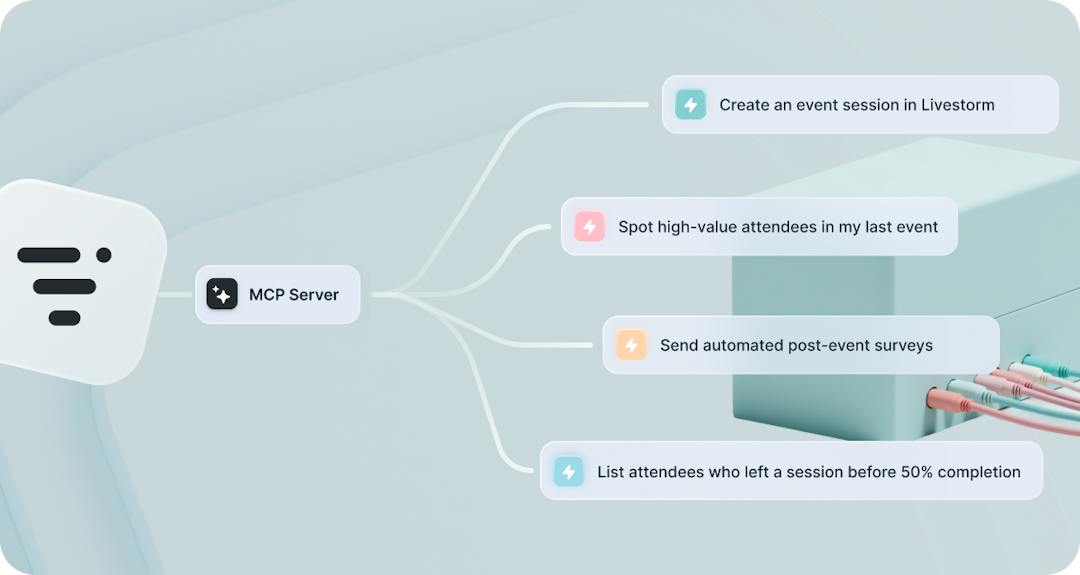
It can list, create and update events and sessions, register attendees one by one or in bulk, read attendance, chat and Q&A activity, tag people, manage team members and set up webhooks. Combined with your CRM's connector, it can also match webinar engagement with your pipeline.
Which Livestorm plans include the MCP server?
All Livestorm plans, including Free. If the Public API isn't enabled on your workspace yet, contact Livestorm support.
Is my webinar data secure?
You sign in with OAuth, and the assistant gets the same permissions as your Livestorm user, nothing more. You can disconnect it at any time from your AI tool's connector settings.



Need anything else?
Our seamless integration with tools like HubSpot and Intercom helps you manage all your insights in one place.
Browse all integrationsYou may also like

Livestorm API
The Livestorm team has developed an API that gives you endless possibilities to access, manage and customize your data. Livestorm’s API enables countless automation scenarios with internal systems, back offices, and 3rd-party applications.
API