
A webinar script is a written guide to what the host says and does across each part of a webinar, from the welcome to the closing CTA. It is more detailed than an outline and separate from your slides. Think of it as the voice that ties your structure and visuals together.
Webinar
How to Write a Webinar Script (+ Free Template)
Published on August 21, 2026 • About 5 min. read
Written by Brillixa Herdhiana
The Pipeline Truth: 2026 Webinar Benchmark Report
Table of content
Share this article
Key Takeaways
A webinar script guides what you say and do, section by section.
Write talking points, not a word-for-word speech.
Plan interaction throughout the webinar, not just at the end.
Keep it tight. Attention fades well before the hour mark.
Start from a template, then make it sound like you.
A webinar script is a section-by-section plan of what you'll say and do, from the opening welcome to the closing call to action (CTA). To write one, set a single goal, and outline the sections with rough timing. Then, write natural talking points for the opening, core content, interaction, CTA, and Q&A.
This guide walks through the full process, with a free webinar script template and an example you can adapt.
What is a webinar script?
A webinar script is a written guide that maps what the host will say and do through each part of the event. It's a roadmap for a webinar that includes:
Welcome
Hook
Core content
Audience interaction
Call to action
Close
It's a key part of webinar planning, along with the outline and the slides. The webinar outline is the skeleton, the slides are what people see, and the script is the voice that ties them together.
The best webinar scripts aren't word-for-word transcripts of the event. They're structured talking points that keep you on time and on message while still sounding like a conversation.
Why you need a webinar script (and why it shouldn't be word-for-word)
A script does three things:
Keeps your timing on track
Smooths the transitions between sections
Makes sure your CTA isn't rushed at the end
It also settles nerves, which matters most in the first few minutes when attendees decide whether to stay engaged.
But it shouldn't sound overly planned. Read a script word for word, and you'll sound robotic, which is the fastest way to lose a room.
Livestorm's 2026 Webinar Benchmark Report shows the average webinar runs 68 minutes but holds attention for only about 26 of them. This makes a strong case for a script.
To host a successful webinar, front load the value, pace your interaction, and cut anything that doesn't earn its time. Use the script as a guide, not a teleprompter.
How to write a webinar script, step by step
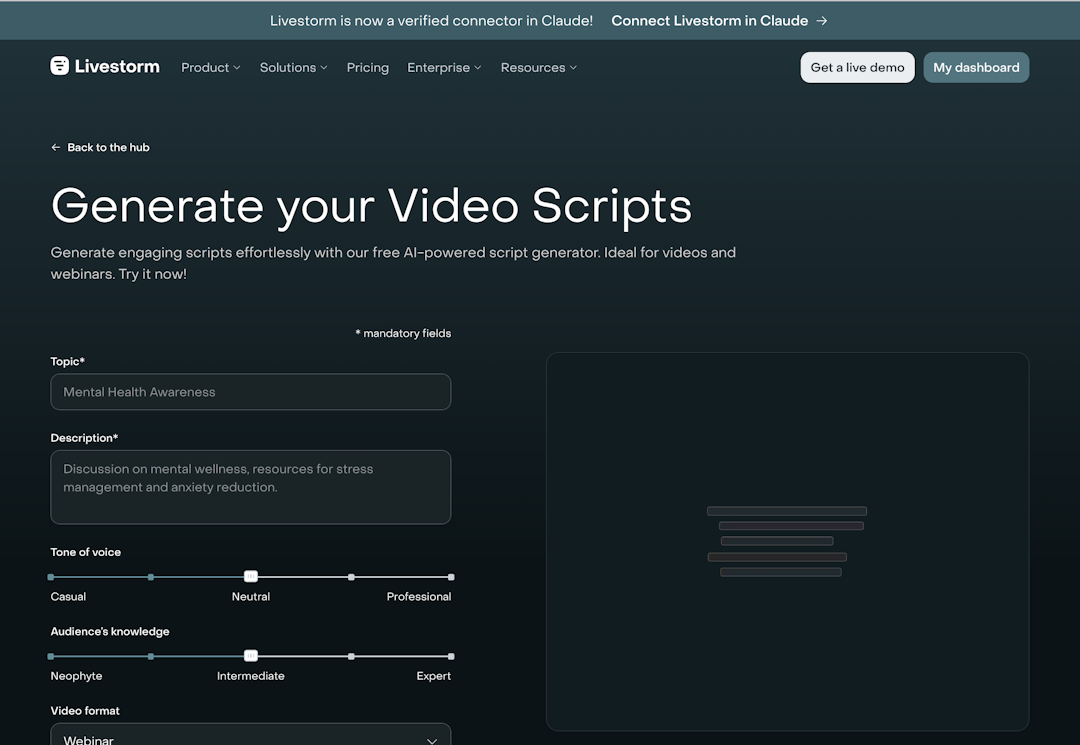
Work from the top down. Confirm the goal first, then the structure, and then the words. These seven steps take you from a blank page to a script you can rehearse. We also have a Webinar Script Generator to make your life easier in 3 clicks, it's done!
1. Start with one goal and your audience
Pick a single outcome for the webinar session, whether that's lead generation, onboarding customers, or driving demo requests.
Write to one persona, not a crowd. Everything in the script should serve your goal and speak to your audience.
2. Outline the structure with timings
Before you write a word, block out the sections and how many minutes to devote to each. Here's a simple webinar outline template for a 45-minute event:
5 minutes to open
5 to set up the problem
25 for core content
5 for the CTA
5 for Q&A
If you want a head start, Livestorm's free webinar title and outline generator can create a basic structure for you.
3. Write the opening
The opening hooks attendees and earns the next 40 minutes. It should cover three things quickly:
Welcome the audience and introduce yourself and any presenters or guest speakers
Handle housekeeping by mentioning the recording and telling people where to ask questions
Hook the audience by naming the problem they came to solve and the outcome they'll leave with
Example: "Welcome, everyone. I'm [name] from [company]. We're recording, so you'll get the replay, and you can drop questions in the chat any time. In the next 40 minutes, you'll leave knowing exactly how to [outcome]."
4. Script the core content as teaching points
Break the body into two or three main points. For each, write the key point, a short example or story, and the takeaway.
Keep the wording as talking points rather than full paragraphs so you sound natural. Stick to one idea per section so it's easier to follow and deliver.
5. Build in audience interaction
Plan interaction every few minutes, not as an afterthought at minute 50. Write specific prompts into the script. For example, post a poll after your first point, a chat question after the second, and a Q&A checkpoint before the CTA.
Not sure where to start? Chat is the most-used engagement feature, present in 90% of webinars, according to our benchmark data. Our guide on making webinars more interactive has plenty of prompts to steal.
6. Write the transition and CTA
Signal the shift from outcomes to next steps. Then suggest one clear action.
Keep the CTA specific and phrased as an action: book a demo, start a trial, download the guide. Write the exact words so you do not fumble your most important line.
7. Plan the Q&A and sign-off
Seed two or three questions in case the chat is quiet and you don't receive many questions from the audience. Write a clean close that repeats the one thing you want people to remember plus the single next step.
Thank them, and point to the replay. Conclude by ending the event on time.
Free webinar script template
Copy this template and fill in the brackets. It follows best practices for webinar structure with rough timing for a 45-minute webinar.
Opening (0:00 to 5:00)
"Welcome, everyone. I'm [name] from [company]."
Housekeeping: Recording on, questions go in the chat.
Hook: "By the end, you'll know how to [outcome]."
Problem and promise (5:00 to 10:00)
The problem: [pain point].
The promise: "Today you'll learn [one to three things]."
Core content (10:00 to 35:00)
Point 1: [idea] + [example] + [takeaway]. Run a poll.
Point 2: [idea] + [example] + [takeaway]. Ask a chat question.
Point 3: [idea] + [example] + [takeaway].
Call to action (35:00 to 40:00)
Recap: "We covered [summary]."
Next step: "[Action CTA]. The link is in the chat."
Q&A and close (40:00 to 45:00)
Take questions. Seed one or two to start.
Close: One key takeaway, the next step, and a thank you.
Webinar script example
Here's a quick example for a B2B marketing webinar about how to cut webinar production time.
Opening: "Welcome, everyone. I'm Maya from ABC Company, and today we're tackling something every marketer deals with. Webinars eat time. We're recording, so you'll get the replay. Drop questions in the chat as we go. In the next 40 minutes, you'll leave with a workflow that turns one webinar into a week of content."
Problem and promise: "Most teams spend hours turning a single session into clips and posts, if they get to it at all. By the end, you'll have a three-step system to do it in a fraction of the time."
Core content, point 1: "First, plan for repurposing before you go live." Explain the point, give a quick example, and then run a poll: "How do you repurpose webinars today?"
Call to action: "If you want the workflow we use, start a free trial and it's waiting in your dashboard."
Keep your example concrete but easy to adapt to your own topic.
How to make your webinar script sound natural
The goal is to be prepared, not scripted. These habits will help:
Write talking points, not paragraphs. Capture the idea, not the exact sentence.
Practice it aloud while timing yourself. Then adjust as necessary.
Mark your audience interaction moments in the script.
Rehearse once, all the way through. Then trust yourself on event day.
Keep a one-page cue sheet in front of you as you present. This ensures that you glance rather than read. For sharper delivery and slides, see our tips on webinar presentations.
Common webinar script mistakes to avoid
These common mistakes can hold you back from a successful webinar script:
Writing a script meant to read word for word, which makes you sound robotic.
Cramming in too much content, so nothing lands with your audience.
Saving all interaction for the end, after attention has already dropped.
Slides that are walls of text competing with what you're saying.
Running over time because you never timed the script.
To fix these, rehearse with a timer and cut or rearrange as necessary.
Run your scripted webinar with Livestorm
Set up your webinar for success. Livestorm, the webinar platform with AI Studio, brings your script to life with built-in polls, chat, and Q&A for audience interaction, plus browser-based events so there's nothing to install.
When the session ends, an on-demand replay lets you reuse the same script as an evergreen webinar that runs on its own. Start a free trial.
Frequently asked questions
What is a webinar script?
How do you write a webinar script?
To write a webinar script, start with one goal and your audience, and outline the sections with rough timing. Then, write natural talking points for the opening, core content, interaction, CTA, and Q&A. Work top down, so structure comes first and the exact words come last. Finish by reading it aloud and timing it.
Should I write my webinar script word-for-word or use bullet points?
Use bullet points for most of it, and script only the lines that must sound exactly right, like your hook and your CTA. Reading a full script word-for-word tends to sound flat. Talking points let you sound natural while still keeping you on track.
How long should a webinar script be?
A webinar script should be long enough to cover every section. Since the average webinar runs about 68 minutes and attention fades well before then, script tightly and cut anything that doesn't serve your goal.
How do I start a webinar?
Open your webinar with a quick welcome and introduction, and handle housekeeping (mention the recording and where to ask questions). Then, hook the audience by naming the problem and the outcome they'll leave with. Keep it under five minutes and get to the value fast.
Is there a free webinar script template?
Yes, the webinar script template above is free to copy. It lays out the opening, problem and promise, core content, call to action, and Q&A with rough timing. You can also use our tool that can generate a script in 3 clicks


Reports
The Pipeline Truth: 2026 Webinar Benchmark Report
Drive more registrations, boost attendance & multiply content 13x. Based on 7M+ registrations, 33K sessions + 850 go-to-market leader insights.

About the author
Brillixa Herdhiana - Senior Growth Manager
Brillixa joined Livestorm as Growth Manager in 2021. Her experience enables her to contribute to business growth through lead generation from ads and organic channels.
Featured resource
Reports
The Pipeline Truth: 2026 Webinar Benchmark Report
Drive more registrations, boost attendance & multiply content 13x. Based on 7M+ registrations, 33K sessions + 850 go-to-market leader insights.
Newsletter