A live webinar happens in real time with presenters and attendees interacting simultaneously. An automated webinar uses prerecorded content that plays at scheduled times or on demand. Automated webinars offer scheduling flexibility and consistent delivery, while live webinars allow spontaneous Q&A and real-time engagement.
Webinar
13 Best Automated Webinar Platforms [2026 Comparison]
Published on December 17, 2025 • About 11 min. read
Written by Brillixa Herdhiana
AI Applied to Webinars: The Playbook

Table of content
Share this article
Key Takeaways
Automated webinar platforms simulate live events using prerecorded content, enabling continuous lead generation without manual effort.
Key features frequently automated include event scheduling, polls, file sharing, CTAs, email sequences, and CRM integrations for efficient workflows.
Livestorm is a top platform for webinar and marketing automation, allowing teams to create effective lead generation funnels.
Automated webinars allow marketing and sales teams to scale outreach, optimize lead nurturing, and gather attendee engagement data passively.
Running live webinars for every prospect costs your team tons of time and resources, slowing down your lead generation efforts. Automated webinars let you host webinars on autopilot, so your lead generation keeps running while your team can focus on nurturing leads and closing deals.
But with dozens of platforms claiming to be the best webinar software, finding the right fit takes research. This guide breaks down 13 of the best automated webinar platforms and helps you find the right B2B lead generation features at the right price point.
For live webinars as well as automated ones, see our picks for the best webinar software.
What is an automated webinar platform?
An automated webinar platform is software that simulates a live experience by playing prerecorded content at scheduled times, on demand, or both. Many of these webinar tools also include automated registration pages, engagement features, email sequences, and marketing automation integrations.
When to use automated webinar software
Automated webinar software lets you host virtual events that offer a live feel but doesn't require you to present or engage in real time. Think of it as a lead generation tool that runs on autopilot, which means:
Marketing and sales teams save time by recording evergreen webinars once and replaying them automatically
Viewers can watch and engage with events at their own convenience, which can improve attendance rates
Organizations generate leads more efficiently since one webinar can connect with leads for weeks or months

What to automate in webinars
You can save time and simplify your lead gen funnel by automating these webinar marketing elements:
Event start and end: The webinar begins and ends on a set schedule, redirecting viewers to a landing page after the event concludes. There's no need to manually kick off sessions or worry about time zones.
In-event polls: Questions pop up at set timestamps to keep viewers engaged. The platform logs results so you can see what resonates.
File sharing: Resources like slides or PDFs get delivered at specific points or when viewers hit certain triggers. There's no manual follow-up needed.
CTAs: Prompts appear at predetermined moments to drive signups or demos. You control when prospects see your ask based on what they've watched.
Attendee emails: Confirmation, reminder, and follow-up emails send based on registration and viewing behavior. Top webinar platforms handle the entire sequence.
Marketing automation: Viewer data flows directly to your CRM or marketing platform. Engagement triggers your next nurture step without the need for manual data entry.
13 Best automated webinar platforms for B2B
We rounded up the best webinar platforms for hosting simulive events. Below, we break down each platform's automated features, where it shines, and what you can expect to pay.
| Platform | Scheduling options | Key Automation features | Best for | Starting price |
|---|---|---|---|---|
| Livestorm | Scheduled, on-demand | Multi-session events, video playback, CRM integrations, polls/Q&A | Browser-based platform with seamless marketing automation | $105/month (annual) |
| Demio | Scheduled | Timed handouts, polls, and CTAs; engagement tracking | Managing webinar automation with limited resources | $80/month (annual) |
| Zoom | Scheduled, on-demand | Prerecorded webinars, hybrid events, marketing automation | Very large audiences (10,000+) or existing Zoom users | $290.83/month (annual) + $13.33/user |
| ClickMeeting | Scheduled, on-demand | Timeline-based interactions, monetization options, page redirects | Wide range of webinar types including paid events | $48/month (annual) |
| WebinarKit | Just-in-time, scheduled, on-demand, multi-day | AI presentation builder, AI chat responses, SMS marketing | Built-in AI tools for evergreen webinars | $33/month (annual) |
| Webex | Scheduled | Prerecorded events, exhibitor videos, ticketing and sponsors | Enterprise solution with professional production quality | $56.25/month per user (annual) + $12/user |
| BigMarker | Scheduled, on-demand | Video playback, chat messages, polls, offers, handouts | Complete event strategy across all formats | Custom pricing |
| Airmeet | Scheduled | Prerecorded sessions, live chat/Q&A, surveys, email templates | Large events with viewer intent monitoring | $167/month (annual) |
| GoTo Webinar | Scheduled, on-demand | Email automation, interactive tools, handouts, CRM syncing | Enterprise users needing meetings and calls integration | $62/month (annual) |
| Vimeo | Scheduled | Multi-segment events, live Q&A scenes, brand kits | Video hosting/editing with occasional webinars | $75/month (annual) |
| EasyWebinar | Just-in-time, scheduled, on-demand, recurring | Right-on-time scheduling, local timezone streaming, built-in CRM | Flexible scheduling with immediate or preset streaming | $96/month (annual) |
| WebinarGeek | Just-in-time, scheduled, on-demand | Hybrid webinars, polls/quizzes, CTA buttons, live chat | Interactive webinars with automated content and live Q&A | $85/month (annual) |
| EverWebinar | Just-in-time, scheduled, on-demand | Live chat playback, sales offers with countdowns, dynamic attendance simulation | Simulated live experiences (no actual live events) | $79/month (2-year commitment) |
1. Livestorm
Livestorm is a video engagement platform built for B2B marketing teams to run live, automated, and on-demand webinars and virtual events. Designed for enterprise organizations, Livestorm integrates with HubSpot, Salesforce, Marketo, and other sales and marketing tools. It's ideal for use cases ranging from lead generation and product demos to customer training and internal communications.
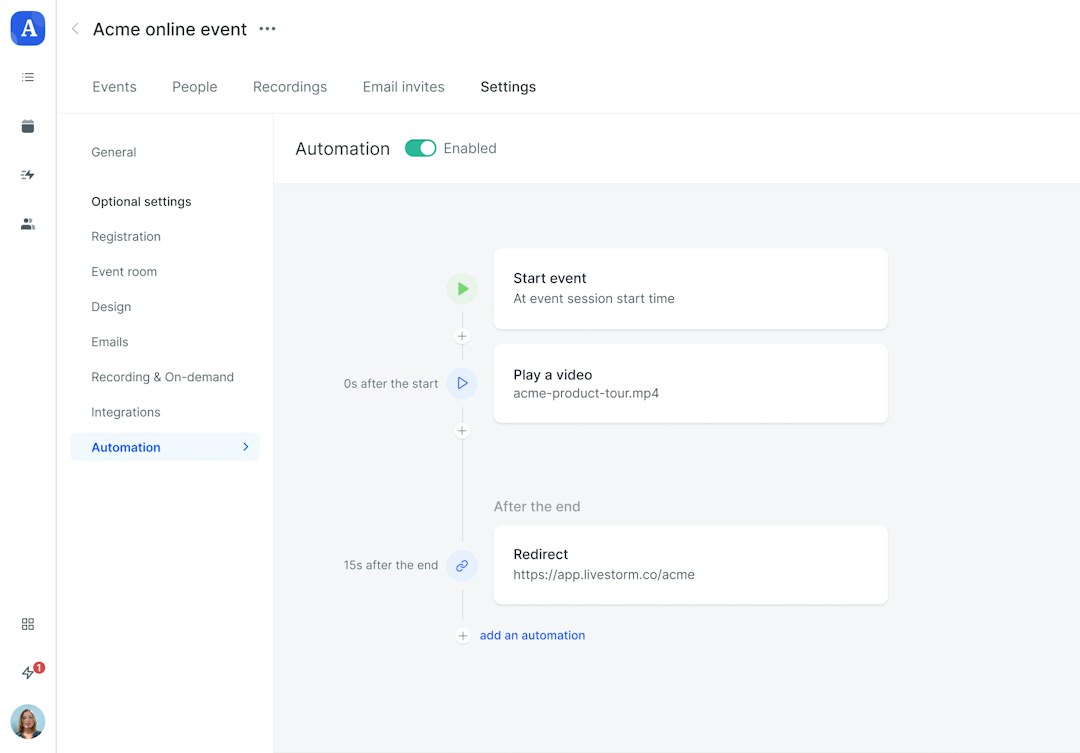
What can you automate with Livestorm?
Single- and multi-session events: Automate webinars with one or more sessions via a single link
Event start and end times: Automatically start and stop webinars at scheduled times
Video playback: Play prerecorded videos during the webinar to create a simulive experience
Registration pages: Create and customize registration pages optimized for conversion
Email reminders and follow-ups: Send email invites, reminders, and post-event messages
Marketing automations: Sync Livestorm with with HubSpot and other CRMs to automate marketing and sales workflows
Advertising integrations: Connect Livestorm with Facebook and LinkedIn ads to run paid lead gen campaigns
Polls and Q&A sessions: Add interactive polls and Q&A sessions to automated events
File sharing: Share downloadable files with participants automatically
When to consider Livestorm for automated webinars
Go with Livestorm if you want browser-based webinar software that makes both event automation and marketing automation seamless, making it easy to build a successful webinar funnel.
Pricing
Livestorm pricing starts at $105/month (billed annually) for up to 1,000 annual active contacts.
2. Demio
Demio is a platform for hosting webinars, measuring engagement, and proving ROI. With Demio webinars, you can track attendee engagement, identify intent, and guide prospects through your lead generation funnel.
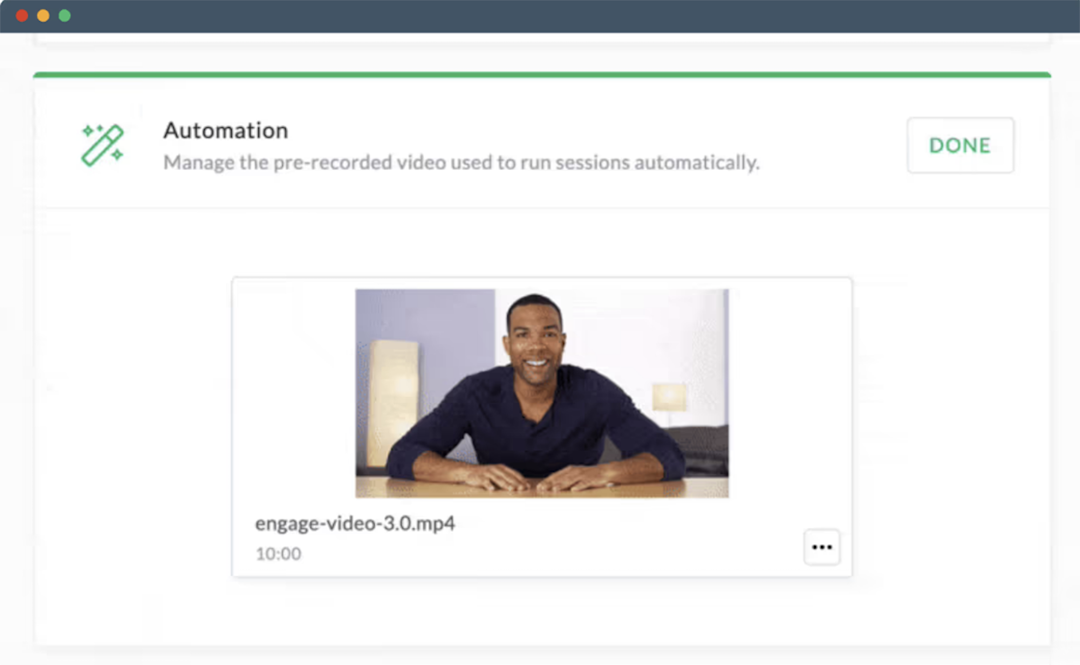
What can you automate with Demio?
Webinar content: Upload videos to play automatically
Timed handouts: Deliver downloadable materials at specific points during the webinar
Timed polls: Schedule polls to appear at set times during the presentation
Timed CTAs: Display CTA buttons at scheduled moments
Custom registration fields: Capture essential information from registrants
Audience interaction: Monitor which attendees were most engaged during the session
When to consider Demio for automated webinars
Consider Demio if you need to manage webinar automation and run engaging automated events with limited resources.
Pricing
Demio offers automated webinars with the Growth plan, which starts at $80/month (billed annually) for up to 150 attendees.
3. Zoom
Zoom is a software platform that offers everything from webinars and virtual events to meetings and team chat. With Zoom Webinars, you can host live, on-demand, or automated events for 10,000+ attendees and sync your data with many leading marketing software tools.
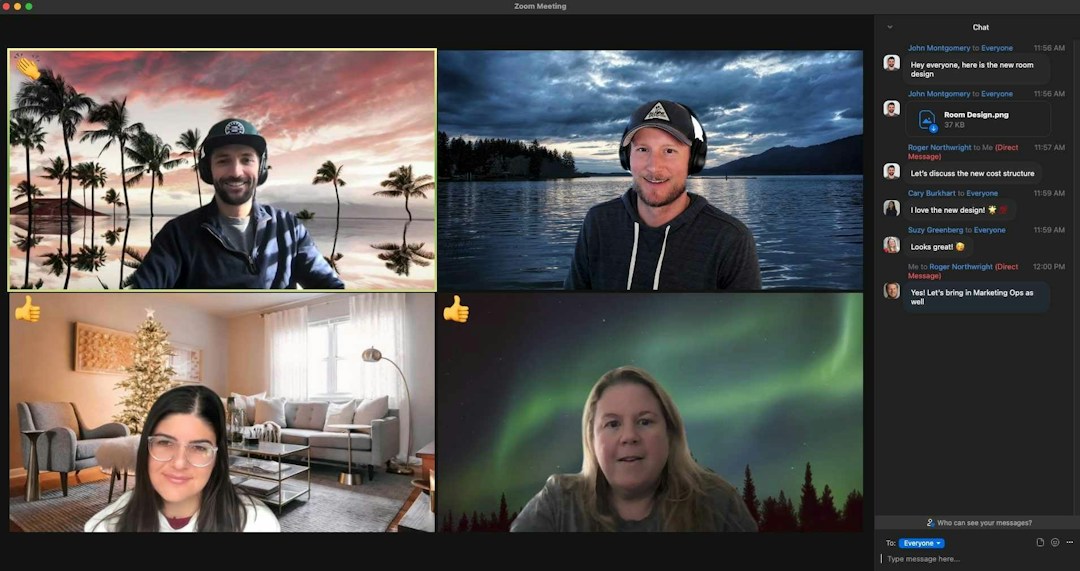
What can you automate with Zoom?
Prerecorded webinars: Upload video files and schedule them to play at specific times
Hybrid events: Hosts can join automated events, engage in real time, and transition events to a live format
Event operations: Set up workflows for signups, reminders, and email follow-ups
Marketing automation: Integrate Zoom with marketing and sales tools to simplify follow-ups
When to consider Zoom for automated webinars
Consider a Zoom webinar subscription if you need to host very large audiences (10,000+ people) or if you're already in the Zoom ecosystem.
Pricing
Zoom offers simulive events with the Webinars Plus plan, which starts at $290.83/month (billed annually) for up to 500 attendees. Note that this option also requires a Zoom Workplace Pro plan, which starts at $13.33/month per user (billed annually).
4. ClickMeeting
ClickMeeting is meeting software that also supports live and automated webinars, including options for ticketing and monetization. It's designed for interactive events and classes, with features like live brainstorming, chat, polls, and Q&A sessions.
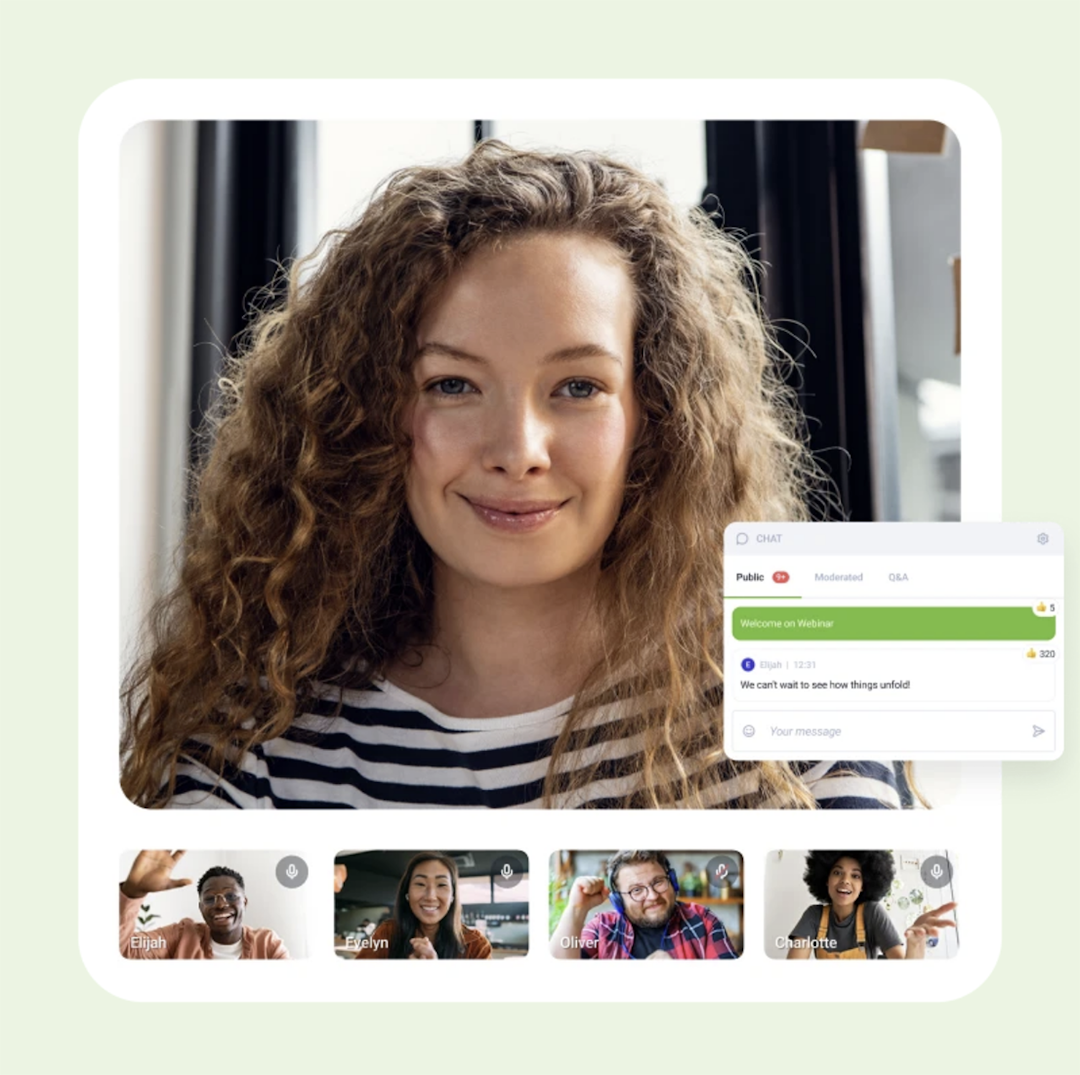
What can you automate with ClickMeeting?
Webinar playback: Schedule prerecorded content to run at specific times or on demand
Timeline-based interactions: Use a visual timeline to schedule polls, surveys, and video content during the webinar
Live or recorded chat: Interact in real time or answer attendee questions later
Emails: Send reminders and thank you emails
Page redirects: Send viewers to your website after the event
When to consider ClickMeeting
Put a platform like ClickMeeting on your list if you want a solution that supports a wide range of webinar types — including monetization options.
Pricing
ClickMeeting's Automated plan starts at $48/month (billed annually) for up to 50 attendees.
5. WebinarKit
WebinarKit is an AI-powered automated webinar platform designed to help you generate leads around the clock. Its AI tools can build your presentation, chat with attendees, and handle email reminders. However, WebinarKit doesn't support streaming live events.
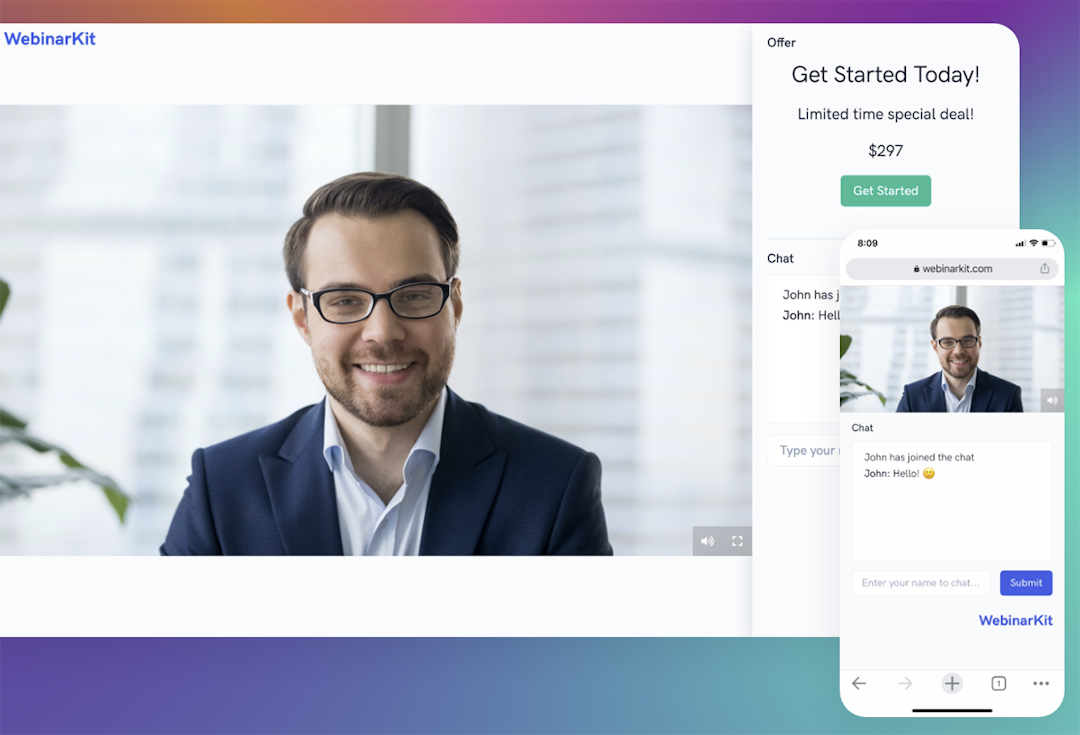
What can you automate with WebinarKit?
Presentation builder: Enter your website or offering details to generate a script and slide deck
Just-in-time webinars: Run sessions that start every 5, 10, or 15 minutes
Scheduled events: Set webinars to run at specific times (daily, weekly, or monthly)
On-demand content: Let attendees watch immediately
Multi-day events: Create multi-session series for automated funnels
Email and SMS marketing: Send reminders, follow-ups, and calendar invites
Engagement features: Schedule polls, offers, handouts, and chat messages to appear at specific times
AI chat responses: Answers attendee questions and handle objections on autopilot
When to consider WebinarKit
Choose WebinarKit if you want built-in AI tools to build your evergreen webinars (and if you don't plan to host any live events).
Pricing
WebinarKit offers automated webinar features in the Pro plan, which starts at $33/month (billed annually).
6. Webex
Webex Events is an enterprise virtual and hybrid event platform designed for large-scale professional productions. It supports livestreams, immersive events, and contextual content delivery. Webex also allows ticket sales, sponsor tools, and personalized post-event outreach.
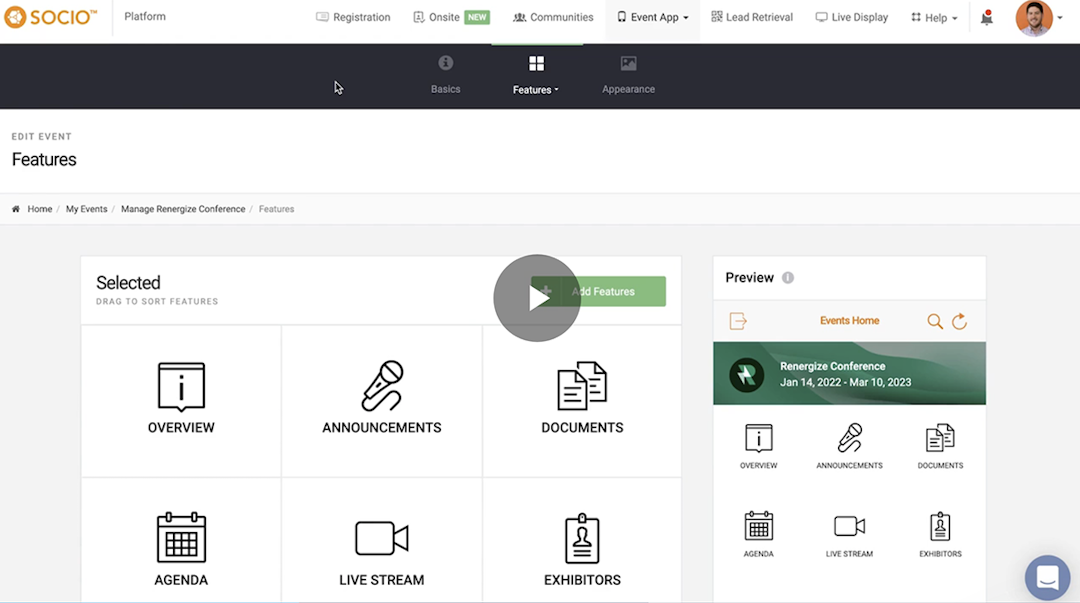
What can you automate with Webex?
Prerecorded events: Schedule content to play at specific times
CTAs: Direct viewers to internal or external links
Exhibitors: Add exhibitor videos to events
Engagement: Engage attendees with chat and Q&A sessions
When to consider Webex
Webex may be the right platform if you need an enterprise solution with professional production quality and virtual events with ticketing and sponsors.
Pricing
Webex Webinars pricing starts at $56.25/month per user (billed annually) for up to 1,000 attendees. Note that this plan requires a Webex Meet plan, which starts at $12/month per user (billed annually).
7. BigMarker
BigMarker is a browser-based webinar and virtual events platform that supports live, hybrid, and on-demand content delivery. It includes a production studio for creating broadcast-quality video, customizable virtual event spaces with networking and sponsorship features, and media hubs for hosting on-demand content libraries.
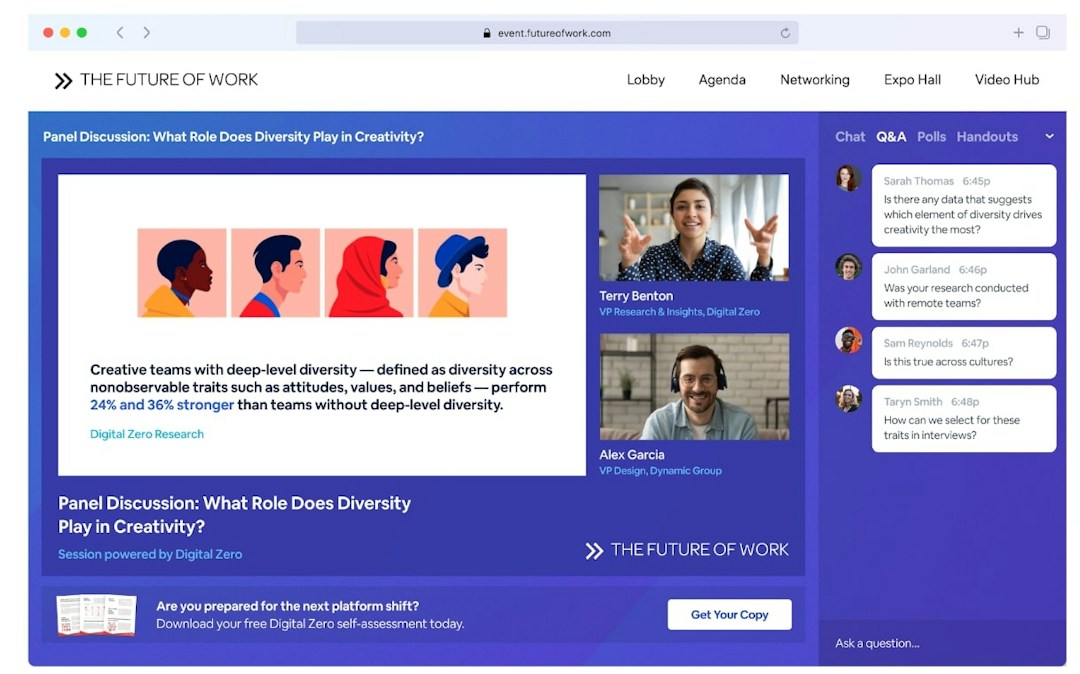
What can you automate with BigMarker?
Video playback: Play full prerecorded videos or specific portions at scheduled times
Chat messages: Send chat messages at specific times
Polls: Launch polls at set times during the webinar
Offers: Display offers at designated moments
Handouts: Distribute downloadable handouts at scheduled times
Email sequences: Send invitations, reminders, and follow-ups
When to consider BigMarker
Consider BigMarker if you need a software platform to handle your entire event strategy — including automated, virtual, hybrid, and in-person events.
Pricing
All BigMarker plans have custom pricing.
8. Airmeet
Airmeet is a virtual event platform designed for customizable experiences and viewer engagement. In addition to live and evergreen webinars, it supports conferences, summits, hybrid events, and managed events — with options for ticketing and sponsorships.
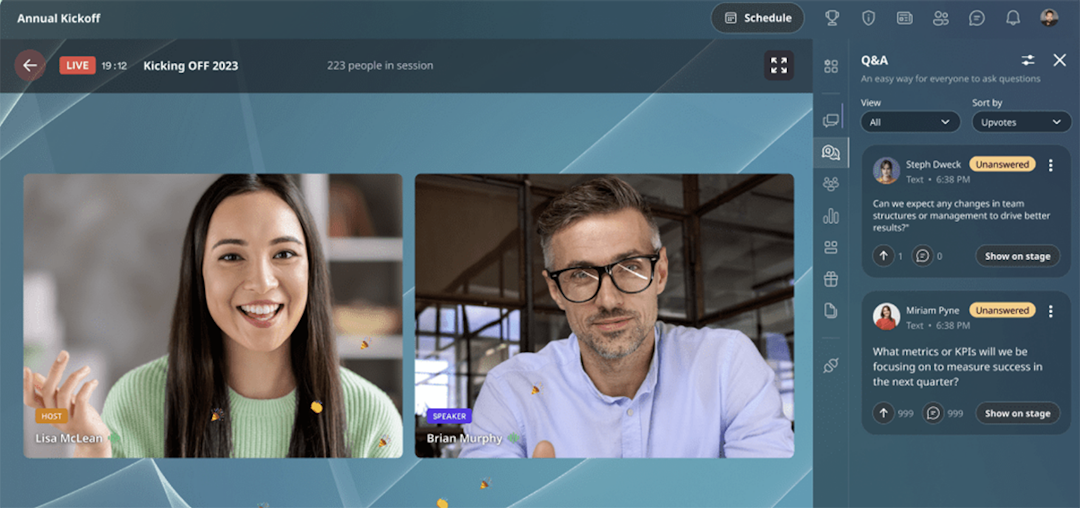
What can you automate with Airmeet?
Prerecorded sessions: Schedule prerecorded content to play at specific times
Live chat and Q&A sessions: Encourage engagement and respond to questions in the webinar room
Surveys: Ask questions and do market research during automated sessions
Email tools: Use templates to send reminders and follow-ups with CTAs
When to consider Airmeet
Think about Airmeet if you need to host large events or if you want a webinar tool that helps you monitor and act on viewer intent.
Pricing
Airmeet pricing starts at $167/month (billed annually) for up to 100 attendees.
9. GoTo Webinar
GoTo Webinar lets teams run live webinars or use prerecorded content that plays automatically. The platform is built for enterprise users and large-scale events, but it has breakout rooms for splitting attendees into smaller groups. Part of the GoTo suite, it's linked with GoTo Meeting and GoTo Connect.
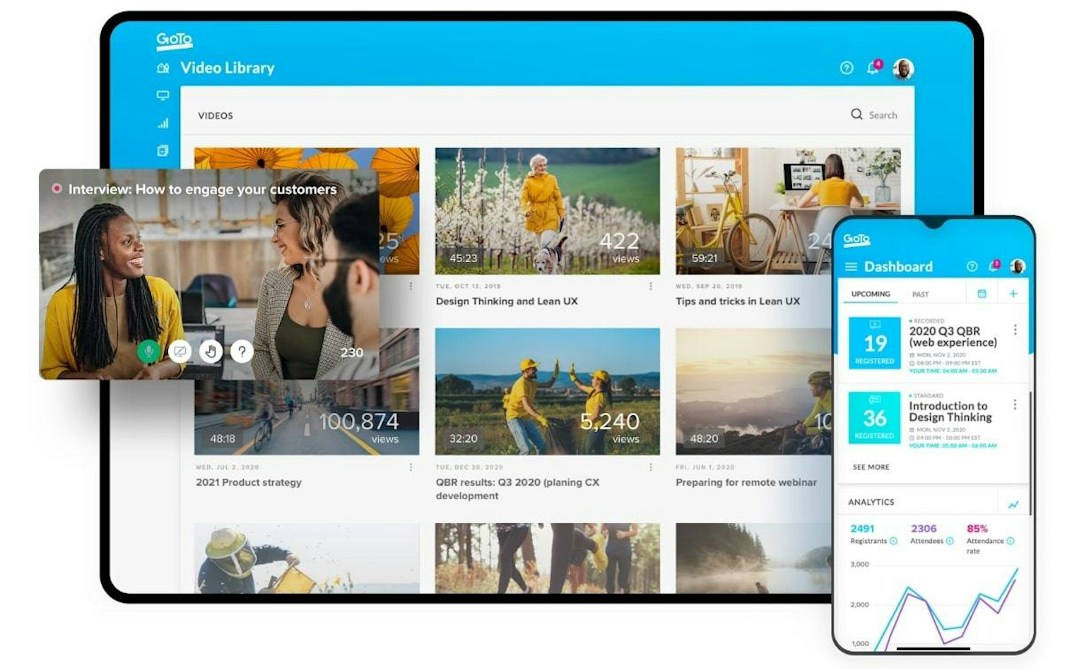
What can you automate with GoTo Webinar?
Webinar recordings: Replay events at specific times or make them available on demand
Email reminders: Create invitations and reminders or use templates and send automated emails
Interactive tools: Use tools like polls, surveys, and Q&A sessions to engage attendees
Handouts: Share downloadable assets during recorded events
CRM syncing: Connect your CRM and marketing tools to sync attendee data and track customer journeys
When to consider GoTo Webinar
Look at GoTo Webinar if you're looking for a webinar platform that also supports meetings (via GoTo Meeting) and calls (via GoTo Connect).
Pricing
GoTo Webinar pricing starts at $62/month (billed annually) for up to 500 participants.
10. Vimeo
Vimeo is a video hosting and editing tool that also supports virtual events and webinars. With Vimeo, you can compile multiple prerecorded video segments into a single event and add optional live segments (like a Q&A session) after prerecorded content.
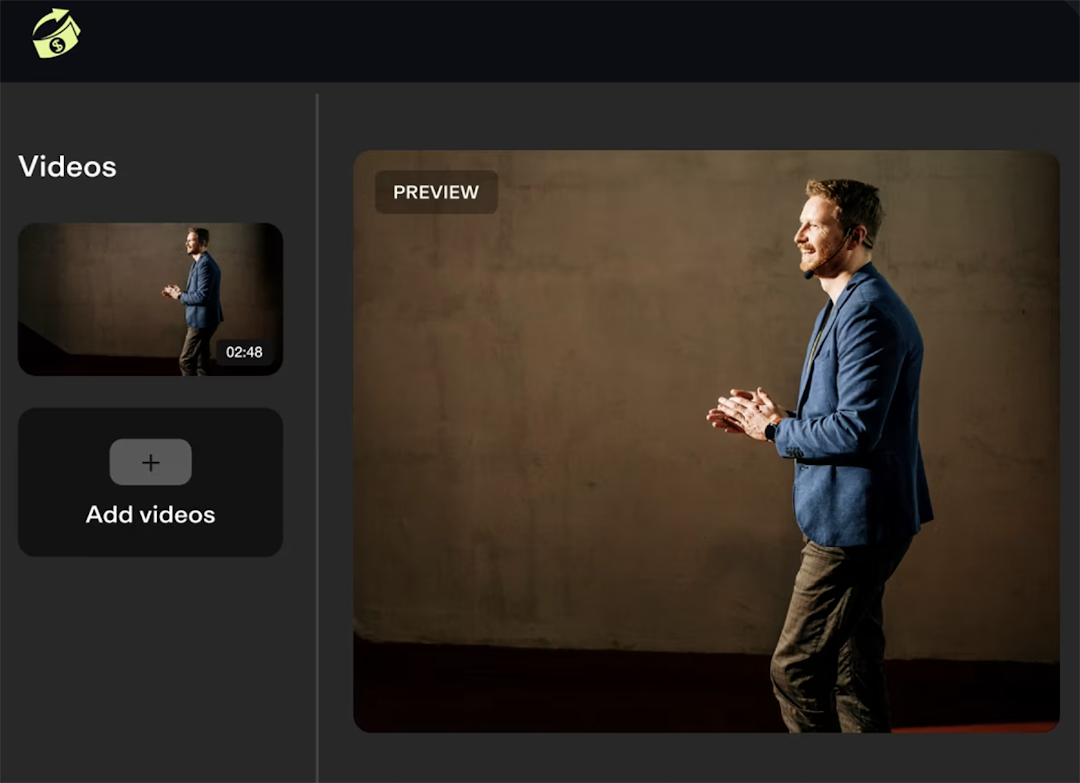
What can you automate with Vimeo?
Prerecorded content: Pre-produce webinars and combine one or more segments into a simulive event
Live scenes: Use engagement tools to add live Q&A sessions after the prerecorded event
Chat: Let audience members chat as the automated event plays
Brand kits: Apply your brand kit to give all your automated events a cohesive look
When to consider Vimeo
Consider Vimeo if you primarily need video hosting and editing software to customize your webinar — but you aren't planning to host many live events.
Pricing
Vimeo offers prerecorded webinars with the Advanced plan, which starts at $75/month (billed annually) for up to 100 attendees.
11. EasyWebinar
EasyWebinar supports live, automated, and paid webinars, including a "just-in-time" option that starts the event at the next 15-minute increment from when a viewer arrives. This webinar software platform also has a built-in sales CRM for tracking and nurturing leads.
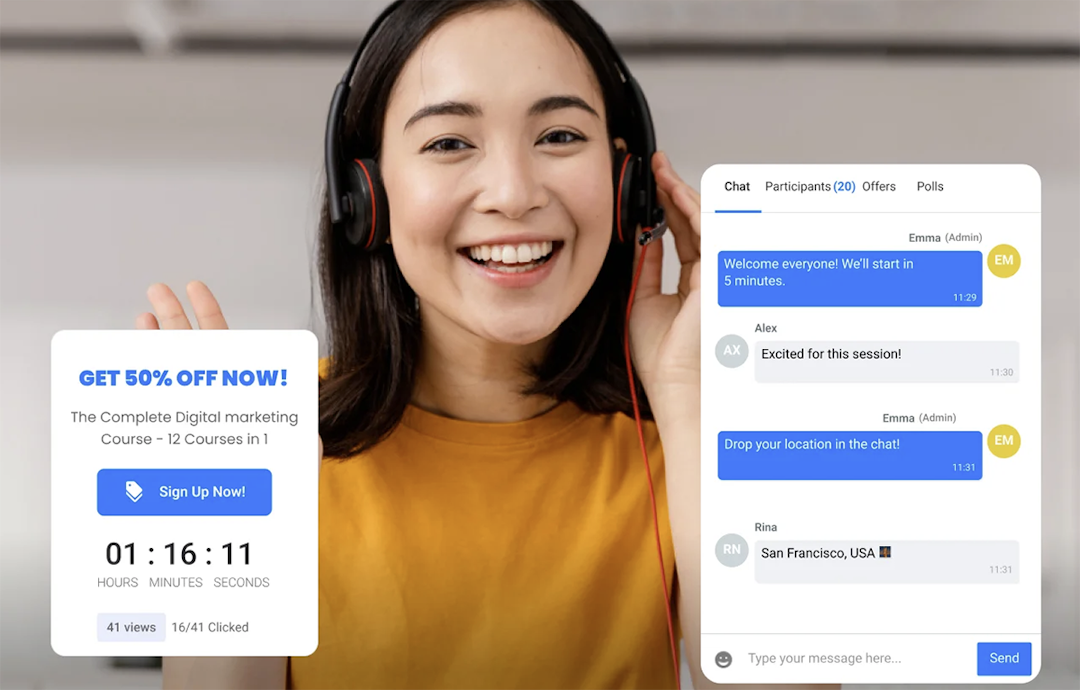
What can you automate with EasyWebinar?
Webinar series: Create one-time or recurring events for your evergreen webinars
Right-on-time scheduling: Stream webinars at next 15-minute increment from when attendees arrive
Next available sessions: Display upcoming times for your automated webinars
On-demand access: Eliminate wait times and let viewers watch immediately
Local timezone streaming: Show events in attendees' local timezone to reach global audiences
When to consider EasyWebinar
Think about EasyWebinar when you want flexible scheduling options that allow you to stream recorded events immediately, at preset times, or shortly after attendees register.
Pricing
EasyWebinar offers simulive events with the Professional plan, which starts at $96/month (billed annually) for 200 attendees.
12. WebinarGeek
WebinarGeek lets you run live, automated, and on-demand webinars for up to 5,000 attendees. The platform also has an option for paid webinars that let you monetize your content.
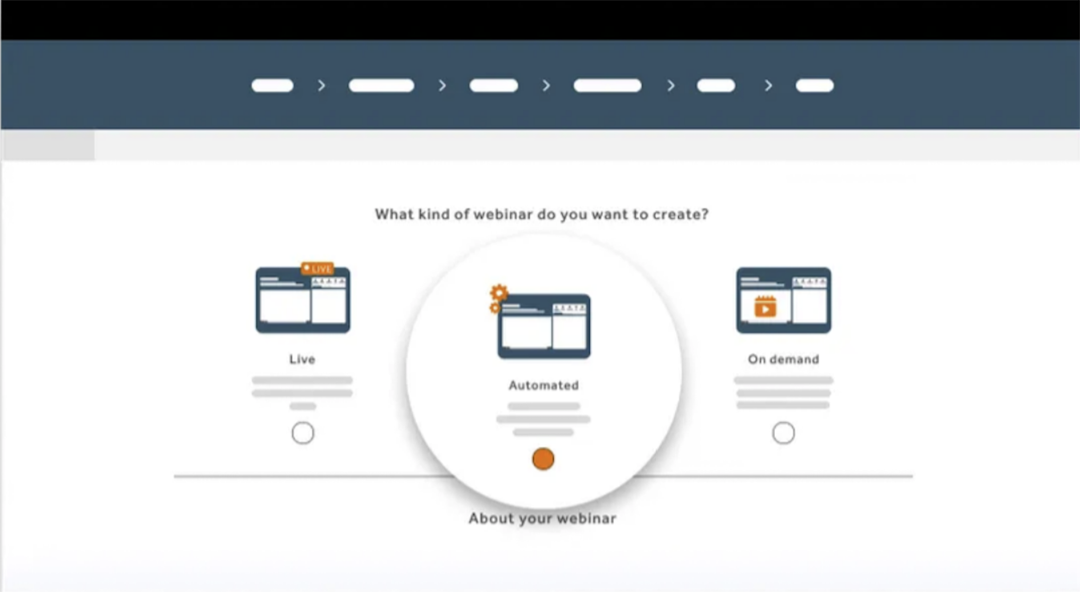
What can you automate with WebinarGeek?
One-time or recurring events: Set up webinars to play at one or more designated times
Just-in-time webinars: Create automated webinars that start when a viewer registers
Polls and quizzes: Preload interaction tools to pop up at preset times
Hybrid webinars: Show prerecorded content and then interact with the audience in real time
CTA buttons: Prompt attendees to take specific steps at specific times during recorded playback
Live chat: Chat with viewers real time while the automated recording runs
When to consider WebinarGeek
Consider WebinarGeek if you want the option to host interactive webinars with automated content and live Q&A sessions.
Pricing
WebinarGeek offers automated webinars with the Premium plan, which starts at $85/month (billed annually) for 125 viewers.
13. EverWebinar
EverWebinar is built to simulate live webinar experiences. It offers HD video, flexible scheduling options, and engagement features like polls and live chat. While EverWebinar doesn't allow live events, it supports uploading live events from WebinarJam.
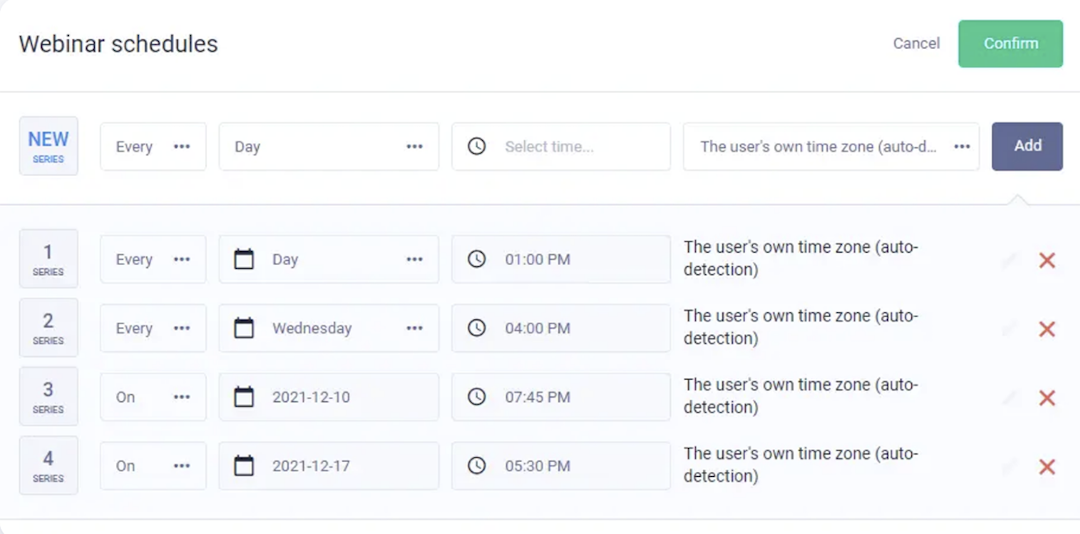
What can you automate with EverWebinar?
Flexible scheduling: Allow on-demand access, just-in-time scheduling, or specific dates and times
Live chat: Import chat history and let it play throughout the event or handle questions in real time
Sales offers: Create pop-ups with countdowns that let attendees click and purchase instantly
Dynamic attendance: Simulate audience members joining and leaving the event
Email sequences: Send reminders after registration and post-event
CRM integrations: Sync with your CRM to automate lead nurturing and segmentation
When to consider EverWebinar
EverWebinar can be a great webinar software option if you only need to host automated events but you don't plan to offer live events.
Pricing
EverWebinar pricing starts at $79/month for a two-year commitment.
How to automate webinars with Livestorm
With Livestorm's webinar software, it's easy to set up evergreen webinars.
Event automation
Upload your prerecorded video, set your schedule, and let Livestorm handle content delivery. Choose between single sessions, multi-session series, or on-demand access. Livestorm will start and stop your webinar automatically and redirect viewers after the event ends.
Automated engagement
Add polls, Q&A sessions, and file sharing that trigger at specific timestamps during your webinar. Livestorm logs all responses and engagement data, so you can see which moments resonate with viewers. You can also identify your most engaged prospects without monitoring sessions live.
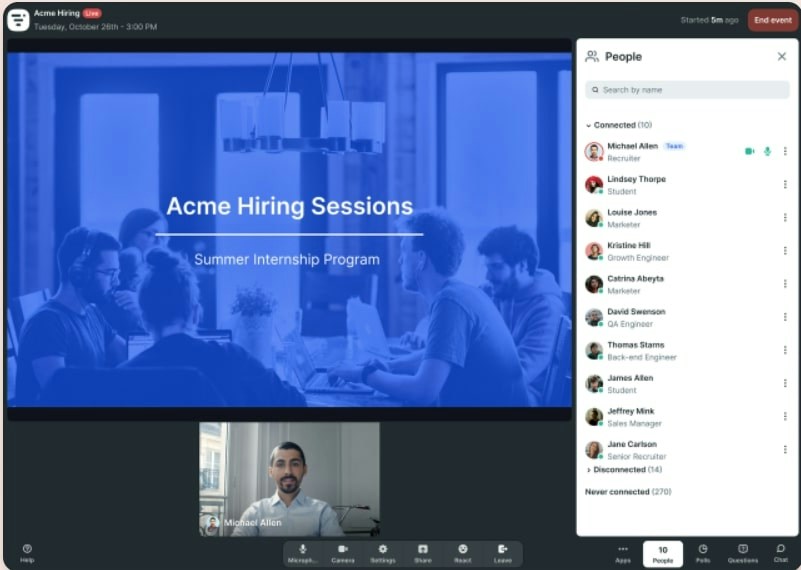
Automated reminder and follow-up emails
Build email sequences that send reminders before the event and follow-ups based on attendance. Customize each message or use Livestorm's templates to guide attendees to the next step in your funnel.
Marketing automation integrations
Connect Livestorm with HubSpot, Salesforce, Marketo, or your CRM of choice. Registration data, attendance records, and engagement metrics sync automatically. Use this data to trigger nurture campaigns, score leads, and flag hot prospects for your sales team without manual data entry.
Frequently asked questions
What is the difference between an automated webinar and a live webinar?
How do you create an automated webinar?
To create an automated webinar, record your presentation or upload a prerecorded video. Then, add interactive elements like polls and CTAs. Set up your schedule and configure the registration page, reminder emails, and follow-up sequences.
How do you create a webinar funnel?
To set up a webinar funnel, build a landing page that captures registrations. Include a specific offer during the webinar (like booking a demo or starting a trial) and follow up with attendees afterward. Track conversions at each stage and optimize follow-ups based on what moves prospects forward.
What is an automated webinar?
An automated webinar is a pre-recorded presentation that runs on a fixed schedule or on-demand, with automated registration, emails, and engagement features, allowing you to scale events without hosting live each time.
Can automated webinars include interactive elements?
Yes. Many platforms support scheduled polls, Q&A prompts, calls-to-action, and moderated chat so attendees can engage and ask questions while the recording plays.
What features should I look for in an automated webinar platform?
Look for browser-based access, flexible scheduling options, customizable registration pages and emails, engagement tools like polls and CTAs, reliable streaming, and strong integrations with your CRM and marketing stack.
Do attendees need to download software to join automated webinars?
No. Most modern automated webinar platforms run entirely in the browser on desktop and mobile, reducing friction for attendees and simplifying IT requirements.
How do automated webinar platforms integrate with CRM and marketing tools?
They typically sync registration and engagement data to your CRM or marketing automation system via native integrations, webhooks, or tools like Zapier, with UTM tracking to help attribute and nurture leads.
What analytics are available for automated webinars?
You can track registration sources, attendance rates, watch time, drop-off points, poll and CTA engagement, and conversions. Most platforms offer data exports and syncs for follow-up and ROI reporting.


Ebooks
AI Applied to Webinars: The Playbook
Boost efficiency and maximize impact with our 15 strategies for integrating AI into your webinar approach.

About the author
Brillixa Herdhiana - Senior Growth Manager
Brillixa joined Livestorm as Growth Manager in 2021. Her experience enables her to contribute to business growth through lead generation from ads and organic channels.
Related categories
Featured resource
Ebooks
AI Applied to Webinars: The Playbook
Boost efficiency and maximize impact with our 15 strategies for integrating AI into your webinar approach.
Newsletter