


Livestorm is a browser-based webinar platform focused on marketing and training, with branded registration, engagement and native CRM sync. Webex is a Cisco collaboration suite whose Webex Webinars and Webex Events products suit large, compliance-heavy organizations.
Livestorm vs Webex
Explore a detailed comparison of Livestorm and Webex to see which is the best webinar software. Compare platforms by features, integrations, and price.
General information
Customer Rating
Average rating on review websites Capterra and G2 Crowd.
Last update: September 2026
9.2
8.6
Browser based
Webinar platforms that work directly in the browser, there's no need to download any software.
Livestorm: Yes
Webex: Yes
Device versatility
Host events from a desktop, tablet or mobile.
Livestorm: Yes
Webex: Yes
On-demand webinars
Create or access pre-recorded on-demand webinars, available any time.
Livestorm: Yes
Webex: No
Automated webinars
Automate entire webinars or key actions like CTAs, start and stop times or page redirects.
Livestorm: Yes
Webex: Yes
Promotion Features
Customizable registration pages
Add a banner, logo, social channels or speaker information to the event registration page without any coding skills.
Livestorm: Yes
Webex: Yes
Customizable emails
Customize emails with ease by adding an event banner, social sharing buttons, or a signature.
Livestorm: Yes
Webex: Yes
Customized email sequence
Customize your own email sequence and schedule them to be sent automatically.
Livestorm: Yes
Webex: Yes
Embed forms
Embed a registration form on your own website to capture more registrants.
Livestorm: Yes
Webex: No
Company page
Publish events to a public company page that gathers all upcoming and past events.
Livestorm: Yes
Webex: No
Built-in social sharing
Share event registration pages on your company's social channels directly from your webinar platform.
Livestorm: Yes
Webex: No
Custom registration forms
Customize the fields of your registration form to capture insights on your audience.
Livestorm: Yes
Webex: Yes
Registration filter
Apply a filter to accept event registrations only from work email addresses.
Livestorm: Yes
Webex: Yes
Activation Features
Chat
Send chat messages through a tab built right into your webinar room.
Livestorm: Yes
Webex: Yes
Emoji reactions
Enable emoji reactions during live events to allow attendees to react in real-time.
Livestorm: Yes
Webex: Yes
Q&A
Audiences can ask questions in a dedicated space.
Livestorm: Yes
Webex: Yes
Question upvotes
Audiences can vote on questions that they most want to see answered. Organizers can sort them by date or most upvotes.
Livestorm: Yes
Webex: No
Live answer notification
Display a notification that shows the question you are answering live during the webinar.
Livestorm: Yes
Webex: No
Polls
Create drafts of polls in advance and publish them during your event. Or, create them live during your event to further activate your audience.
Livestorm: Yes
Webex: Yes
Call-to-action button
Direct your attendees to a promotional offer via a CTA displayed in the event room.
Livestorm: Yes
Webex: No
Virtual backgrounds
Change your background to personalize your webinar or look more professional.
Livestorm: Yes
Webex: Yes
Digital whiteboards
Collaborate with digital whiteboards within the platform or through a native integration.
Livestorm: Yes
Webex: Yes
Organization Features
Private chat
Chat privately with event organizers and moderators during the event.
Livestorm: Yes
Webex: No
Registrants moderation
Control which registrants can and cannot access the event.
Livestorm: Yes
Webex: No
One-click integrations
Integrate the software with any app to capture other valuable insights.
Livestorm: Yes
Webex: Yes
Maximum number of attendees
The maximum number of attendees supported.
3000
3000
Unique contact list
Find all your event contacts in one place and get a 360 view of their activity within different events.
Livestorm: Yes
Webex: No
SAML SSO
Secure your team's access to the platform with SAML SSO.
Livestorm: Yes
Webex: Yes
Dial-in to webinars
Attendees can opt to dial-in to the webinar from a phone number.
Livestorm: Yes
Webex: Yes
Reporting Features
Analytics reports
Track and analyze all of your data with our powerful analytics tool built into the dashboard.
Livestorm: Yes
Webex: No
Webinar recordings
Record webinars automatically and send them to attendees at the end of each session.
Livestorm: Yes
Webex: Yes
Where Livestorm wins against Webex
Livestorm vs Webex: features
The short answer: Livestorm puts webinars and virtual events in one browser-based product, while Webex splits its offer between Webex Webinars and Webex Events inside a wider Cisco collaboration suite.
Scale and formats. Webex Webinars plans start at up to 1,000 attendees, and Webex Events handles audiences of up to 100,000. Livestorm hosts up to 3,000 live attendees per event and runs live, on-demand and automated webinars in one product.
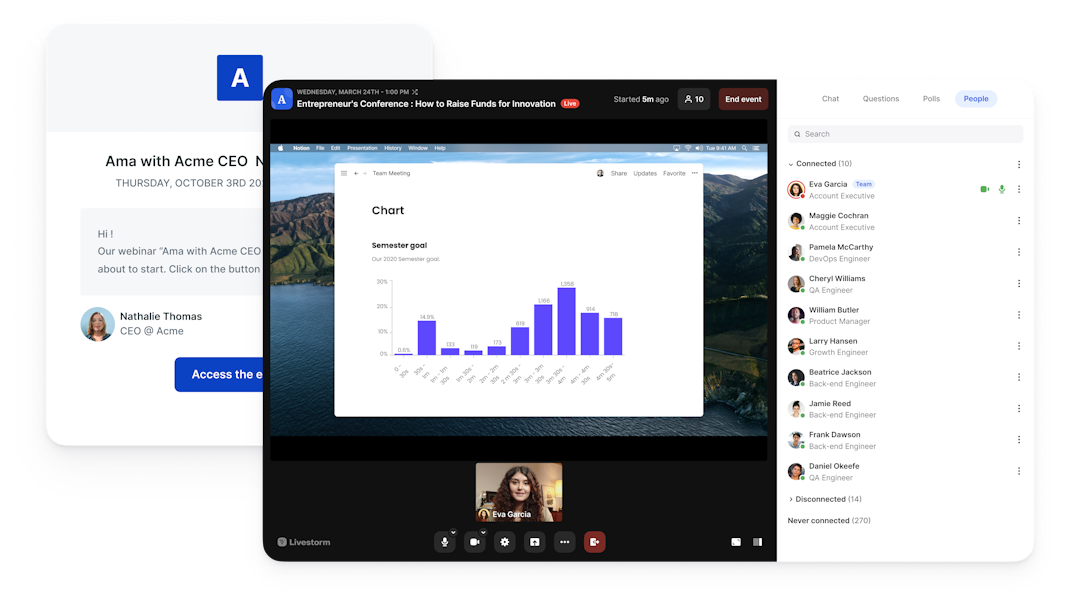
Access and engagement. Livestorm runs fully in the browser for hosts and attendees, with polls, Q&A, up-voting, reactions and live CTAs built in. Webex attendees can also join from a browser, and Webex Webinars adds breakout rooms, practice sessions and closed captions.
Why teams switch: they want a focused webinar tool for marketing rather than a module inside a large collaboration suite.
Livestorm vs Webex: integrations
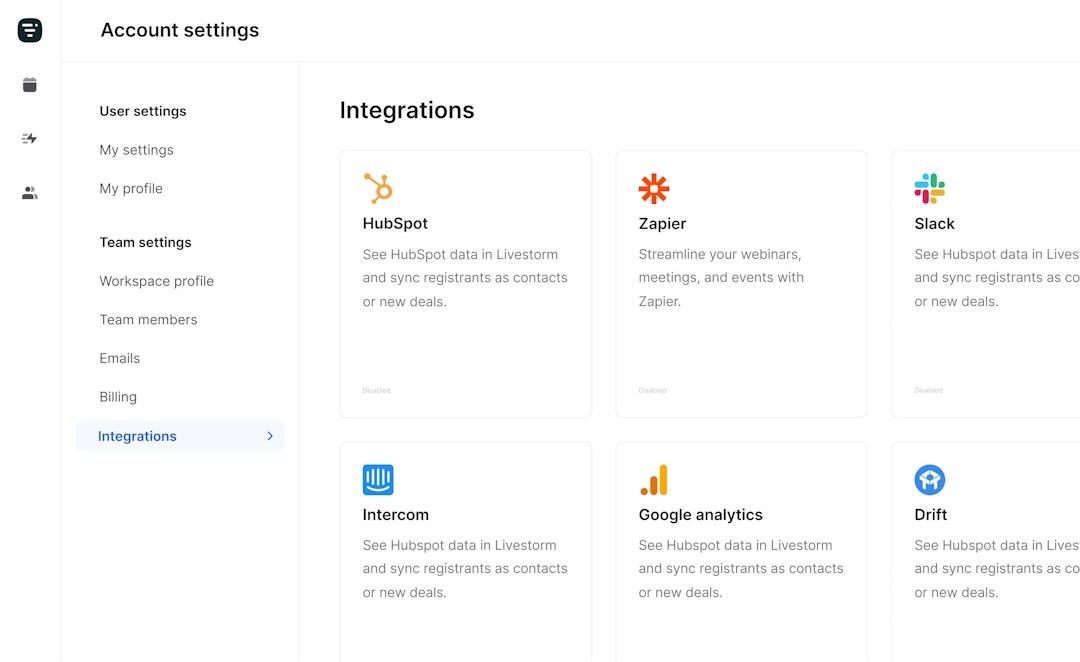
The short answer: Livestorm syncs natively with HubSpot on Pro and with Salesforce, Marketo, Pardot and Microsoft Dynamics on Enterprise, while Webex integrates natively with Salesforce, Marketo and Eloqua but not HubSpot.
CRM and marketing automation. Livestorm pushes registration, attendance and engagement data into your CRM with no middleware. Webex suits enterprise teams on Salesforce, Marketo or Oracle Eloqua, but HubSpot users need Zapier or a custom integration.
Automation. Livestorm connects to 3,000+ apps through Zapier and Make, and its verified Claude connector (MCP) lets AI assistants work directly with your webinar data. Livestorm is also a HubSpot Leading Technology Partner (2026). Webex also works with Zapier and Make and has its own App Hub for meetings and calling integrations.
Why teams switch: they run HubSpot and want webinar data to land there natively, without a Zapier step in between.
Livestorm vs Webex: pricing
The short answer: Livestorm uses attendee credits tied to who actually attends, while Webex sells Webex Webinars per license per year by attendee tier.
Livestorm. A limited free plan for testing, then Pro from $3.00 per attendee and a custom Enterprise plan (as of September 2026). Events host up to 3,000 live attendees, team members are not counted, and no-shows do not use credits. Clip repurposing is sold as an add-on.
Webex. Webex Webinars is listed at $2,700 per license per year for up to 1,000 attendees, billed annually, and Real-Time Translation adds $300 per license per year (as of September 2026). Webex Free covers meetings of up to 40 minutes with up to 100 attendees, but no webinar features.
Why teams switch: they stop paying per host license and pay only for attendees who show up. Pricing changes, so confirm current figures with each vendor.
Frequently Asked Questions
What is the difference between Livestorm and Webex?
How does pricing compare between Livestorm and Webex?
Livestorm charges attendee credits from $3.00 per attendee on Pro, and no-shows do not use credits. Webex Webinars is listed at $2,700 per license per year for up to 1,000 attendees, as of September 2026.
Is Webex good for webinars?
Yes. Webex Webinars offers branded registration, simulive and on-demand sessions for up to 1,000 attendees, and Webex Events scales to 100,000, though pricing is per license and there is no native HubSpot integration.
Does Livestorm integrate with HubSpot and Salesforce?
Yes. HubSpot sync is native on the Pro plan, and Salesforce, Marketo, Pardot and Microsoft Dynamics on the Enterprise plan, plus 3,000+ apps via Zapier and Make.
Do attendees need to download anything to join Livestorm?
No. Livestorm is 100% browser-based, so attendees and hosts join in one click from any device. Webex attendees can also join from a browser, with desktop and mobile apps available.
Can I switch from Webex to Livestorm?
Yes. You can keep Webex for internal meetings and calling and run external webinars in Livestorm, with registration and attendance data syncing to your CRM.
Is Livestorm EU-hosted and GDPR compliant?
Yes. Livestorm is EU-hosted, ISO 27001 certified and GDPR compliant.
Livestorm, the best webinar software
Run great webinars right in your browser
Livestorm makes it easy to run great webinars straight from the browser of any mobile or desktop. This makes if possible for your audience to join, no matter where they are in the world, without having to download or install anything.
Removing these extra steps helps attendance rates soar for no-download webinars. This is why Livestorm has a 53% higher attendance rate than the industry average.
Manage everything with our end-to-end platform
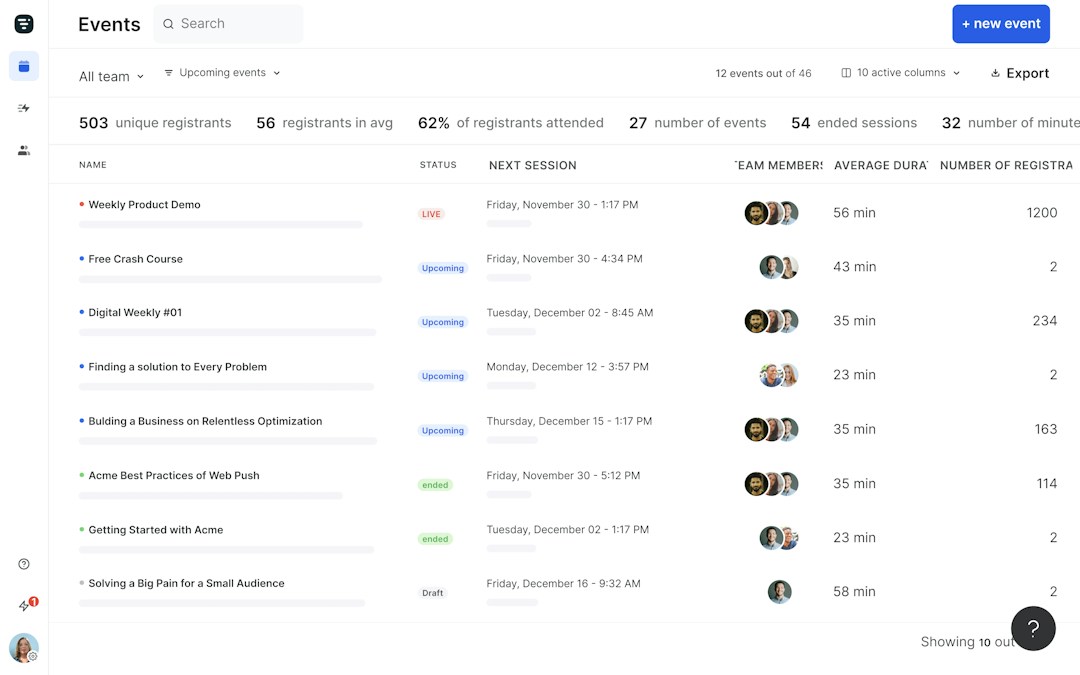
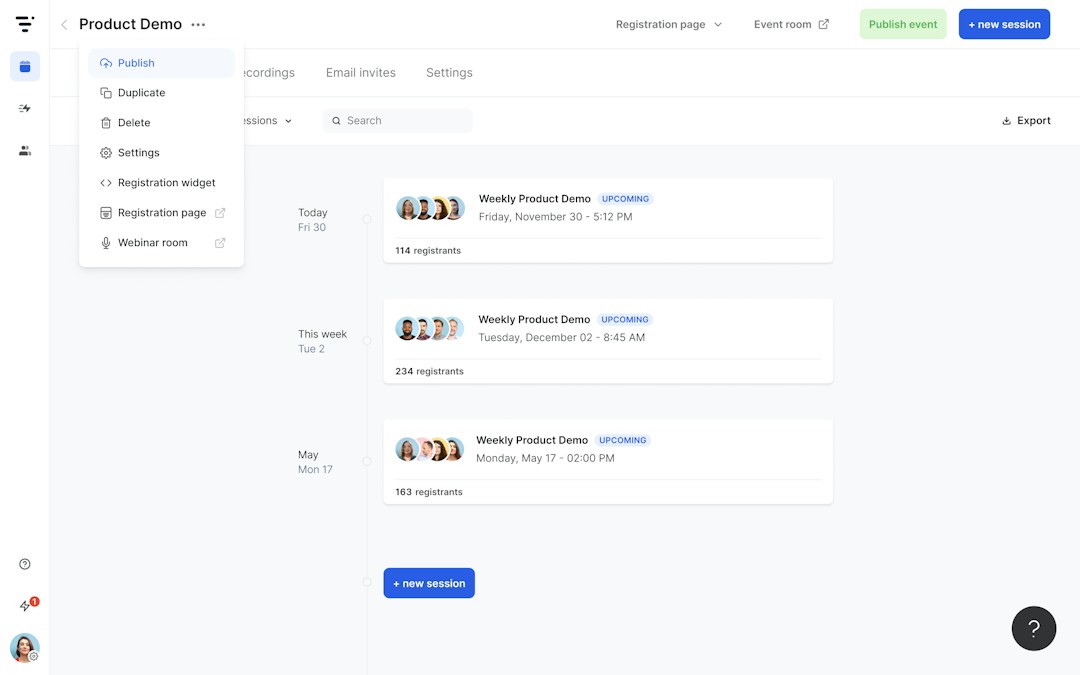
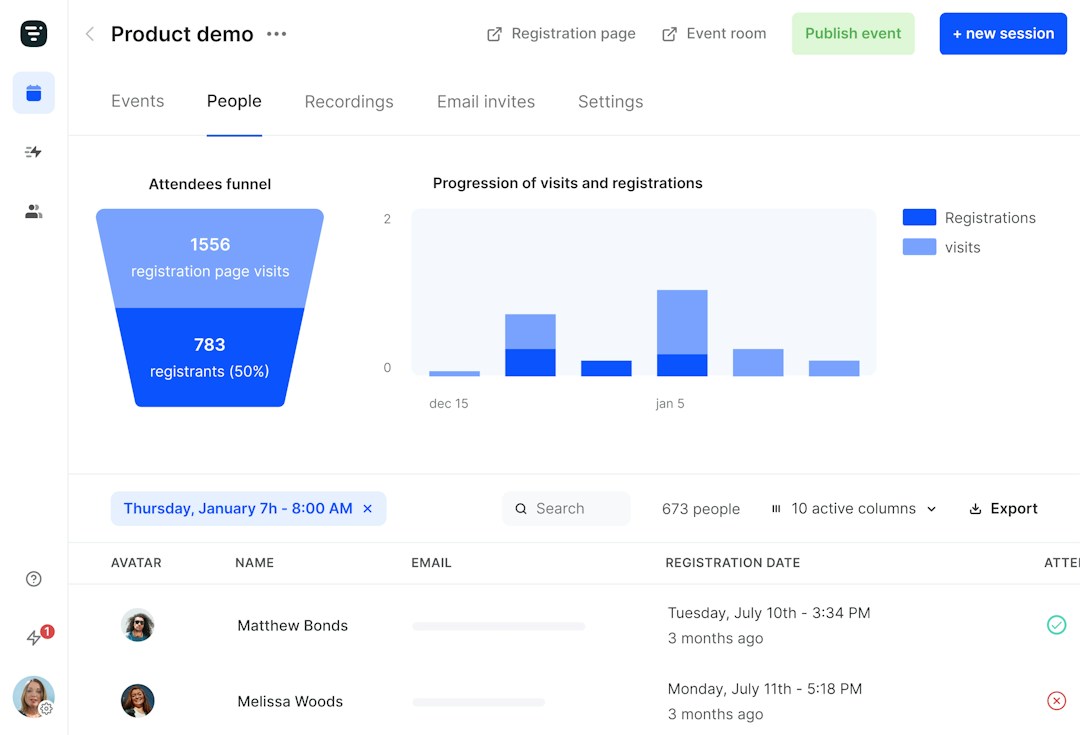
Every part of your webinar can be managed within Livestorm. You can organize, promote, analyze and host great webinars with only one end-to-end platform. Collaborate with your team using the intuitive dashboard.
Promote your webinar to your audience with customizable registration pages and automated emails. Most webinar platforms need integrations to be able to send emails or create registration pages, but with Livestorm you can do that right in your account.
Experience an intuitive webinar platform
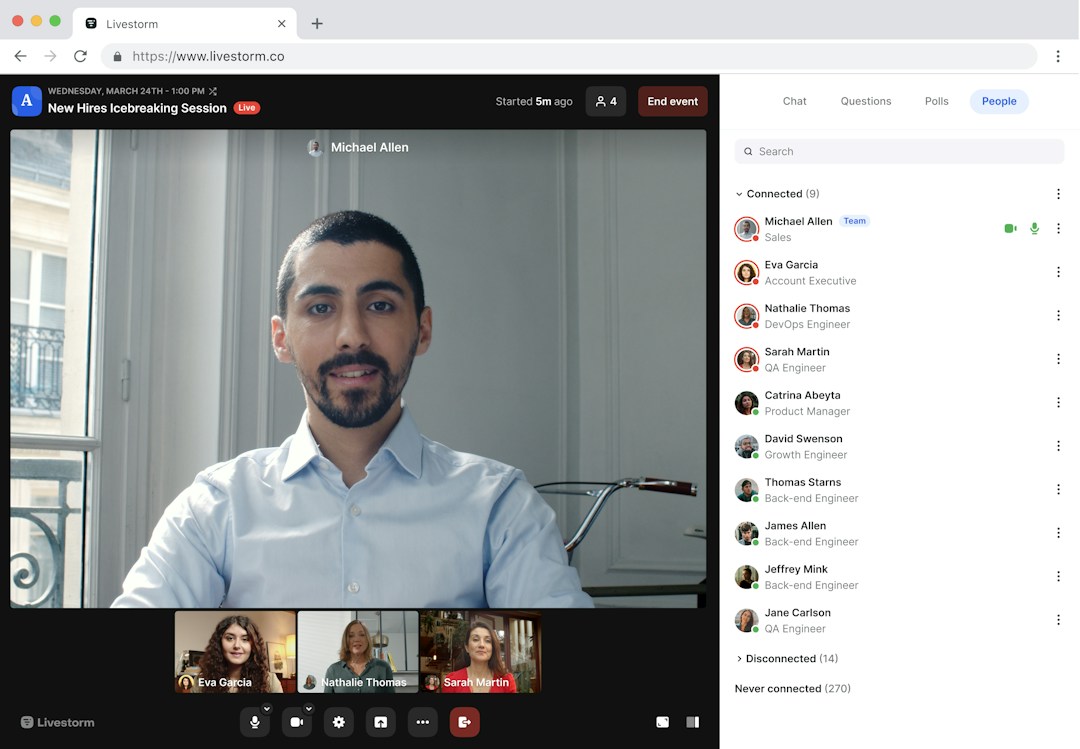
Designed with ease-of-use in mind, Livestorm is a modern webinar solution. Enjoy a frictionless experience with intuitive controls that make it easy to plan, host, or promote your webinar sessions.
Attendees also benefit from a great user experience. Says Elise on the software review platform G2: "Livestorm is easy to use, the support is very responsive and the analytic system is very helpful."



'%3e%3cpath%20d='M10.0001%201.66675L12.5751%206.88341L18.3334%207.72508L14.1667%2011.7834L15.1501%2017.5167L10.0001%2014.8084L4.85008%2017.5167L5.83342%2011.7834L1.66675%207.72508L7.42508%206.88341L10.0001%201.66675Z'%20fill='%23FFD23F'/%3e%3c/g%3e%3c/svg%3e)
"The elegance of Livestorm's UI and its simplicity for creating beautiful landing pages made a big positive impact on the way we communicate with customers at scale."

Stan Massueras
European Sales Director

"Livestorm is really easy to use and offers a lot of customization. We are very happy with the visual rendering and the user experience."
Read the customer story
Poppy Acton Davis
Global Account Manager

"Livestorm offered an alternative to our 1:1 demos and helped us acquire new customers. We also saw much more engagement as a result!"
Read the customer story
Clement Spiers
Lead Generation Manager

"Livestorm made it easy to automate our customer trainings. The ability to set up prerecorded content while still offering live Q&A helps our team provide personalized attention at scale."

Diana Stegall
Manager, Customer Education
See how Livestorm stacks up



Try Livestorm for free
Get started in minutes and run your first engaging webinar today.
- No credit card needed
- No installation required