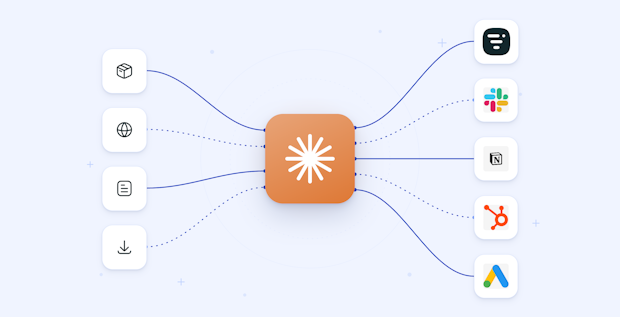
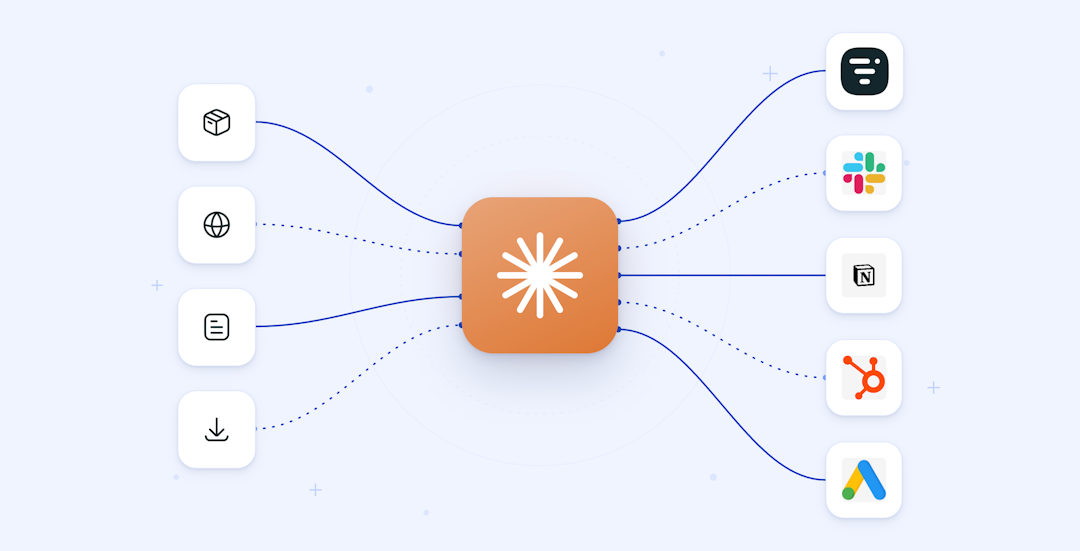
Start with the tools you use most. For most marketing teams that means a CRM connector (HubSpot), one or two ad connectors (Google Ads, Meta), an analytics connector (GA4), and, if webinars drive pipeline, Livestorm for event data. Add a lifecycle connector like Klaviyo if email and SMS are central, and Notion or Zapier to cover planning and the long tail. There is no single best connector, so choose by the job rather than the hype.
AI
Best claude connectors for marketing teams (2026)
Published on September 10, 2026 • About 12 min. read
Written by Brillixa Herdhiana
Get Visible on ChatGPT & AI Engines: Free Guide | Livestorm x Eskimoz
Table of content
Share this article
Key Takeaways
Connectors let Claude read from and act inside your marketing tools using plain language.
There is no single best connector. Pick by the job you need done.
HubSpot, Google Ads, Meta, GA4, and Klaviyo cover CRM, paid, analytics, and email.
Livestorm is the connector for webinar and event data, a category the other lists skip.
Prefer read-only access for reporting, and require approval before any write to a live account.
You have already used Claude to write and analyze. The next step is letting it touch your actual stack, your ad accounts, CRM, and analytics, instead of working from whatever you paste into a chat.
That is what the best claude connectors for marketing do: they plug your everyday tools straight into Claude, so you can ask questions and act in plain language.
The right connector depends on the job: HubSpot for CRM, Google Ads and Meta for paid, GA4 and SegmentStream for measurement, Klaviyo for lifecycle email, and Livestorm for webinar and event data. Below we rank the ones worth your time, with an honest note on each.
Why bother wiring your stack into Claude at all? Because the gap is already showing up in the data. In our 2026 Webinar Benchmark Report, general marketing AI use sits at 80.2%, while webinar-specific AI use is only 59.8%, a 20.4 point gap. Marketers have adopted AI for writing and analysis. Connecting it to the systems where the work actually lives is the next step, and it is the step most teams have not taken.
What are claude connectors (and how do they relate to MCP)?
A claude connector is an integration that lets Claude read from and act inside another tool. Under the hood, connectors are built on the Model Context Protocol (MCP), the open standard Anthropic created for AI apps to talk to external tools and data. In plain terms, a connector is the marketing-friendly name and an MCP server is the plumbing. When someone says claude mcp servers, they usually mean the same thing you mean by connectors.
They live inside Claude's own surfaces, so you enable one and then work with it in the same conversation where you already draft and analyze. Connectors come in two shapes. A remote connector runs as a hosted service you authorize with a login. A local one runs on your own machine, which is more of a developer setup. For most marketing teams, the remote, one-click kind is the one you want.
Turning a connector on is quick. You authorize it with OAuth, which limits Claude to your own permissions, and Claude asks before it does anything consequential, like writing to a live account. You approve the access, confirm the scope, and start asking. If you want to see what that looks like with a real tool before you read the full list, our walkthrough of how Livestorm MCP makes webinar planning easier shows a connector in action.
How we chose these connectors
We prioritized connectors that are real and verifiable, that map to a genuine marketing job, that make the read versus write scope clear, and that a small team can set up without engineering help. We left out the look-alike products that pad most of these lists.
That last point matters more than it sounds. Search best claude connectors for marketing and you will find articles that quietly fill their rankings with the author's own affiliate products. We went the other way. If a connector could not be verified as a real, usable integration, it did not make the list.
One distinction is worth holding onto as you read: read-only versus read-write. A read-only connector can pull reports and answer questions but cannot change anything. A read-write connector can also act, creating records, updating fields, sending messages. Both are useful. The difference decides how careful you need to be when you point Claude at a live ad account or CRM, which is why we come back to it in the safety section.
The best claude connectors for marketing at a glance
Use this as the skim. The sections below cover each one in more depth, and Livestorm comes first because it fills the gap the others miss, not because it is the single best tool for every job.
| Connector | Category | Best for |
|---|---|---|
| Livestorm MCP | Webinars and events | Webinar and event data in Claude |
| HubSpot MCP | CRM | CRM and marketing hub |
| Google Ads MCP | Paid ads | Paid search reporting |
| Meta Ads MCP | Paid ads | Paid social reporting |
| GA4 MCP | Analytics | Web analytics in plain language |
| SegmentStream | Analytics | Independent attribution |
| Ahrefs or Semrush MCP | SEO | SEO and competitive data |
| Klaviyo MCP | Lifecycle | Email and SMS lifecycle |
| Canva | Creative | On-brand visuals from a prompt |
| Zapier MCP | Automation | Glue across thousands of apps |
| Notion MCP | Content ops | Content and campaign planning |
1. Livestorm MCP: the webinar and event-data connector
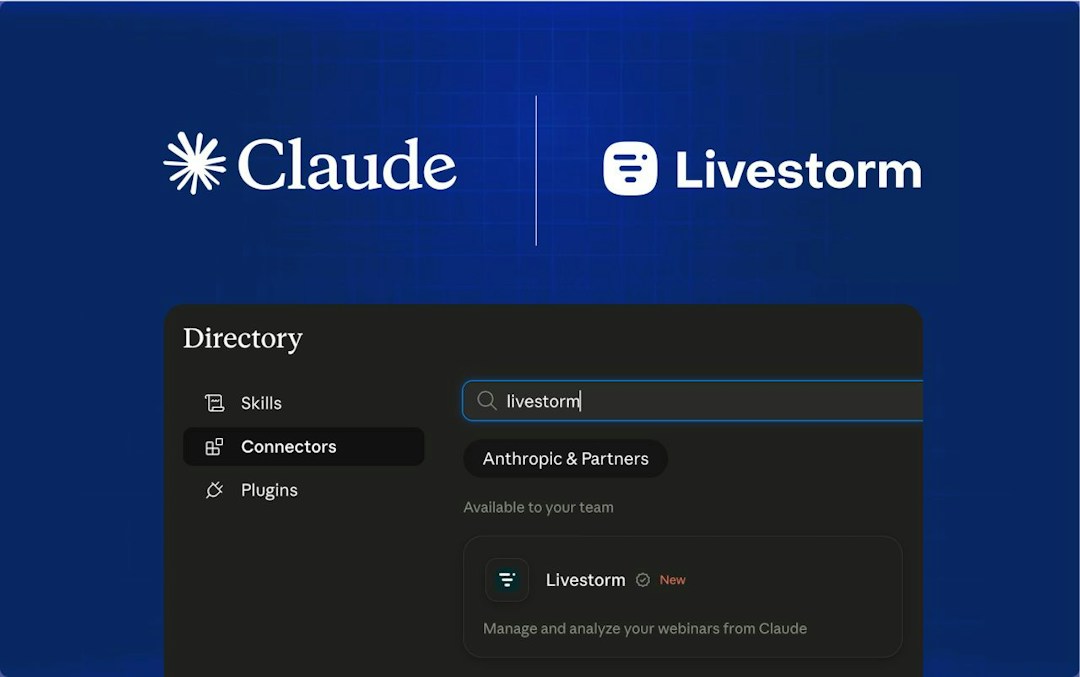
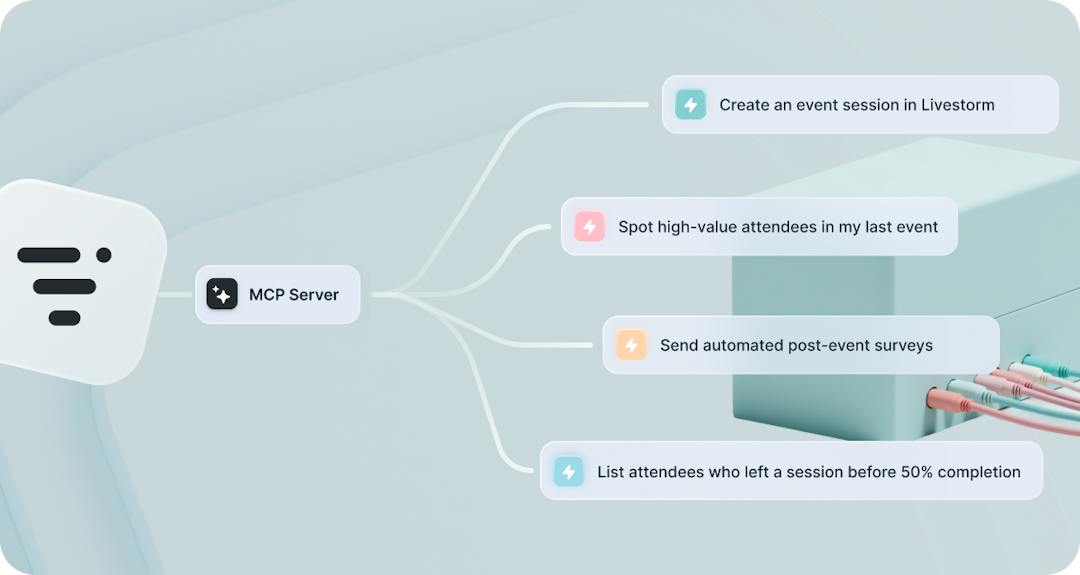
If webinars and virtual events are part of how you generate pipeline, the Livestorm MCP server is the connector that matters most. It exposes your events, sessions, registrants, and attendees to Claude, so you can ask for attendance, engagement, and follow-up lists in plain language, then act on them without leaving the conversation.
It is built for demand-gen and event marketers who run webinars as a pipeline source and are tired of that data being trapped in exports. What it connects is your webinar data end to end: you can list and search webinars, pull session detail, retrieve participant data, and analyze engagement like registration trends, attendance and drop-off, and chat activity. It also acts, not just reads. It can create and schedule webinars, update event and registration pages, manage attendee lists and segmentation, and trigger email sequences based on how people engaged, which is why it sits at the top of the access column above.
The reason it leads the list is that it closes the loop between running an event and doing something with it. Pair it with Livestorm AI Studio and one webinar becomes a stack of assets: our data shows AI repurposing yields about 13 times more content per webinar and saves roughly 6 hours each, about 4 times faster than doing it by hand. Instead of a recording that dies in a folder, you get clips, quotes, and posts you can ship.
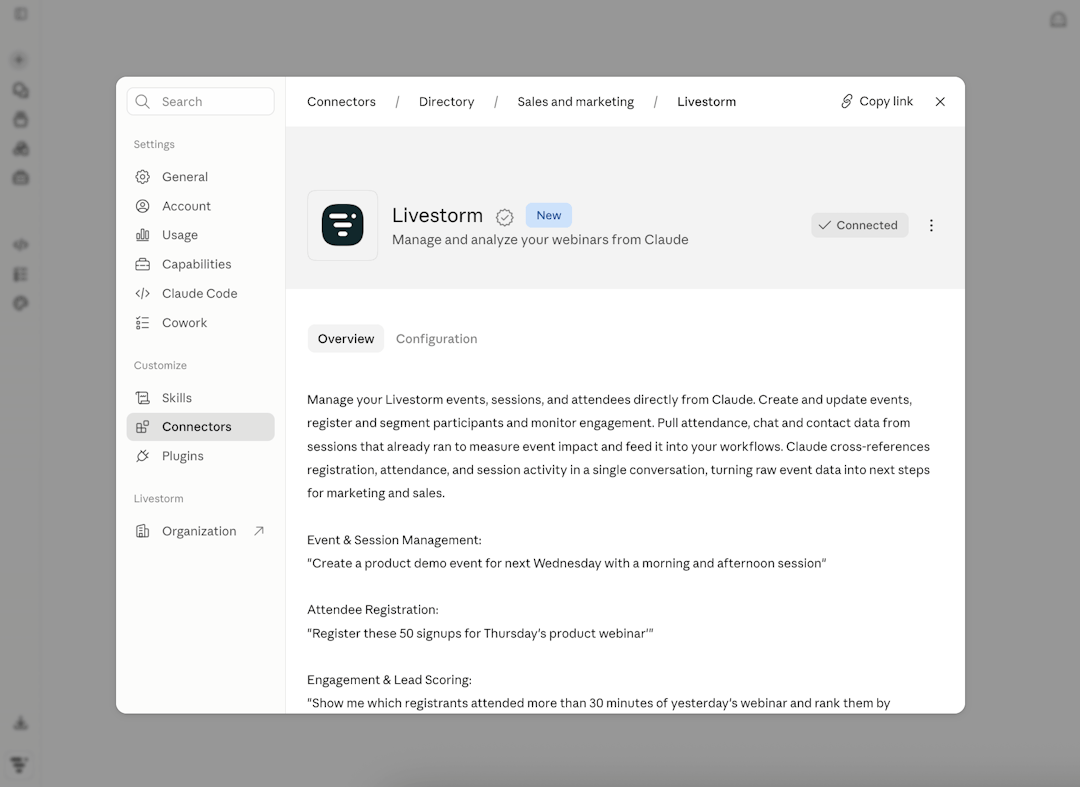
Connecting it is quick, since it is now a verified one-click connector in Claude's directory: add it, sign in with OAuth, and it works across Claude's surfaces (a manual API-key setup exists if you would rather self-host). The one honest limit is that it needs a Livestorm account with API access, so it is not usable without a plan. One to watch: Livestorm AI Studio, which turns replays into clips, is on a waitlist with a private beta that opened in July 2026, so treat it as a reason to get set up now, not a button you can press today.
2. HubSpot (Breeze)
HubSpot's connector brings your CRM into Claude: contacts, companies, deals, and campaign data. For marketers, that means asking for a segment, checking which campaigns are influencing pipeline, or drafting lifecycle emails against real records instead of guesses.
It is best for teams that run HubSpot as both their marketing engine and their CRM and want to interrogate it without building a report every time. It brings your CRM objects and the marketing data attached to them into reach, so a question like which contacts from last month's webinar are in an open deal collapses into one ask instead of a session of tab-hopping. The catch: write access and plan requirements vary, and this is a connector you will often point at live records, so confirm the scope before you let it change anything. If webinars run through your HubSpot, our roundup of the best HubSpot integrations for webinar software covers how that data gets there in the first place.
3. Google Ads MCP: paid search
Connect Google Ads and Claude can read campaign, ad group, and keyword performance, so you can ask what changed this week or which campaigns are wasting spend and get an answer in seconds.
This is the one for PPC teams who live in performance data and are tired of exporting to a spreadsheet to answer a simple question. It reads your campaign structure and metrics conversationally, which makes it a natural fit for anomaly spotting: what moved this week and why is a good question to ask something that can scan the whole account at once. One warning specific to this category, the search results are full of thin affiliate pages pushing a particular best Google Ads connector, so prefer the official or most reputable server and confirm whether it can edit campaigns or only read before you trust it near live spend.
4. Meta Ads MCP: paid social
Bring Meta ad data, Facebook and Instagram, into Claude for cross-channel reporting alongside Google, so paid teams get one view without stitching together CSVs.
Meta's connector earns its place next to Google's for one reason: comparing the two channels in a single conversation beats flipping between two ad managers with spend and results in different layouts. It pulls your Meta ad account performance for reporting and side-by-side comparison. Just know that its read-versus-write scope and account permission model differ from Google's, so check both before you connect.
5. GA4 MCP: web analytics
GA4 is where most teams still answer what happened on the site, and it is also where most teams struggle with the interface. A GA4 connector lets Claude query sessions, conversions, and channel performance in plain language, with no report-building required.
Nearly everyone has a love-hate relationship with the GA4 interface, and this connector is mostly about the hate. It lets Claude query your sessions, conversions, and channel performance in plain language, so which channels drove conversions last month becomes a sentence instead of a built report. The real win is that it removes the GA4 learning curve for the whole team, not just the one analyst who knows where everything is buried. Confirm which GA4 server you are using, and what it can access, before you rely on it for anything that feeds a decision.
6. SegmentStream: independent marketing attribution
For teams that need attribution beyond last-click, SegmentStream gives Claude a warehouse-native measurement layer. It is the most analytics-heavy option on this list, and the one most competitors build their own articles around.
This is the pick for data-mature teams who want attribution beyond last-click and already think in terms of a warehouse. Rather than one ad or web source, it gives Claude a measurement layer built for attribution, which means a view of performance that does not lean on any single platform's self-reported numbers. Fair warning: it is the most involved option on this list. Setup complexity and pricing are real, so scope the effort before you commit.
7. Ahrefs or Semrush MCP: SEO and competitive data
Point Claude at live SEO data, rankings, backlinks, and keyword gaps, and content and SEO teams can brief, audit, and prioritize without leaving the chat.
For content and SEO teams, this puts research and live metrics in the same place you write. Pick whichever suite you already pay for as your primary and treat the other as the alternative. It makes briefs and audits faster, since where are we losing ground to this competitor is a much better question asked against live data than from memory. Before you commit, confirm which of these tools actually ships an official MCP server, because availability differs between them and changes over time.
8. Klaviyo MCP: email and SMS lifecycle
Klaviyo's connector puts lifecycle data in Claude, so ecommerce and B2C-leaning teams can analyze flows, segments, and campaign performance conversationally.
Klaviyo's connector is for lifecycle and retention marketers, especially in ecommerce, who would rather ask a question than dig through dashboards. It brings your email and SMS lifecycle data into Claude, from segments to campaign results, so flow analysis becomes a conversation: which flow is underperforming, and where do people drop? As always with anything that can send, confirm the read-versus-write scope before you let it near live sends.
9. Canva: creative and visuals
Canva is one of the better-known connectors for turning ideas into on-brand visuals, decks, and social creative directly from a Claude prompt.
Canva is the connector for small teams without a designer on call. It turns a prompt into a first-draft visual, deck, or social asset, and the whole value is speed: idea to something you can actually post or present, without a design queue. Capabilities and plan gating shift over time, so confirm what the current connector can and cannot do before you build a workflow around it.
10. Zapier MCP: automation glue
When no native connector exists, Zapier's MCP bridges Claude to thousands of apps, so you can trigger multi-step workflows across your stack from one instruction.
Zapier is the breadth play. When no native connector exists, it bridges Claude to thousands of apps through its existing library, so if a tool is not on this list, Zapier is often how you still reach it. The trade-off is a layer of indirection: you are trusting Zapier's connection as well as the connector itself, which is worth remembering the day you have to debug why something did not fire.
11. Notion MCP: content and campaign ops
If your calendar, briefs, and campaign docs live in Notion, its connector lets Claude read and update them, which is useful for content ops and planning.
If your calendar, briefs, and campaign docs live in Notion, its connector keeps planning and drafting in one loop instead of copy-pasting between tools. Claude can read a brief or update a status directly in your pages and databases. Confirm the write scope before you let it edit shared docs, since these are usually documents the whole team relies on.
Honorable mentions, one line each: Slack, Gmail, and Google Drive connectors help with team collaboration and documents. Confirm the specifics before you list any of them in your own stack.
What marketers actually do with claude connectors
Connectors earn their keep when they save a real task, not when they demo well. The highest-value plays for marketers are weekly cross-channel reporting, pipeline and attribution questions, lifecycle email analysis, and turning a webinar into a week of content.
A weekly reporting routine is the obvious first win. With Google Ads, Meta, and GA4 connected, summarize last week across paid and organic, and flag anything that moved more than 20% is one prompt instead of three exports and a spreadsheet.
Pipeline questions get easier when HubSpot and an attribution layer like SegmentStream are both in reach. You can ask what influenced pipeline last quarter and get past the last-click story most dashboards default to.
Lifecycle analysis with Klaviyo is a good example of asking better questions. Rather than opening each flow, you ask which one is underperforming and where people drop, and you go straight to the fix.
The webinar workflow is where the loop really closes, and it is the one most connector roundups ignore. Connect Livestorm and you can pull the attendee and engagement data from an event, then hand it to a repurposing workflow. That fixes a specific, measurable problem. Our data shows the number one blocker to repurposing webinar content is lack of time, at 32.3%, and that 85% of teams do not systematically repurpose at all. An AI workflow that starts from connected event data is a direct answer to both. For the manual version of that playbook, our guide to 14 ways to repurpose content to increase reach is a good companion.
The webinar-native advantage
Most connector roundups stop at ads, CRM, and analytics. For B2B marketers, though, webinars are a primary pipeline source, and that data usually sits outside the AI workflow entirely.
Connecting your webinar platform to Claude closes that gap: attendance, engagement, and follow-up become as queryable as ad spend.
It is worth being specific about why this matters. Lead generation is the number one webinar use case among marketers, at 69.4%, per our 2026 Webinar Benchmark Report.
And webinar participants converted at 4 times the rate of non-participants, per Livestorm's 2025 internal data (Benoit Leggieri, Head of Growth). If that much pipeline runs through webinars, leaving webinar data out of your AI stack means leaving your best-converting channel out of every question you ask Claude.
What changes when the data is in Claude is the speed of the follow-through. You can ask who attended but did not convert, who dropped at the halfway mark, or which sessions drove the most engaged questions, then move straight to the follow-up. Add AI Studio to the picture and the same event also becomes your next week of content. That combination, event data plus repurposing, is something no ads or CRM connector can offer, and it is the reason a webinar platform belongs in this list. To see how the wider set of AI features fits together, Livestorm's AI features hub is the place to start.
Are claude connectors safe for marketing accounts?
Connectors are as safe as the permissions you grant. Two rules keep you out of trouble: prefer read-only where you only need reporting, and require approval before any write to a live account. OAuth limits access to your own identity, and Claude asks before consequential actions, but you should still review the provider before you connect.
The read-only versus read-write choice is the practical one. If a connector only needs to answer questions, give it read access and nothing more. Reserve write access for the workflows that genuinely need to act, and even then, keep the approval step on so a human signs off before anything changes in a live ad account or CRM.
Reviewing the provider is the part people skip. A connector built on MCP is not automatically vetted by Anthropic, especially a custom or community server, so the trust question is about the provider, not just the protocol. It is also worth being aware of prompt injection for any connector that pulls in external content, since content Claude reads could try to influence what it does.
None of this should read as a reason to avoid connectors. It is a reason to match your caution to the task, which is exactly how this audience already operates. Our data shows average webinar-AI maturity sits at just 2.54 out of 5, and about half of the concerns marketers raise are about trust and accuracy. Reasonable caution, met with read-only defaults and approval-gated writes, is the right posture.
How to add a claude connector
Adding a connector takes a few minutes. From Claude, open Settings and go to Connectors. From there you either pick one from the directory, which is the one-click path, or choose Add custom connector and paste the server URL. Approve the OAuth prompt, confirm the permissions, and start asking.
The directory route is the easiest and the one most marketing teams should use. If the tool you want is listed, connecting it is a login and an approval, nothing more. The custom route is for connectors that are not in the directory yet: you paste the remote server URL, authorize it, and it behaves the same way from there.
One thing to keep in mind is where connectors work. Once enabled, a connector is available across Claude's surfaces, so you are not limited to a single app. Exact labels and steps shift as the product evolves, so confirm the current UI against Anthropic's help docs if anything looks different from this.
How to choose the right connector (and the verdict)
Start from the job, not the tool. A reporting-heavy team gets the most from GA4 plus one ad connector. If your questions are about pipeline, HubSpot plus an attribution layer like SegmentStream is the pairing. For lifecycle work, Klaviyo. For webinar-led pipeline, Livestorm. Most teams end up with three or four connectors, not one, and that is the right number.
The honest verdict is that best depends entirely on what you do most. If paid is your world, your ad connectors earn their place first. If you run on content and SEO, Ahrefs or Semrush plus Notion will do more for you. And if webinars are how you generate pipeline, Livestorm is the connector that unlocks the channel the other lists forget, especially once AI Studio opens up and the same events start feeding your content engine.
If you are weighing platforms with that webinar-led workflow in mind, our comparison of the top webinar platforms for marketing is a useful next read. To see how Livestorm connects your webinar data to Claude, start with the AI features hub linked above.
Frequently asked questions
What connectors should I use with Claude for marketing?
Does Claude have a marketing tool?
Not as a standalone product. Claude is an AI assistant, and connectors are what turn it into a marketing tool by linking it to the systems where your marketing data lives. Once you connect your CRM, ad accounts, analytics, and webinar platform, Claude can report on and act inside them in plain language. The value comes from the combination of Claude plus the connectors you enable, not from a separate marketing app.
Are claude connectors the same as MCP servers?
Yes, in practice. Connector is the user-friendly name and MCP server is the technical one, both describing an integration built on the Model Context Protocol, the open standard Anthropic created for AI apps to work with external tools. When an article talks about claude mcp servers for marketing, it means the same connectors covered here.
Are claude connectors free?
It depends on the tool, not on Claude. Some connectors are included with a subscription you already pay for, while others may require a specific plan tier or add-on from the provider. The connector itself is usually just the integration layer, so the cost is whatever the underlying tool costs. Check pricing on each provider's own page before you assume a connector is free.
Is there a Claude connector for Google Ads, Meta Ads, or GA4?
Yes, connectors exist for all three, which is why they appear on this list. The important caveat is that some are official vendor servers and some are community-built, and their read versus write scope varies. Before you point one at a live account, confirm on the provider's page which server you are using and exactly what it is allowed to do.
How do I make Claude better at marketing?
Connect it to your data and give it clear, specific instructions. A connected Claude that can see your real campaign, CRM, and webinar data will outperform a generic prompt every time, because it is reasoning about your numbers rather than guessing. Start with one connector for the job you do most, keep access read-only until you trust a workflow, and build from there.
Is Claude good at marketing strategy?
Claude is strongest when its strategy advice is grounded in your actual data. Ask it to reason in the abstract and you get sensible but generic answers. Connect your analytics, CRM, and webinar data, and it can tie recommendations to what is really happening in your funnel, which is where it becomes genuinely useful for planning.


Ebooks
Get Visible on ChatGPT & AI Engines: Free Guide | Livestorm x Eskimoz
Traffic falling, zero-click searches rising: discover 7 concrete strategies to make your brand visible on AI search engines (ChatGPT, Gemini, Perplexity).

About the author
Brillixa Herdhiana - Senior Growth Manager
Brillixa joined Livestorm as Growth Manager in 2021. Her experience enables her to contribute to business growth through lead generation from ads and organic channels.
Related categories
Featured resource
Ebooks
Get Visible on ChatGPT & AI Engines: Free Guide | Livestorm x Eskimoz
Traffic falling, zero-click searches rising: discover 7 concrete strategies to make your brand visible on AI search engines (ChatGPT, Gemini, Perplexity).
Newsletter