Livestorm is the best on-demand webinar platform for teams that need on-demand and simulive capabilities. It offers automated replays, engagement analytics, AI-powered marketing tools, and CRM integrations.
Webinar
9 Best On-Demand Webinar Software Platforms for 2026
Published on January 30, 2026 • About 7 min. read
Written by Brillixa Herdhiana
Webinar Promotion Handbook

Table of content
Share this article
Key Takeaways
On-demand webinar platforms automate lead generation by repurposing presentations for flexible, scalable viewer access across multiple schedules.
Livestorm is regarded as the top solution for on-demand and simulive webinars, delivering 53% higher attendance and 3x ROI for B2B teams in three years.
Platforms vary by engagement tools, marketing integrations, attendee capacity, and pricing models tailored to diverse organizational needs.
Key evaluation criteria include usability, automation features, integration options, ROI considerations, and scalability for expanding webinar programs.
Evergreen webinars deliver consistent, pre-recorded content, supporting increased reach and time efficiency without live hosting.
On-demand webinars turn your team's best presentations into scalable assets that generate leads while you focus on other priorities. Record once, then automate delivery through recurring schedules, instant access, or time-zone optimized sessions.
I evaluated nine on-demand webinar platforms based on engagement features, lead generation capabilities, marketing integrations, and conversion analytics. In this guide, I'll compare their on-demand and automation options to help you choose the best on-demand webinar software for marketing and sales.
If you also run live events, see our guide to the best webinar platforms for live and on-demand webinars.
What are the best on-demand webinar software platforms?
Here's the best webinar software for hosting pre-recorded webinars and on-demand content, including a breakdown of what each is best for and its starting price.
| Webinar platform | Best for | Starting price |
|---|---|---|
| Livestorm | Creating and delivering on-demand & automated webinars, with built-in tools for email automation & lead generation | $105/month for 4-hour sessions & 1,000 annual active contacts |
| BigMarker | Hosting branded media hubs and custom on-demand video experiences with custom designs | Custom pricing |
| eWebinar | Automating webinars with personalized chat features, special offers, and sales funnel tools | $84/month for 1 active webinar & 1,000 registrants |
| Demio | Converting live webinars into automated replays with simulive features and marketing automation | $45/month for 1 host & 50 attendees |
| WebinarNinja | Monetizing webinar content through paid registrations and selling courses or series | $0.60/attendee |
| Zoom | Large-scale on-demand events requiring high attendee capacity and extended session lengths | 83.33/month for 500 attendees + $13.33/month per user for Zoom Workplace Pro subscription |
| GoTo Webinar | Publishing and organizing recorded webinar libraries through channel pages on GoTo Stage | $62/month for 1 organizer & 500 participants |
| EverWebinar | Running evergreen webinars with just-in-time scheduling and A/B testing for landing pages | $99/month |
| Zoho Webinar | Teams already using Zoho's ecosystem who need basic on-demand replay functionality | $8/month per organizer |
1. Livestorm
Livestorm is an all-in-one webinar platform that supports on-demand, live, and automated webinars. Its customizable registration and company pages, in-depth replay analytics, and robust lead generation tools make it ideal for evergreen webinars.
Record live webinars using Livestorm or upload pre-recorded content to the platform. Then, deliver on-demand content or use Livestorm as an automated webinar platform.
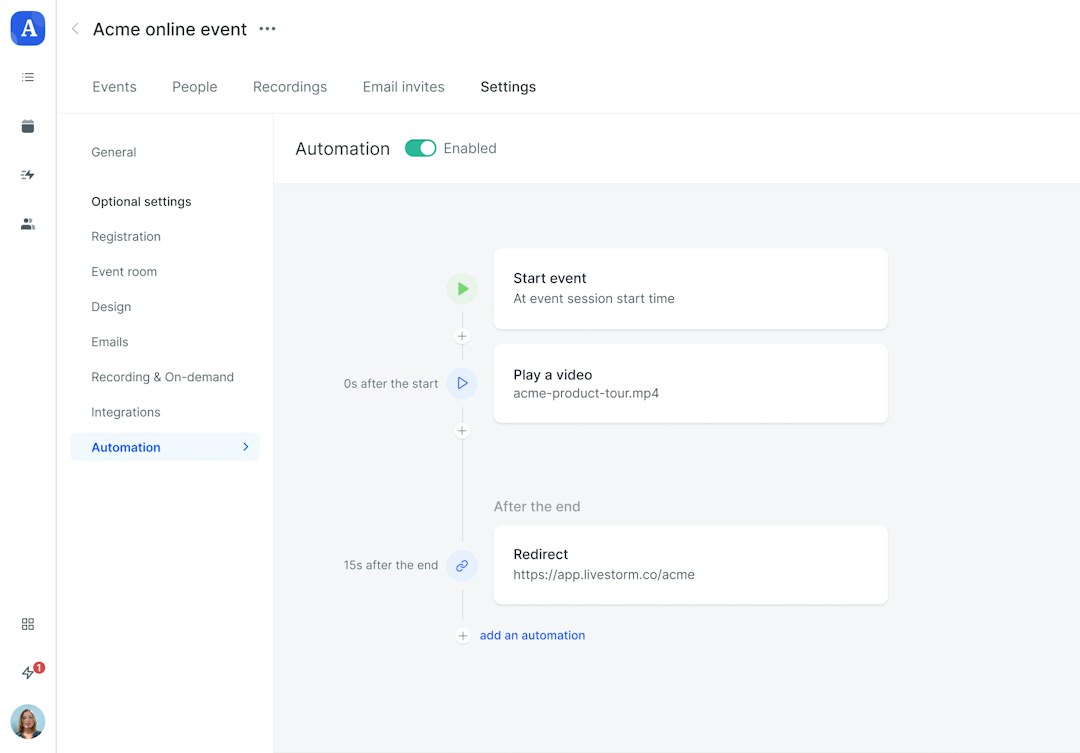
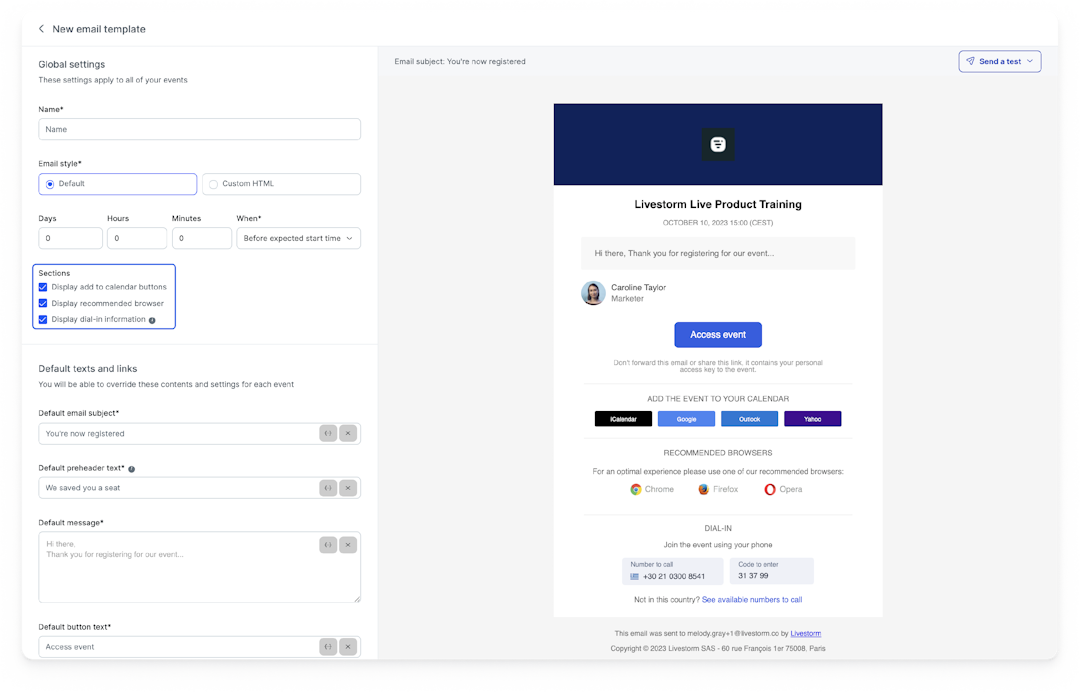
Livestorm supports interactive webinars and offers full email automation. It also integrates with HubSpot, Marketo, Salesforce, and other CRM and email tools for time-saving marketing automation.
Livestorm's on-demand webinar features
| Branding & design options | Branded event rooms, registration pages, emails & company pages |
|---|---|
| Registration pages | Customizable event landing pages and company pages |
| Engagement tools | Q&A sessions, live chat, emoji reactions, whiteboards & file sharing |
| CRM & email integrations | HubSpot, Salesforce, Marketo, Pipedrive & more |
| Lead generation tools | Registration pages, email nurturing, calls to action (CTAs) & webinar funnels |
| Webinar automation | Yes (simulive webinars) |
| Replay analytics | Registration, attendance, views, watch time, engagement & attribution analytics |
Advantages of using Livestorm
Livestorm has everything B2B organizations need to manage webinar marketing efforts, including live events, on-demand capabilities, engagement tools, and marketing integrations
Teams that host live sessions and on-demand webinars with Livestorm report 53% higher attendance rates, 80% time savings, and 3x ROI in the first three years
Potential points of friction
Livestorm is built for B2B teams and enterprise use, so it isn't ideal for B2C teams or solo creators
It's a complete webinar platform for hosting live webinars and offering on-demand content, so it may be overkill for teams that only have on-demand webinar needs
Livestorm pricing
Free plan allows up to 20 minutes per session and 30 active contacts per month. Paid plans start at $105 per month (billed annually) for 4-hour sessions and 1,000 annual active contacts.
2. BigMarker
BigMarker is a webinar and virtual events platform with broadcast-quality production capabilities. It offers media hubs where teams can create branded on-demand video libraries and custom learning portals.
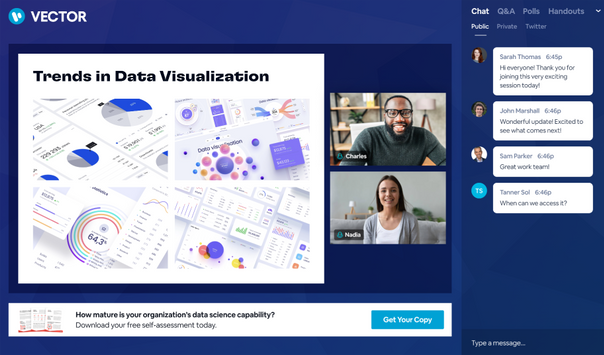
BigMarker's on-demand webinar features
| Branding & design options | Branded waiting rooms & event layouts, plus access to a design team for bespoke branded experiences |
|---|---|
| Registration pages | Custom landing pages with 100+ templates & personalized registration journeys |
| Engagement tools | Live chat, Q&A sessions, emoji reactions, polls & breakout sessions |
| CRM & email integrations | HubSpot, Salesforce, Marketo, Eloqua, MailChimp, ActiveCampaign & more |
| Lead generation tools | Registration pages, lead scoring, CTAs & automated emails |
| Webinar automation | Yes (simulive webinars) |
| Replay analytics | Registration, attendance, view times, engagement & email analytics |
Advantages of using BigMarker
Offers extensive branding options, helping teams create immersive webinar experiences
Has media hubs for customized on-demand experiences with branded video players, available as a paid add-on
Potential points of friction
Also supports in-person events, hybrid webinars, and elearning, which may be excessive for teams seeking an on-demand webinar tool only
Designed for enterprise users, so it may not be a viable option for small teams or startups
BigMarker pricing
All plans have custom pricing.
3. eWebinar
eWebinar is an automated webinar platform that focuses on pre-recorded presentations. It features asynchronous chat that lets hosts respond to webinar attendees during sessions or later via email.
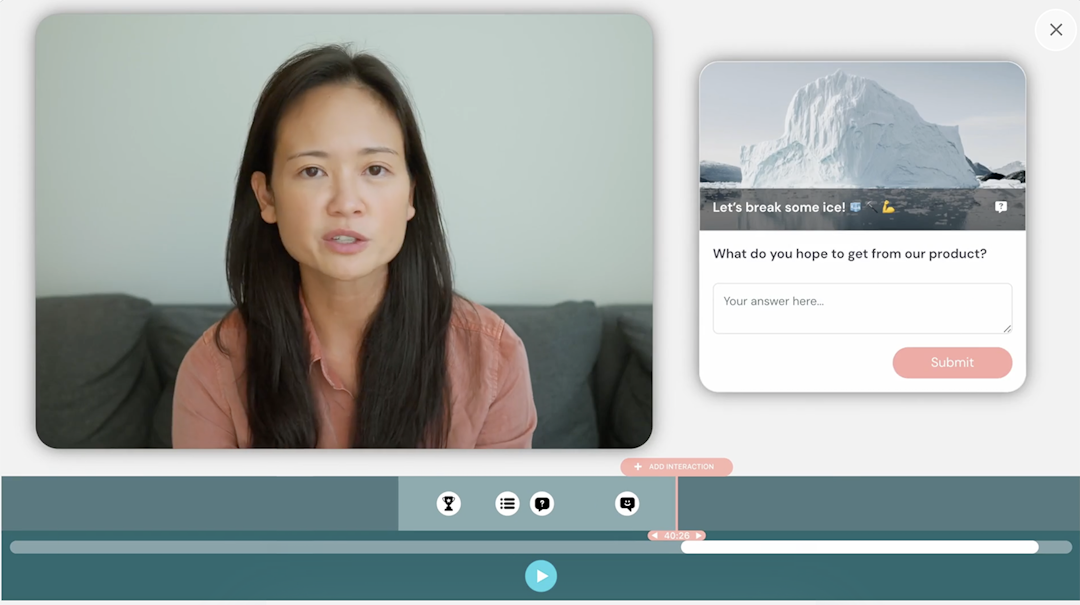
eWebinar's on-demand webinar features
| Branding & design options | Branded registration pages, emails & widgets |
|---|---|
| Registration pages | Landing pages & embeddable widgets |
| Engagement tools | Polls, quizzes & questions |
| CRM & email integrations | HubSpot, Marketo, Mailchimp, ActiveCampaign & more |
| Lead generation tools | Registration pages, special offers, personalized chat & CTAs |
| Webinar automation | Yes (simulive webinars) |
| Replay analytics | Attendance, watch time, engagement & conversion funnel analytics |
Advantages of using eWebinar
Specializes in on-demand and automated webinars, so teams don't have to pay for live webinar features they don't need
Has a wide range of lead generation tools, including special offers and personalized chat that help streamline lead gen funnels
Potential points of friction
Pricing is based on the number of active webinars per month, so it may not work for teams with a lot of webinar content
Removing "powered by eWebinar" branding from registration pages, emails, and event rooms requires an extra monthly fee
eWebinar pricing
Plans start at $84 per month (billed annually) for one active webinar and 1,000 registrants. Hosting multiple webinars requires an upgrade to the Level 2 plan, which starts at $169 per month (billed annually).
4. Demio
Demio is a webinar platform built for marketers running live and automated sessions. It converts live webinars into automated versions that can run on recurring schedules or be available on-demand.
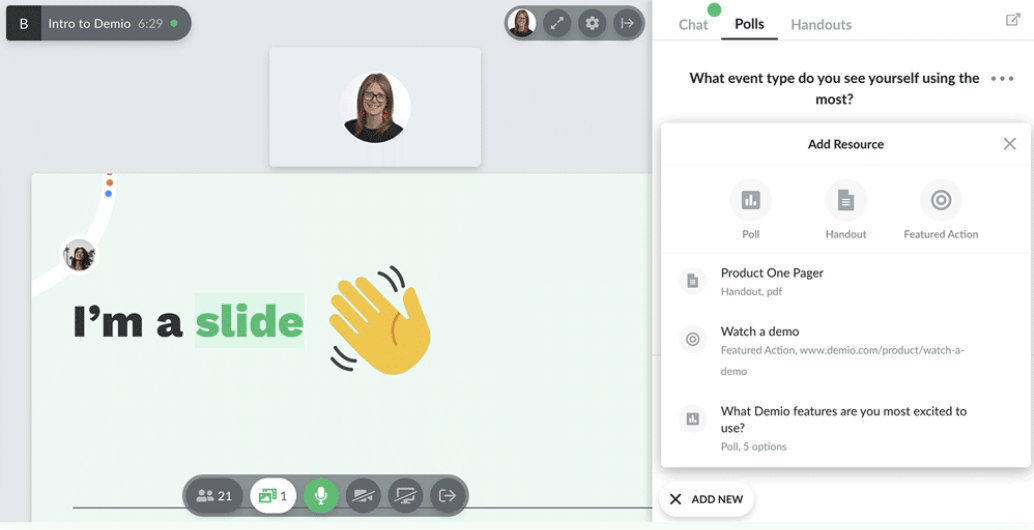
Demio's on-demand webinar features
| Branding & design options | Branded events, waiting rooms, registration pages & emails |
|---|---|
| Registration pages | Landing pages with source tracking |
| Engagement tools | Live chat, polls & Q&A sessions |
| CRM & email integrations | HubSpot, Salesforce, Marketo, Mailchimp, ActiveCampaign & more |
| Lead generation tools | Registration pages & CTAs |
| Webinar automation | Yes (simulive webinars) |
| Replay analytics | Registration, attendance, engagement & attribution analytics |
Advantages of using Demio
Has a built-in social media promotion tool that encourages registrants to boost signups, available as a paid add-on
Syncs with most major email and marketing automation tools, which may help teams with lead generation and nurturing
Potential points of friction
Most native integrations are available with the Premium plan only, which is geared toward enterprise users
Doesn't support advanced on-demand options like just-in-time webinars
Demio pricing
Paid plans start at $45 per month (billed annually) for a single host and 50 attendees. Teams need the Growth plan, which starts at $80 per month per host (billed annually), which allows 150 attendees.
5. WebinarNinja
WebinarNinja is a webinar platform supporting live, automated, series, and hybrid formats. It includes built-in payment processing for paid webinars and has timed offers for sales-focused presentations.
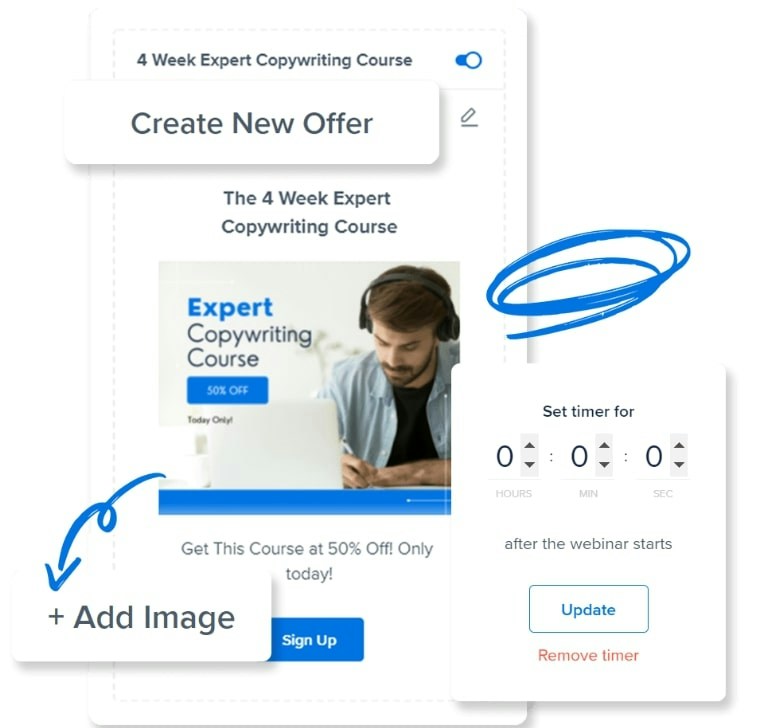
WebinarNinja's on-demand webinar features
| Branding & design options | Branded event pages & emails |
|---|---|
| Registration pages | Landing pages & registration forms |
| Engagement tools | Live chat, polls, Q&A sessions & emoji reactions |
| CRM & email integrations | HubSpot, Mailchimp, Keap & more |
| Lead generation tools | Custom sales pages, timed offers & email automation |
| Webinar automation | Yes (simulive webinars) |
| Replay analytics | Attendance, engagement & ROI analytics |
Advantages of using WebinarNinja
Has built-in tools to generate leads like sales pages and timed offers, which may be helpful for sales teams
Supports paid webinars and series, which may make it an option for teams that monetize event content
Potential points of friction
Attendee-based pricing may limit scalability, making it less ideal for teams with active event calendars
Some customers say it lacks customization options, making it less ideal for teams that need strong branding
WebinarNinja pricing
Pricing is based on attendee, starting at $0.60 per attendee (with annual billing).
6. Zoom Webinars
Zoom Webinars is a webinar platform that's part of the Zoom communication and collaboration ecosystem. It supports simulive webinars and on-demand replays with AI-powered registration pages and engagement scoring.
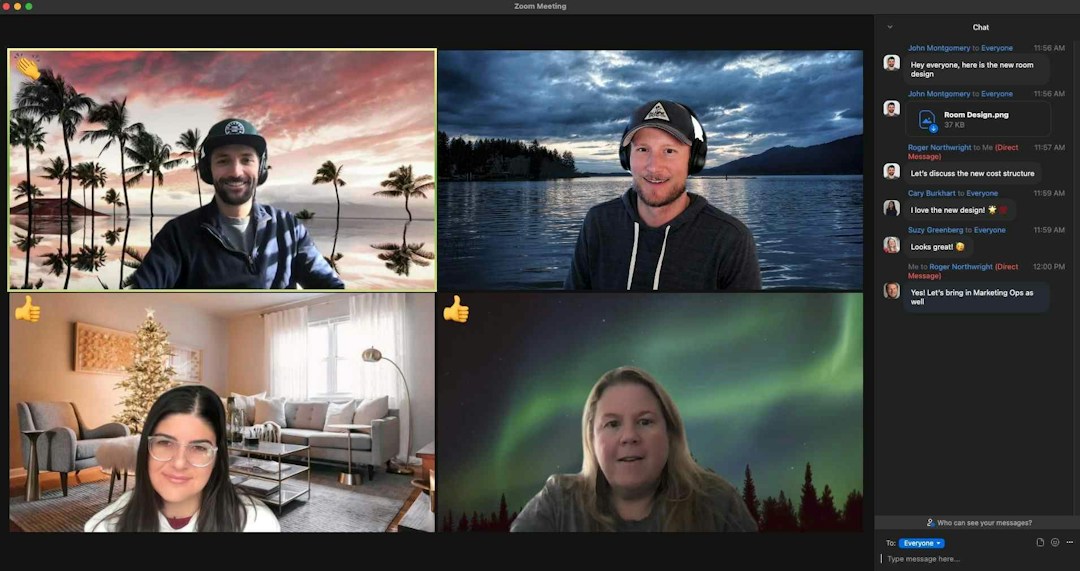
Zoom Webinars' on-demand webinar features
| Branding & design options | Branded event pages, wallpapers & emails |
|---|---|
| Registration pages | AI-powered landing pages |
| Engagement tools | Chat, Q&A, emoji reactions, polls, quizzes & breakout rooms |
| CRM & email integrations | HubSpot, Salesforce, Marketo, Eloqua & more |
| Lead generation tools | Registration pages, CTAs, engagement scores & email automation |
| Webinar automation | Yes (simulive webinars) |
| Replay analytics | Attendance, engagement & feedback analytics |
Advantages of using Zoom Webinars
Supports webinars up to 30 hours, which may make it an option for teams that host multi-session daylong events
Webinars can accommodate up 100,000 attendees, which may make it an option for teams that host large events
Potential points of friction
On-demand webinars require the Webinars Plus plan, making Zoom one of the more expensive tools on this list
Zoom's native email marketing integrations are limited, which may require teams to use a third-party app like Zapier to connect the different platforms
Zoom Webinars pricing
Plans start at $83.33 per month (billed annually) for 500 attendees and basic features. On-demand webinars and AI tools require an upgrade to the Webinars Plus plan, which starts at $290.83 per month (billed annually). All webinar plans require a Zoom Workplace Pro plan, which starts at $13.33 per month per user (billed annually).
7. GoTo Webinar
GoToWebinar is a webinar platform with on-demand and simulive automation. As part of the GoTo ecosystem, it also includes GoTo Stage capabilities for publishing recorded webinars and creating channel pages to organize on-demand content.
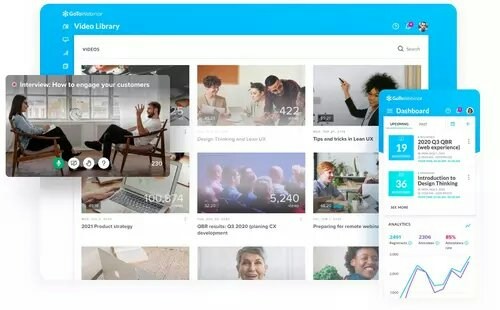
GoToWebinar's on-demand webinar features
| Branding & design options | Branded event pages, emails & event spaces |
|---|---|
| Registration pages | Customizable registration pages |
| Engagement tools | Polls, Q&A sessions & surveys |
| CRM & email integrations | HubSpot, Marketo, AWeber & more |
| Lead generation tools | Landing pages & email automation |
| Webinar automation | Yes (simulive webinars) |
| Replay analytics | Attendance, engagement & attribution analytics |
Advantages of using GoToWebinar
Teams can publish and promote recorded webinars on GoTo Stage to drive on-demand views
Teams can create channel pages to organize and share on-demand content
Potential points of friction
Many key features like webinar recording, custom registration pages, and branding require the mid-tier plan, making GoTo Webinar one of the most expensive options on this list
Has a short list of integrations, which may make it a bad option for teams that need marketing automation
GoToWebinar pricing
Pricing starts at $62 per month (billed annually) for one organizer and 500 participants. Teams need the Elevate plan, which starts at $269 per month (billed annually) for three organizers and 1,000 participants.
8. EverWebinar
EverWebinar is an automated webinar platform designed exclusively for evergreen presentations. It offers just-in-time scheduling and simulated live features including automated chat messages.
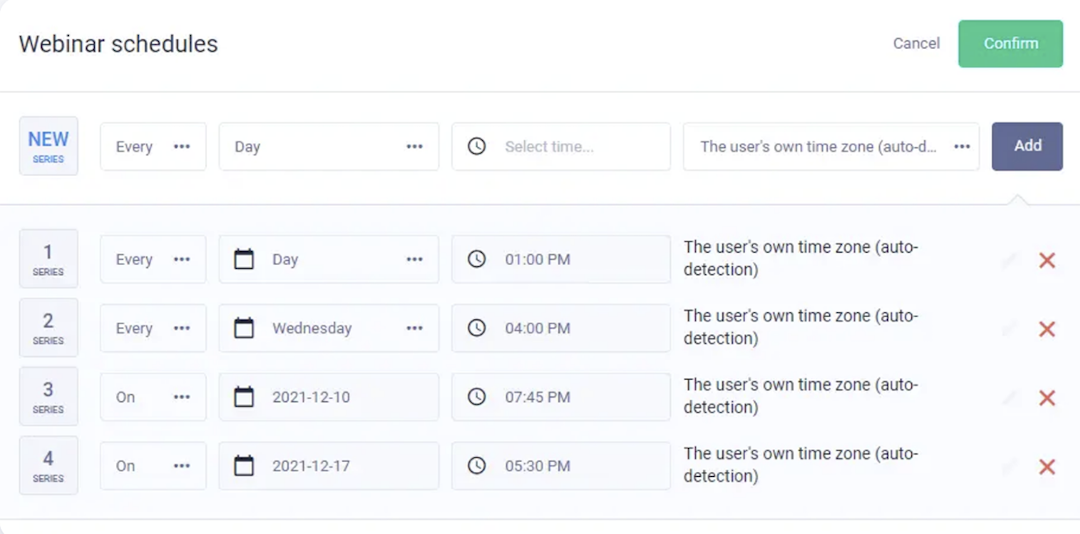
EverWebinar's on-demand webinar features
| Branding & design options | Branded event room |
|---|---|
| Registration pages | Multiple page templates with split testing |
| Engagement tools | Live chat, simulated chat, surveys & Q&A |
| CRM & email integrations | Mailchimp, Keap, ActiveCampaign, GetResponse & more |
| Lead generation tools | Landing pages with split testing, email & SMS automation |
| Webinar automation | Just-in-time, instant replays & join-in-progress |
| Replay analytics | Registration, attendance, watch time, feedback & ROI analytics |
Advantages of using EverWebinar
It's one of the few webinar platforms with built-in SMS capabilities, which can help boost attendance
It offers A/B testing for landing pages, which can help improve registration for evergreen webinars
Potential points of friction
Has limited branding options, which means teams lack customization opportunities
Doesn't support live webinars, which require a separate WebinarJam subscription
EverWebinar pricing
EverWebinar has a monthly plan ($199 per month), an annual plan ($99 per month), and a two-year plan ($79 per month). All include the same feature set and have a 14-day free trial.
9. Zoho Webinar
Zoho Webinar is part of the Zoho business software suite with native CRM and workflow integrations. It has on-demand webinar replays with attendance, attribution, and webinar performance analytics.
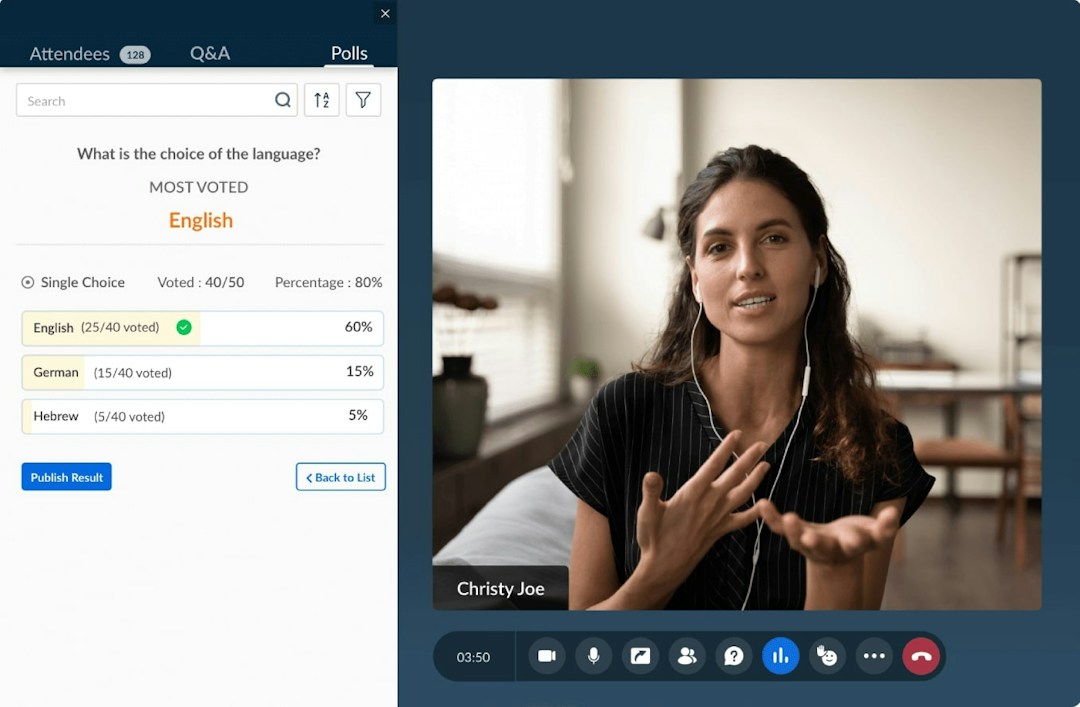
Zoho Webinar's on-demand webinar features
| Branding & design options | Branded emails, event pages & backgrounds |
|---|---|
| Registration pages | Standalone and embeddable pages |
| Engagement tools | Polls, Q&A & attendee speaking permissions |
| CRM & email integrations | HubSpot & Zoho Campaigns |
| Lead generation tools | Landing pages & email automation |
| Webinar automation | No |
| Replay analytics | Attendance, engagement, feedback & attribution analytics |
Advantages of using Zoho Webinar
It's part of the Zoho ecosystem, so it connects to Zoho's CRM, workflow automation, and collaboration apps
Zoho Webinar has one of the lowest price points on this list, making it an option for teams on a small budget
Potential points of friction
Because it's part of the Zoho ecosystem, it has very few non-Zoho integrations beyond HubSpot and Zapier
It has limited automation options and doesn't support simulive webinars
Zoho Webinar pricing
Free plan includes live 60-minute webinars but has no on-demand capabilities. Paid plans start at $8 per organizer per month (billed annually) for on-demand webinars up to 24 hours long.
What to look for in on-demand webinar software
Here are the key factors to consider when choosing an evergreen webinar platform for your organization.
Usability: Choose a platform with an intuitive interface that lets you set up automated webinars no matter your technical skill level. Look for ease of use and clear workflows from video upload to scheduling, registration page creation, and reporting.
Webinar features: Check whether the platform offers flexible scheduling options including on-demand access, recurring sessions, and just-in-time webinars. Look for interactive features like polls, Q&A, chat, screen sharing, and CTAs that keep viewers watching pre-recorded content.
Customer reviews: Read user feedback on G2, Capterra, and other review sites to understand real-world performance and reliability. Pay attention to comments about customer support, usability, and how the platform handles technical issues.
Pricing and ROI: Compare pricing models based on attendees, active webinars, or flat rates to find what fits your budget. Determine ROI by calculating potential time savings from automation features and comparing them against the platform cost.
Scalability: Ensure the software can grow with your webinar program and help you meet business goals. Check attendee limits, video storage capacity, and whether you can add team members or webinars as your needs expand.
Frequently asked questions
Which platform is best for on-demand webinars?
Why should you host on-demand webinars?
On-demand webinars let you scale your reach without repeatedly hosting the same live presentation. They accommodate different time zones and schedules, increasing attendance while freeing up your team's time.
What is an evergreen webinar?
An evergreen webinar is a pre-recorded presentation that runs automatically on a recurring schedule or on demand. It provides the same content to new audiences without requiring a live host for each session.
What is on-demand webinar software?
On-demand webinar software lets you host pre-recorded video content that viewers can access anytime, with features like registration pages, engagement tools, and analytics to capture and nurture leads.
How is on-demand different from live webinars?
On-demand webinars are pre-recorded and available 24/7, while live webinars happen in real time. On-demand is ideal for evergreen content, global audiences, and lead generation without scheduling constraints.
What features should I look for in on-demand webinar software?
Look for customizable registration pages, video hosting, automated email follow-ups, interactive elements like polls and CTAs, detailed analytics, and integrations with your CRM and marketing tools.
Can I still engage viewers with a pre-recorded webinar?
Yes. You can add timed polls, clickable CTAs, downloadable resources, and embedded forms to keep viewers engaged, and route questions to email or a contact form for follow-up.
How do I track performance of on-demand webinars?
Track metrics like total views, watch time, completion rate, drop-off points, CTA clicks, and form submissions. Sync data to your CRM and use UTM parameters to measure lead quality and conversions.
Can I restrict who can watch my on-demand webinar?
Most platforms let you gate access with registration forms, passwords, or email verification. You can also segment by audience, require SSO login, or embed the webinar on a private page.


Ebooks
Webinar Promotion Handbook
Everything you need to promote your webinars and increase attendance.

About the author
Brillixa Herdhiana - Senior Growth Manager
Brillixa joined Livestorm as Growth Manager in 2021. Her experience enables her to contribute to business growth through lead generation from ads and organic channels.
Related categories
Featured resource
Ebooks
Webinar Promotion Handbook
Everything you need to promote your webinars and increase attendance.
Newsletter