Livestorm is the best webinar recording platform because it's an all-in-one solution that lets teams run webinars, record presentations, and then deliver them as on-demand content with full marketing automation.
Webinar
Best Webinar Recording Software for Lead Generation
Published on January 30, 2026 • About 8 min. read
Written by Brillixa Herdhiana
Webinar Promotion Handbook

Table of content
Share this article
Key Takeaways
Recorded webinars can drive ongoing lead generation if platforms support gated replays, behavior tracking, and CRM integration.
Key capabilities include recording quality, storage, registration pages, and engagement tools, which differ significantly among webinar platforms and recording tools.
Livestorm is identified as the leading all-in-one solution with 1080p recording, robust analytics, and extensive marketing integrations.
Tools like Loom and Descript offer higher video quality (up to 4K) but lack core features such as automated webinars and registration capabilities.
Recorded webinars can generate leads long after the live session ends — but only if your software makes it easy to gate replays, track viewer behavior, and integrate with your CRM. Video quality, storage limits, and distribution options vary significantly whether you're using a dedicated webinar platform, a screen recorder tool, or video creation software.
To help you find the best webinar recording software for your needs, I compiled 11 of the top tools. I'll walk you through how each one handles automatic recording, converts replays into on-demand assets, and connects to marketing automation tools. By the end, you'll be able to choose the right tool for your lead gen tech stack.
If you need a full webinar platform rather than a recording tool, see our guide to the best webinar platforms.
What are the best webinar recording software platforms?
Here's a quick look at my picks for the top webinar recording software platforms, including what each is best for:
| Platform | Software type | Best for |
|---|---|---|
| Livestorm | Webinar software | All-in-one webinar hosting, recording, and replays with analytics and repurposing |
| GoTo Webinar | Webinar software | Unlimited storage and built-in timeline and transcript editing tools |
| ClickMeeting | Webinar software | Automated webinars with real-time and post-event chat |
| WebinarNinja | Webinar software | Webinar series with unlimited on-demand & automated webinars |
| Zoom | Webinar software | 30-hour recorded sessions with automated engagement tools |
| Demio | Webinar software | AI-moderated on-demand webinars |
| Riverside | Video creation software | AI-powered video clip generation for repurposing recorded content |
| Vimeo | Video creation software | 2TB+ storage with editing tools for on-demand webinar content |
| Loom | Screen recording software | Unlimited video storage with completion rate tracking |
| Snagit | Screen recording software | Offline 4K recording with no cloud storage required |
| Descript | Screen recording software | Cleaning up recorded webinars with AI-powered editing tools |
1. Livestorm
Livestorm is a complete webinar platform that offers live webinars with automatic recording capabilities. All paid plans support 4-hour (or longer) recording sessions with 1080p (full HD) video quality.
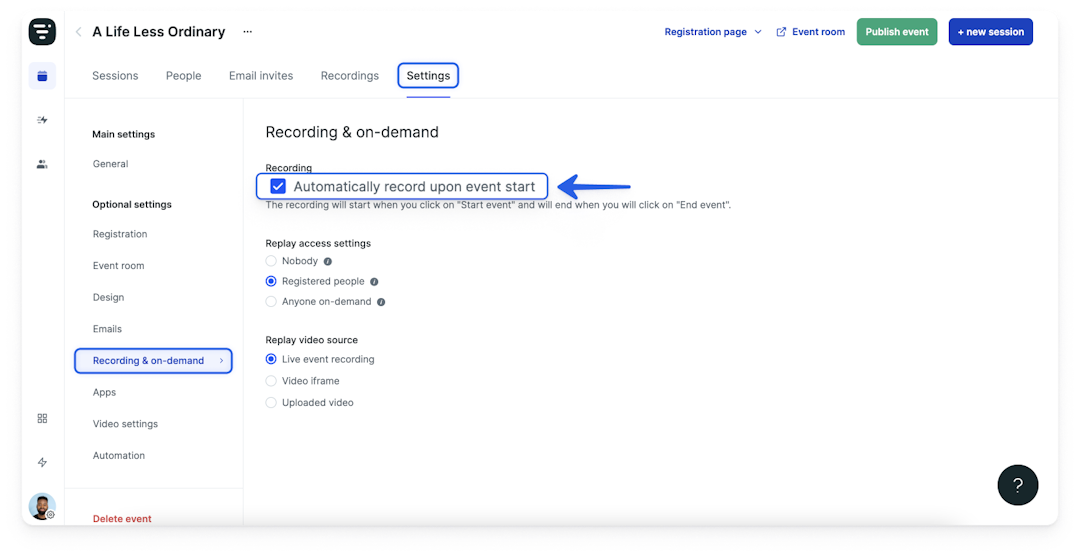
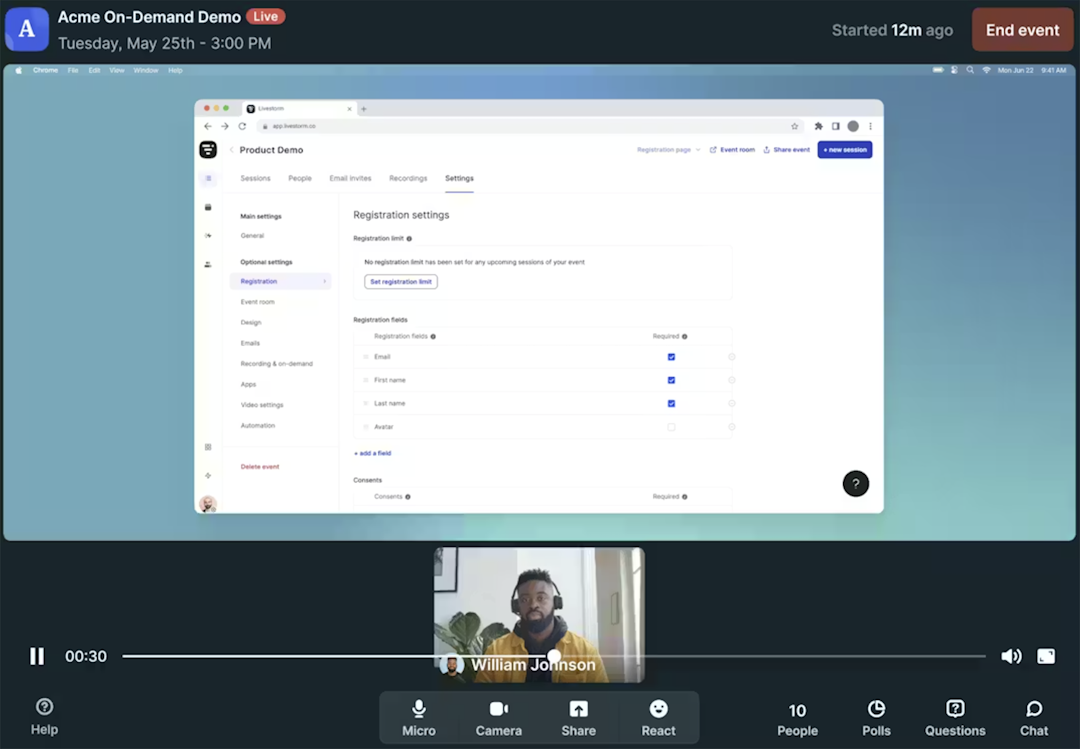
With Livestorm, it's easy for teams to host on-demand webinars with branded registration pages. It's also one of the best webinar tools for automated webinars, which add real-time engagement to recorded webinars.
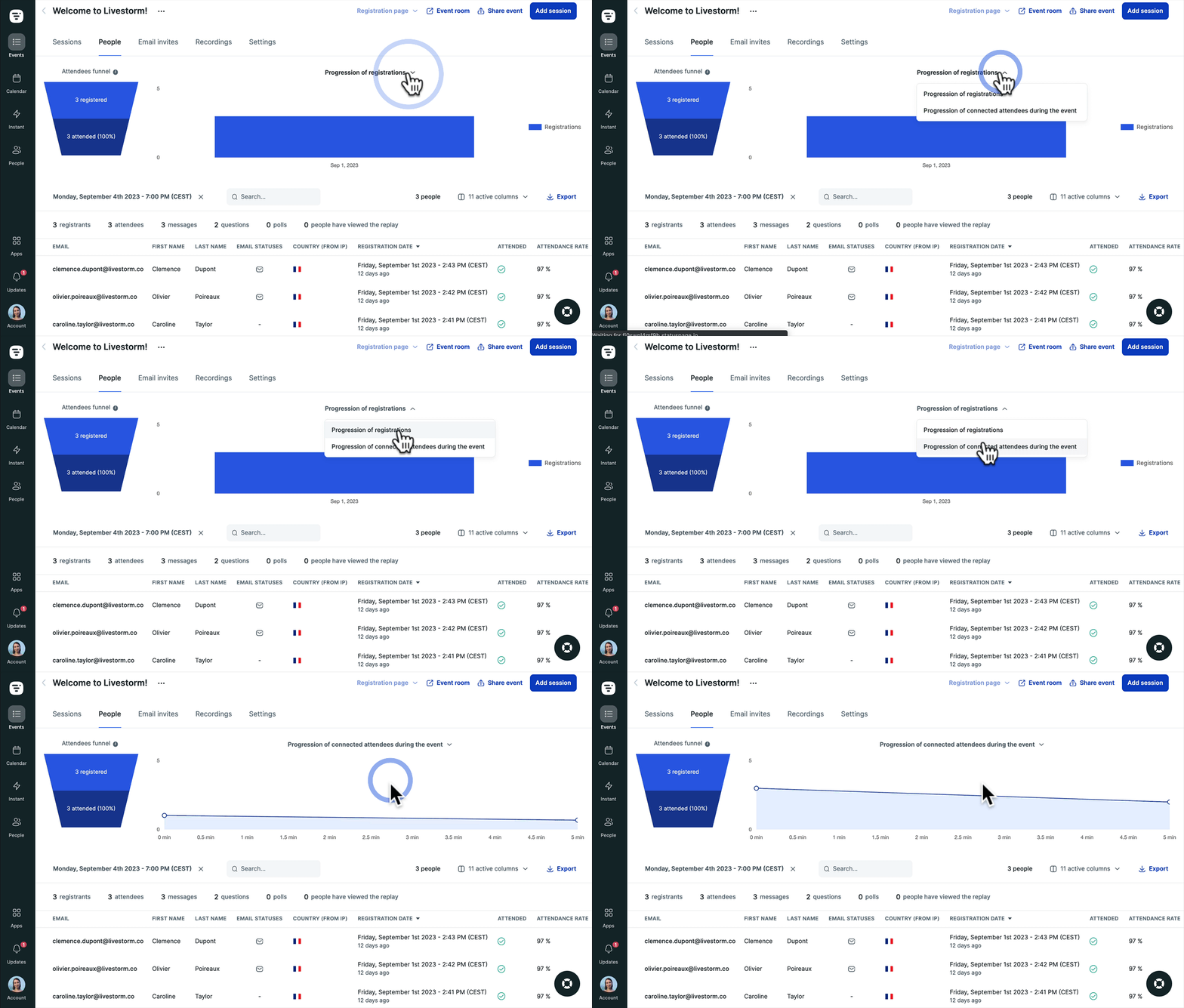
Livestorm's built-in analytics provide data on registrations, attendance, and engagement so you can see what resonates with your audience. The platform also has attribution analytics so you know which marketing channels drive results.
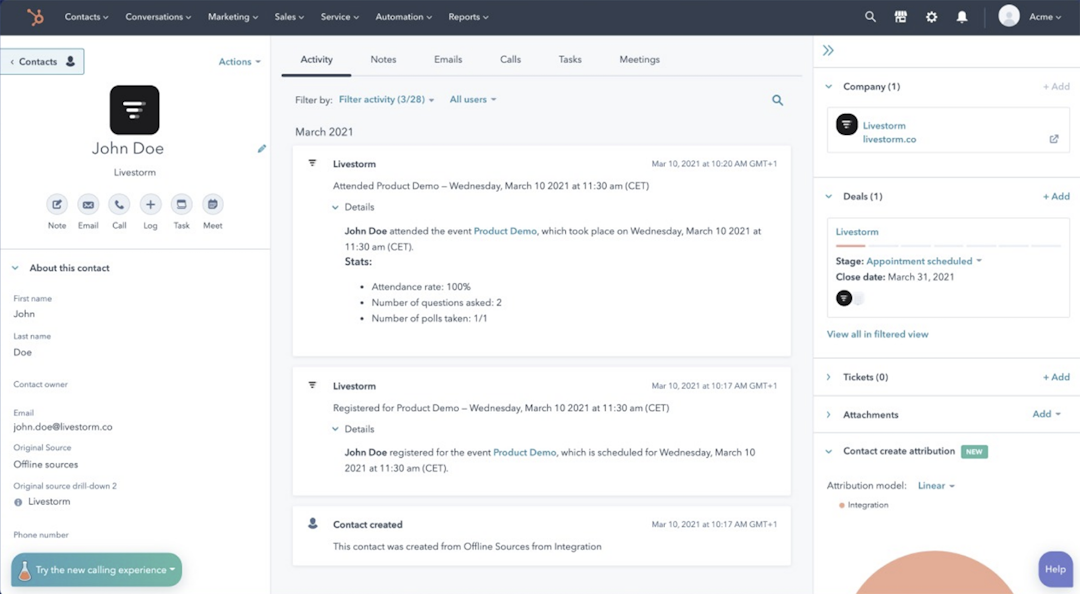
Plus, Livestorm has robust integrations with CRM and email tools like HubSpot, Salesforce, Marketo, Brevo, and many more. With these native integrations, you can automate lead nurturing, turning your webinar recording software into a lead generation tool.
Livestorm's webinar recording features
| Automatic recording | Yes |
|---|---|
| Recording quality | 1080p (full HD) |
| Storage limits | 4-hour+ sessions with all paid plans |
| Editing tools | No |
| On-demand webinars | Yes |
| Automated webinars | Yes |
| Marketing integrations | HubSpot, Salesforce, Marketo, Brevo, Mailchimp, Keap & more |
| Webinar analytics | Registration, attendance, views, watch time, engagement & attribution |
What customers say about Livestorm
"We like how Livestorm records in HD. It’s the only platform that our communications department - who handles all the digital media and TV stations - recommends to all of the staff because the replays are always TV ready."
"The fact that I can get a video to start and end automatically is really convenient and saves a lot of manual intervention."
Livestorm pricing
Free plan allows up to 20 minutes per session and 30 active contacts per month. Paid plans start at $105 per month (billed annually) for 4-hour sessions and 1,000 annual active contacts.
2. GoTo Webinar
GoTo Webinar is a complete webinar platform for virtual conferences and events. Part of the GoTo ecosystem, it supports unlimited webinar recordings and has built-in timeline and transcript editing tools.
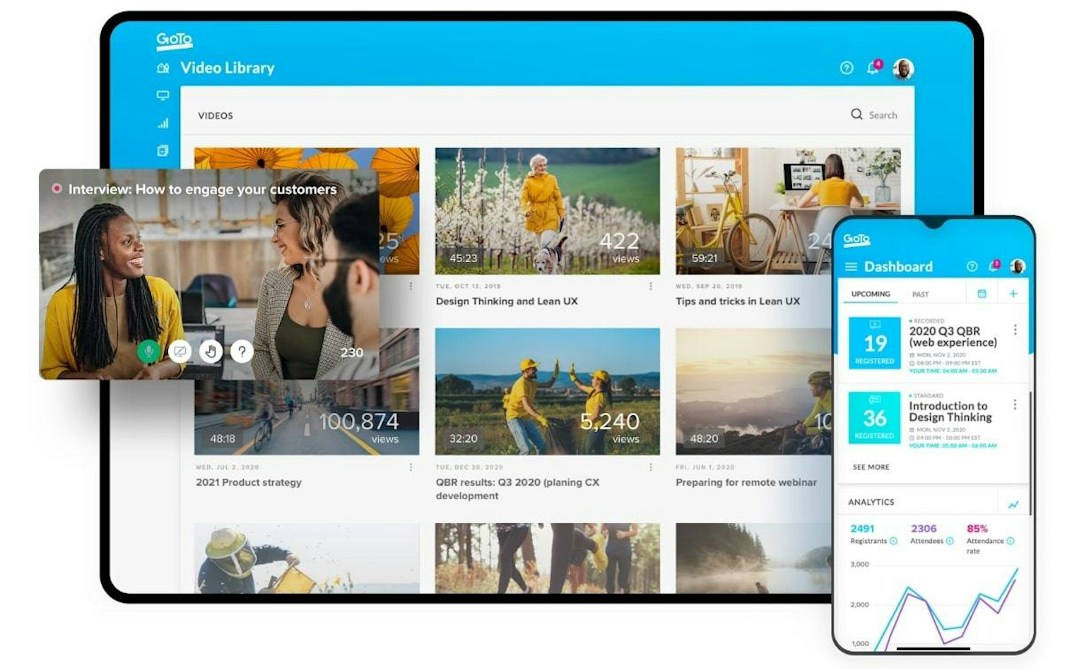
GoTo Webinar's webinar recording features
| Automatic recording | Yes |
|---|---|
| Recording quality | 960p (HD) |
| Storage limits | Unlimited |
| Editing tools | Timeline editor, text-based editor & chapters |
| On-demand webinars | Yes |
| Automated webinars | Yes |
| Marketing integrations | HubSpot & Marketo |
| Webinar analytics | Attendance, engagement & attribution |
Advantages of GoTo Webinar
It's one of the few dedicated webinar platforms that has built-in timeline and transcript editing tools
It's part of the GoTo ecosystem, which includes online meeting, virtual training, and business communication tools
Downsides of GoTo Webinar
Essential features like webinar recording, custom registration pages, and branding require a mid-tier plan, making GoTo Webinar one of the most expensive tools on this list
Hosts must download the GoTo Webinar app for webinar recordings and advanced features
GoTo Webinar pricing
Webinar recording features are included in the Elevate plan, which starts at $269 per month (billed annually) for 1,000 participants and three organizers.
3. ClickMeeting
ClickMeeting is a browser-based webinar platform for education and business. It supports automated webinars with real-time and post-event chat and has monetization capabilities for on-demand content.
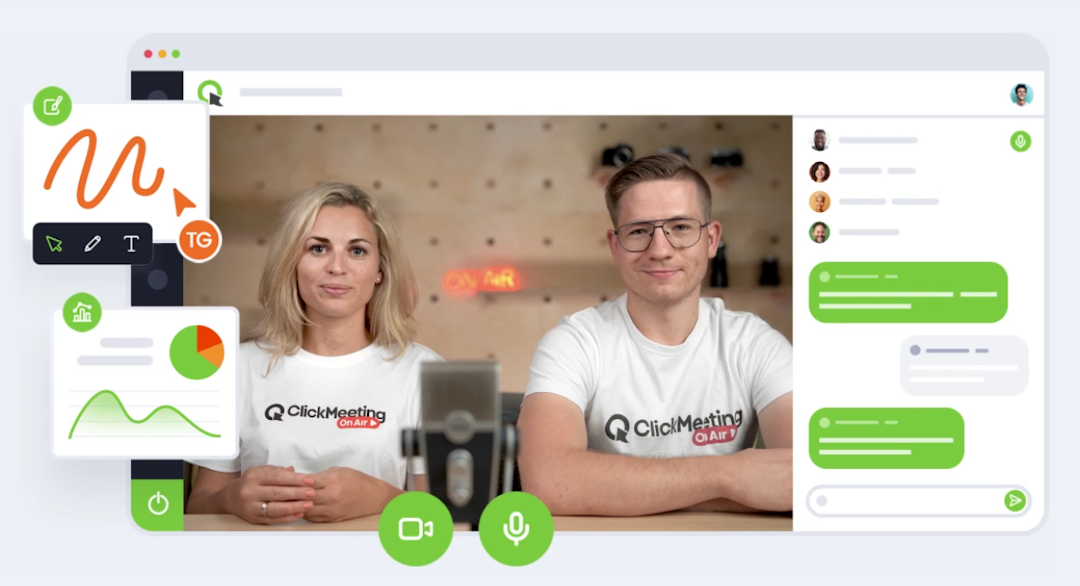
ClickMeeting's webinar recording features
| Automatic recording | Yes |
|---|---|
| Recording quality | 720p (HD) and 1080p (full HD) |
| Storage limits | 6-hour+ sessions and 1GB+ of files with all plans |
| Editing tools | No |
| On-demand webinars | Yes |
| Automated webinars | Yes |
| Marketing integrations | HubSpot, Pipedrive, GetResponse, Keap & more |
| Webinar analytics | Registration, attendance, engagement & attendee ratings |
Advantages of ClickMeeting
Supports on-demand and automated webinar experiences, including real-time and post-event chat capabilities
Has monetization capabilities, which can help teams earn revenue with paid webinars
Downsides of ClickMeeting
Entry-level plan doesn't support on-demand or automated webinars, so teams have to upgrade to the mid-tier or enterprise plan
Storage limits can be restrictive, and extra recording and file storage requires a paid add-on
ClickMeeting pricing
No free plan. Paid plans start at $37 per month (billed annually) for 50 attendees. Automated and on-demand webinar capabilities require the Automated plan, which starts at $48 per month (billed annually) for 50 attendees.
4. WebinarNinja
WebinarNinja is a webinar platform for coaches, trainers, and consultants. It offers unlimited live, on-demand, and automated webinars with webinar series capabilities for multi-part content.
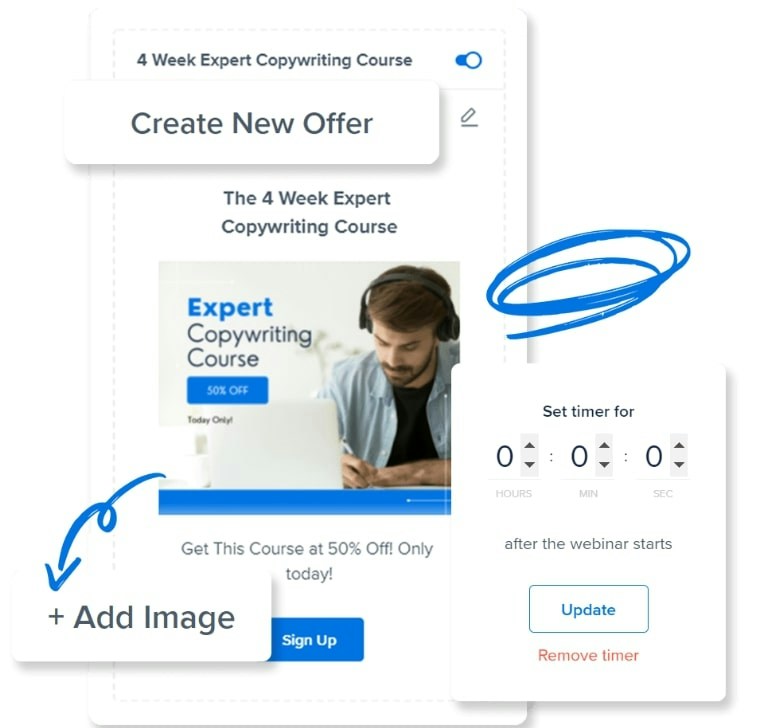
WebinarNinja's webinar recording features
| Automatic recording | Yes |
|---|---|
| Recording quality | 720p (HD) |
| Storage limits | Unlimited |
| Editing tools | No |
| On-demand webinars | Yes |
| Automated webinars | Yes |
| Marketing integrations | HubSpot, Mailchimp, Keap & more |
| Webinar analytics | Attendance, engagement & ROI analytics |
Advantages of WebinarNinja
Offers unlimited live, on-demand, and automated webinars, which may make it an option for teams with ambitious event strategies
Supports webinar series, which can be helpful for teams recording and building webinar funnels
Downsides of WebinarNinja
Lacks editing tools, so teams would need to download and edit webinars in a separate app
Attendee-based pricing may get expensive quickly for teams that frequently host large webinars
WebinarNinja pricing
Pricing is based on attendee, starting at $0.60 per attendee (with annual billing).
5. Zoom Webinars
Zoom Webinars is a video conferencing platform that supports webinars up to 30 hours long. It includes automated engagement tools like polls and quizzes in pre-recorded webinars.
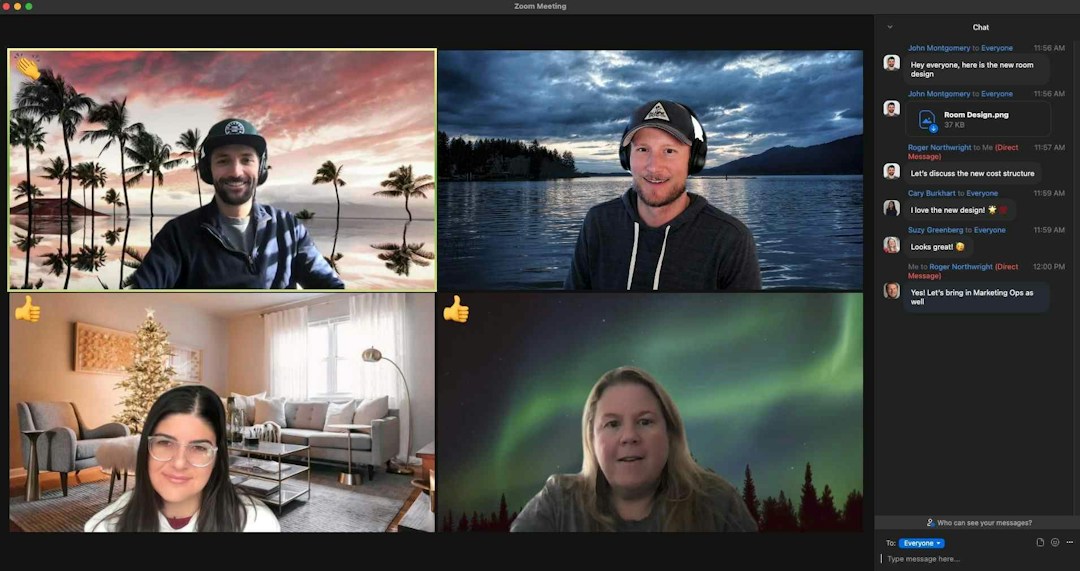
Zoom Webinars' webinar recording features
| Automatic recording | Yes |
|---|---|
| Recording quality | 720p (HD) & 1080p (full HD) |
| Storage limits | 10GB with the Pro plan |
| Editing tools | No |
| On-demand webinars | Yes |
| Automated webinars | Yes |
| Marketing integrations | HubSpot, Salesforce, Marketo, Eloqua & more |
| Webinar analytics | Attendance, engagement & feedback analytics |
Advantages of Zoom Webinars
Allows webinars up to 30 hours, which may be helpful for teams that frequently host daylong online events
Supports automated engagement tools like polls and quizzes in pre-recorded webinars
Downsides of Zoom Webinars
Since it's part of the Zoom ecosystem, all plans require a Zoom Workplace Pro subscription, which adds to the base cost
Default storage limit is 10GB, and additional storage starts at $10 per month, which also adds to the base cost
Zoom Webinars pricing
Plans start at $83.33 per month (billed annually) for 500 attendees and basic features. On-demand webinars and AI tools require an upgrade to the Webinars Plus plan, which starts at $290.83 per month (billed annually). All webinar plans require a Zoom Workplace Pro plan, which starts at $13.33 per month per user (billed annually).
6. Demio
Demio is a browser-based webinar platform built specifically for marketers. It features AI-powered chat moderation for evergreen webinars and detailed engagement analytics that track attendee behavior.
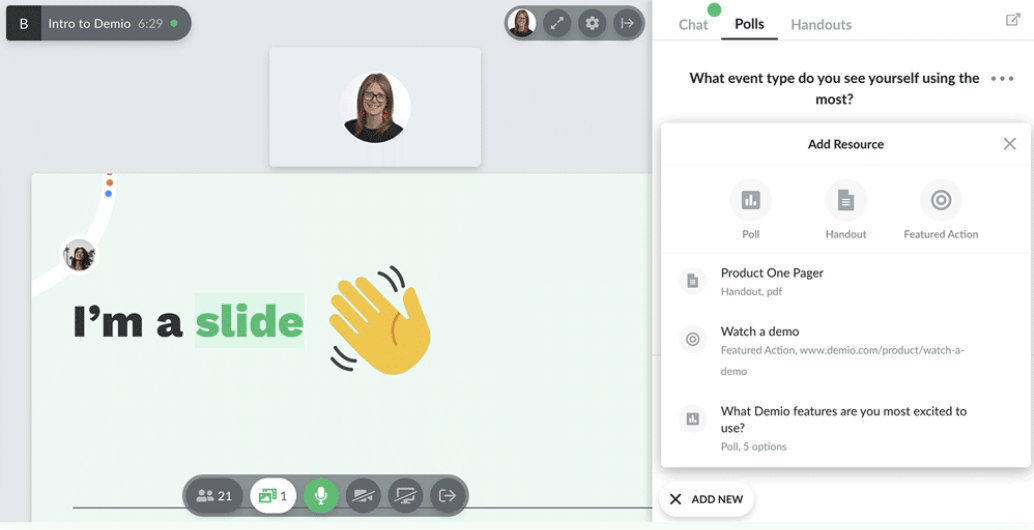
Demio's webinar recording features
| Automatic recording | Yes |
|---|---|
| Recording quality | 1080p (full HD) |
| Storage limits | 3-hour+ sessions with all plans |
| Editing tools | No |
| On-demand webinars | Yes |
| Automated webinars | Yes |
| Marketing integrations | HubSpot, Salesforce, Marketo, Pipedrive & more |
| Webinar analytics | Registration, attendance, engagement & attribution |
Advantages of Demio
Has an AI-powered chat moderator that can answer questions during on-demand webinars
Integrates with most major marketing automation tools, which can help teams generate leads more efficiently
Downsides of Demio
Session times are relatively short for standard plans, making Demio less ideal for teams running longer webinars or virtual events
Lacks editing tools, so teams would need a third-party tool to adjust transcripts or trim webinar recordings
Demio pricing
Paid plans start at $45 per month (billed annually) for a single host and 50 attendees. Teams need the Growth plan, which starts at $80 per month per host (billed annually), which allows 150 attendees.
7. Riverside
Riverside is an online recording studio for podcasts and video content. It captures screen recordings and has AI-powered video clip generation that turns webinar recordings into social media content.
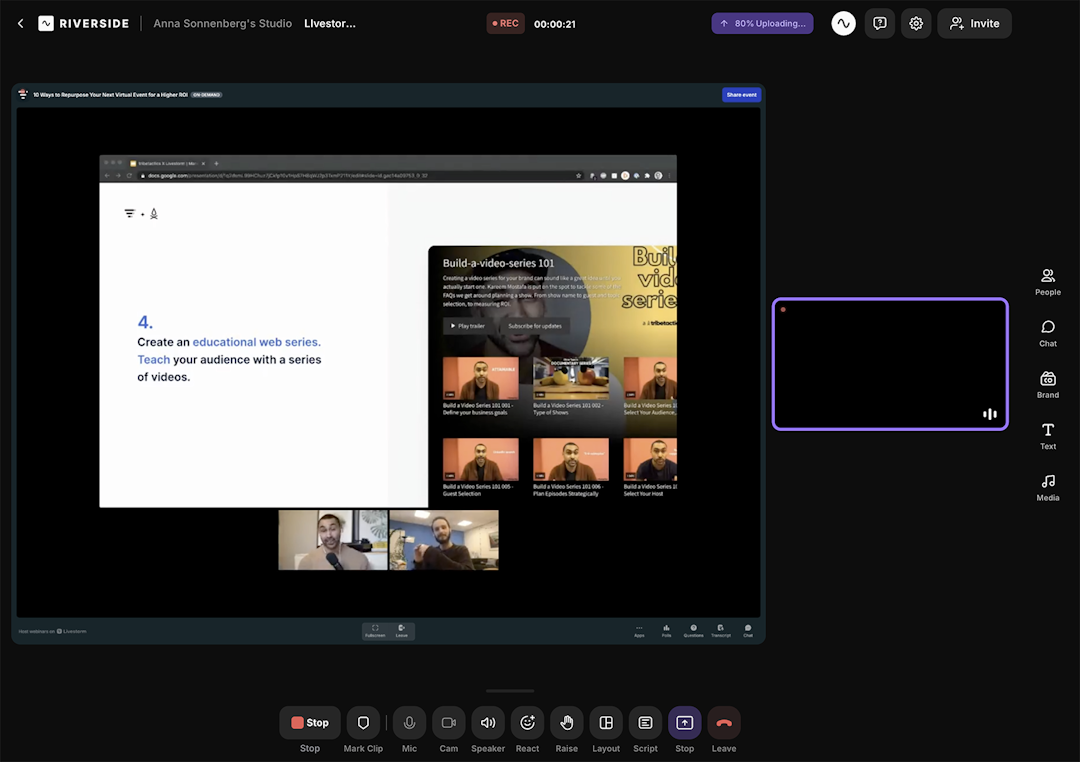
Riverside's webinar recording features
| Automatic recording | Yes |
|---|---|
| Recording quality | Up to 4K (ultra HD) |
| Storage limits | 15 hours per month with most paid plans |
| Editing tools | Text-based editing, webinar layouts, chapters & background noise removal |
| On-demand webinars | Yes |
| Automated webinars | No |
| Marketing integrations | HubSpot & Salesforce |
| Webinar analytics | Registration, attendance & engagement |
Advantages of Riverside
Has an AI-powered video clip feature, so it can turn webinar recordings into short-form video for social media
Supports live streaming for up to 10,000 viewers, so it also works as a live webinar tool for large audiences
Downsides of Riverside
Isn't designed for marketing teams, as all standard plans include only one seat
Syncs with HubSpot and Salesforce but doesn't have other pre-built marketing integrations
Pricing
Free plan includes up to 2 hours of recording, but all free videos have a watermark. Paid plans start at $24 per month (billed annually). But live events require the Webinar plan, which starts at $79 per month (billed annually), and teams need the Business plan, which has custom pricing.
8. Vimeo
Vimeo is a video hosting and live streaming platform with webinar capabilities. It provides extensive storage with robust editing tools including a timeline editor, a text-based editor, and video templates.
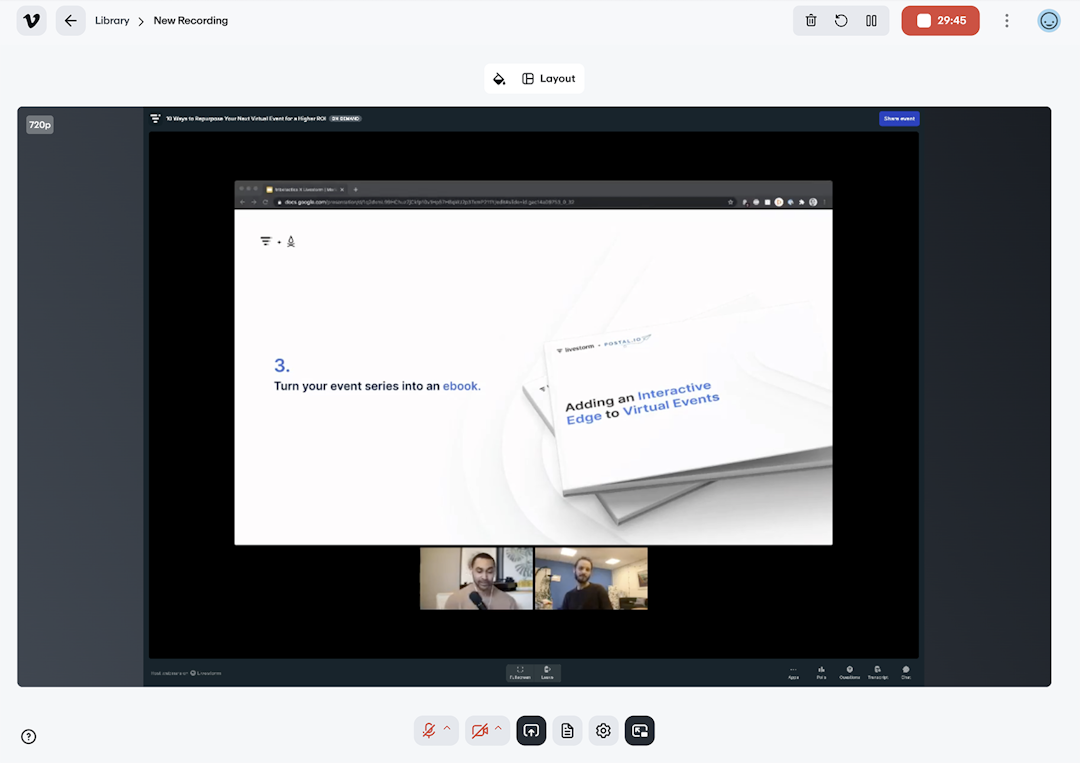
Vimeo's webinar recording features
| Automatic recording | No |
|---|---|
| Recording quality | Up to 4K (ultra HD) |
| Storage limits | 2TB+ with all paid plans |
| Editing tools | Timeline editor, text-based editor, video templates & stock creative assets |
| On-demand webinars | Yes |
| Automated webinars | Yes |
| Marketing integrations | ~10 marketing integrations, including HubSpot, Salesforce, Marketo, Mailchimp & more |
| Webinar analytics | Views, time watched & engagement |
Advantages of Vimeo
Has a robust set of editing tools, allowing teams to record webinars and edit content with one platform
Supports video creation and live webinars, making it an all-in-one option for video and webinars
Downsides of Vimeo
Primarily designed for live streaming and video hosting, so its webinar recording tools are relatively basic
All pre-set plans allow only 100 webinar guests, making Vimeo a bad fit for large audiences
Vimeo pricing
Free plan includes 1GB of video storage and basic editing tools, but all free videos have a Vimeo watermark. Paid plans with one user start at $12 per month (billed annually). But live webinar tools require the Advanced plan, which includes 10 users and starts at $75 per month (billed annually).
9. Loom
Loom is an async video messaging tool for screen and camera recording. It offers unlimited storage for quick video recordings with basic editing tools and conversion rate tracking.
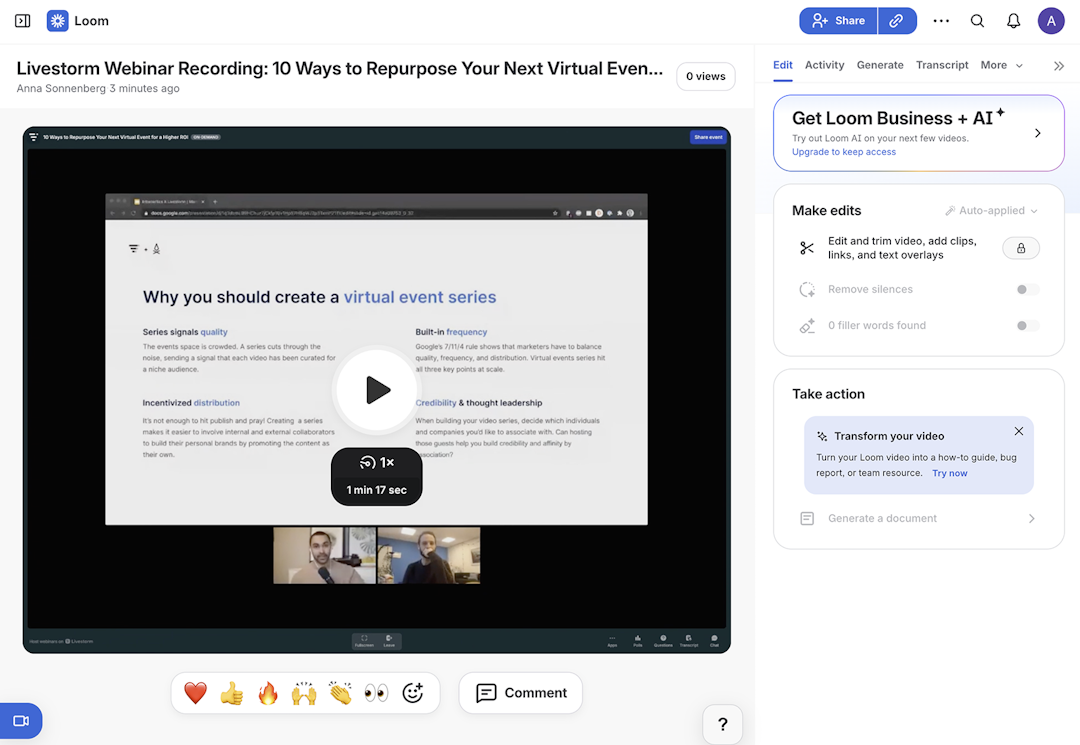
Loom's webinar recording features
| Automatic recording | No |
|---|---|
| Recording quality | Up to 4K (ultra HD) |
| Storage limits | Unlimited with paid plans |
| Editing tools | Basic timeline editor, text-based editor, thumbnails & backgrounds |
| On-demand webinars | No |
| Automated webinars | No |
| Marketing integrations | No |
| Webinar analytics | Views, completion rate & call-to-action conversion rate |
Advantages of Loom
Has built-in editing tools to clean up video recordings and create webinar thumbnails
Offers unlimited storage, so you can easily scale your webinar content library
Downsides of Loom
Doesn't have registration pages or on-demand content, so it isn't ideal as a lead generation tool
Isn't designed as a marketing tool and lacks any marketing automation integrations
Loom pricing
Free plan includes 25 videos, each up to 5 minutes long. Paid plans start at $15/user per month (billed annually), and plans with AI features start at $20/user per month (billed annually).
10. Snagit
Snagit is a screen capture and recording tool designed for documentation and feedback. It specializes in offline 4K recording, and it has no cloud storage requirements.
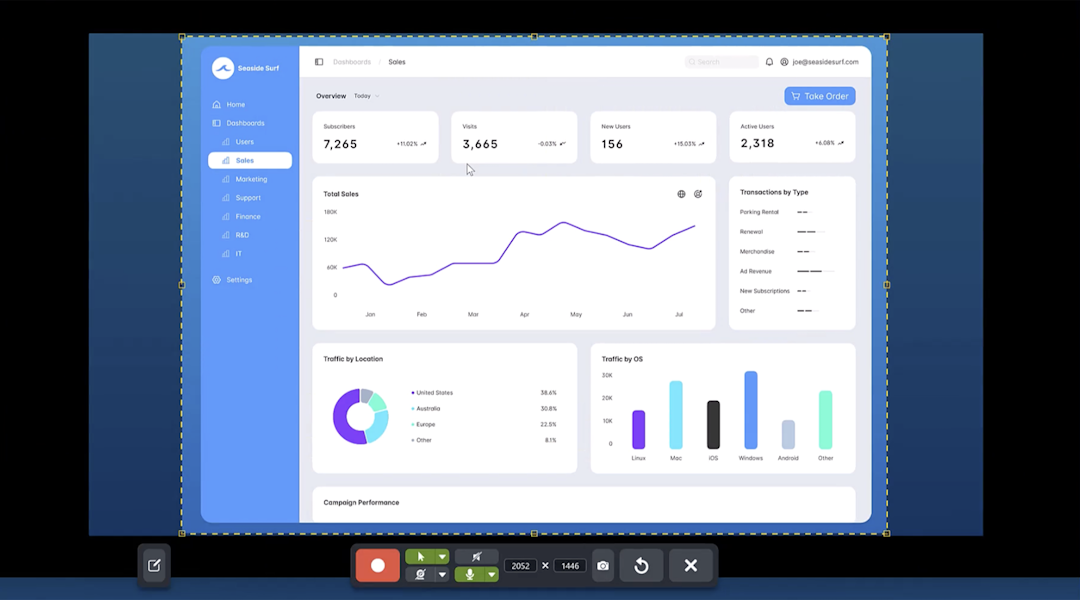
Snagit's webinar recording features
| Automatic recording | No |
|---|---|
| Recording quality | Up to 4K (ultra HD) |
| Storage limits | No (all storage is offline) |
| Editing tools | Background noise removal |
| On-demand webinars | No |
| Automated webinars | No |
| Marketing integrations | No |
| Webinar analytics | No |
Advantages of Snagit
Customers say it's a user-friendly tool that requires minimal setup and onboarding
It's the least expensive tool on this list, making it a potential option for teams with small budgets
Downsides of Snagit
Requires an app download and offline storage capabilities, as it isn't a browser-based tool
Designed primarily as a screen capture tool, so it lacks marketing automations and analytics
Snagit pricing
Team plans start at $48/user per year.
11. Descript
Descript is a text-based video and audio editing platform with remote recording capabilities. It's equipped with AI-powered editing tools that clean up transcripts, fix audio, and automatically correct eye contact in recordings.
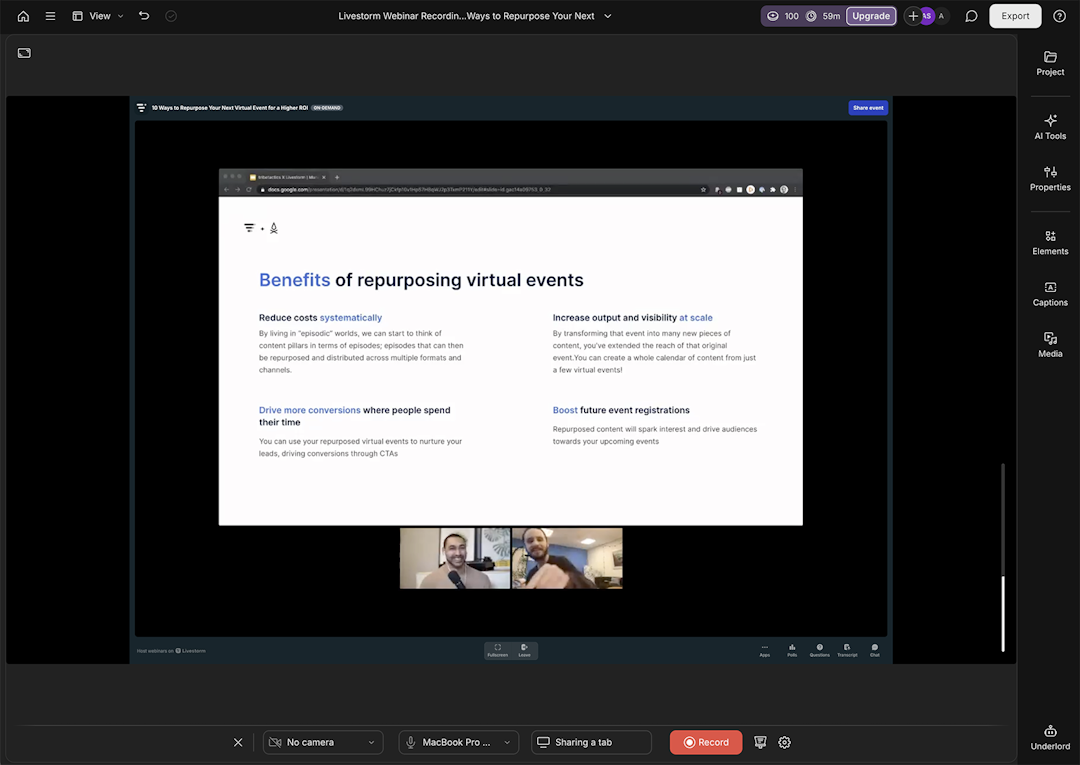
Descript's webinar recording features
| Automatic recording | No |
|---|---|
| Recording quality | 1080p (full HD) or 4k (ultra HD) with all paid plans |
| Storage limits | 100GB+ with all paid plans |
| Editing tools | Text-based editor, audio editor & AI-powered eye contact |
| On-demand webinars | No |
| Automated webinars | No |
| Marketing integrations | No |
| Webinar analytics | No |
Advantages of Descript
Has editing tools to clean up transcripts, fix audio, and improve speakers' eye contact
Automatically generates transcripts, captions, and subtitles to make webinar recordings more accessible
Downsides of Descript
Doesn't have live, on-demand, or automated webinar capabilities, as it's a recording and editing tool only
Can't record webinars automatically, as it requires teams to start and stop recording their screen manually
Descript pricing
Free version allows up to 60 minutes of media per month, but videos have a watermark. Paid plans start at $16 per month (billed annually) for 10 hours of media.
How to choose the right webinar recording software
Finding the best webinar software for your recording and on-demand content needs depends mainly on your use cases and budget. Here's what to consider:
Narrow down the type of software you need: Decide whether you need a platform that lets you host webinars with registration and engagement tools, or if you just need screen recording software to capture presentations.
Identify the features and recording capacity you need: Consider essential features like automatic recording, storage limits, editing tools, and on-demand or automated webinar capabilities. Also evaluate attendee capacity, recording quality, and session length limits.
Compare costs and customer reviews: Review pricing structures to understand whether platforms charge per host, per attendee, or per video. Read customer reviews on G2 or Capterra to learn how platforms perform, and sign up for a free trial to choose the best option for your team.
Frequently asked questions
What are the top webinar recording software platforms?
Can you record a webinar with screen recording software?
Yes, you can use screen recording tools like Snagit, Loom, or Descript to capture webinars. However, these tools lack webinar features like registration pages, automated emails, and on-demand delivery that dedicated webinar platforms provide.
Which webinar recording tools offer the best audio and video quality?
Livestorm and Riverside both record webinars in 1080p full HD. Some screen recording tools like Descript and Loom record in 4K ultra HD.
What is the best software for recording webinars?
The best webinar recording software captures high-quality video and audio while simplifying sharing and follow-up. Livestorm records webinars in-platform with cloud storage, speaker views, and post-event analytics built in.
How do I record my webinar?
Enable recording in your webinar settings, then start your session to capture audio, video, and screen share. Livestorm has recording built into the workflow so you can focus on presenting and share replays afterward.
Can webinars be prerecorded?
Yes, webinars can be prerecorded and delivered on-demand or combined with live Q&A. Livestorm lets you host on-demand webinars using recorded video while still collecting registrations and maintaining a consistent attendee experience.
Do webinars automatically record?
Some platforms can auto-record depending on event settings and host permissions. In Livestorm, you configure recording behavior during webinar setup so it's ready when you go live.
Are webinars usually recorded?
Many webinars are recorded so attendees can rewatch or catch up if they missed the live session. Recording also turns one-time events into evergreen content, and Livestorm lets you share replays with engagement analytics.
Which platform is best for webinars?
The best platform depends on your goals like lead generation, training, or product demos. Look for registration pages, automated emails, engagement tools, and reporting. Livestorm offers an all-in-one workflow from registration to replay and analytics.


Ebooks
Webinar Promotion Handbook
Everything you need to promote your webinars and increase attendance.

About the author
Brillixa Herdhiana - Senior Growth Manager
Brillixa joined Livestorm as Growth Manager in 2021. Her experience enables her to contribute to business growth through lead generation from ads and organic channels.
Featured resource
Ebooks
Webinar Promotion Handbook
Everything you need to promote your webinars and increase attendance.
Newsletter