An evergreen webinar is a pre-recorded webinar that can run on a recurring schedule, on demand, or both. Attendees register and either watch at a set time or immediately, depending on how the host configures it. Unlike standard video, evergreen webinars include interactive elements like polls and CTAs to drive engagement and conversions.
Webinar
Best Evergreen Webinar Platform Guide: 2026 Comparison
Published on July 28, 2026 • About 7 min. read
Written by Brillixa Herdhiana
Webinar Promotion Handbook

Table of content
Share this article
Key Takeaways
Livestorm, EasyWebinar, eWebinar, WebinarKit, StealthSeminar, BigMarker, and Zoho Webinar are compared on pricing, automation, integration, and analytics.
Livestorm is noted for robust CRM integration, evergreen automation, and detailed traffic attribution analytics; EasyWebinar offers an AI-powered funnel builder and integrated CRM.
Evergreen webinar platforms automate content delivery, generate leads continuously, and provide analytics for performance and ROI tracking.
Essential software features include customizable registration pages, various scheduling options, event automation, analytics, and CRM integrations.
Evergreen webinars multiply the value of your content, running it around the clock to educate prospects and generate leads while your team focuses on more strategic work. But getting there requires the right evergreen webinar platform: one with automated scheduling, on-demand access, interactive features that work without a host, and analytics that track performance and ROI.
This guide breaks down seven evergreen webinar platforms, comparing their scheduling, automation, analytics, and CRM integrations so you can find the right fit for your team. By the end, you'll be ready to choose the ideal webinar software for your use case and budget.
Choosing a platform for live events too? See the best webinar platforms by use case.
What features do you need in evergreen webinar software?
Whether you plan to run on-demand, automated, or both types of evergreen webinars, you'll want a user-friendly software platform with these essential features:
Registration pages are the entry point for every evergreen webinar. Look for branded, customizable pages that you can embed on your site or share as standalone URLs.
Scheduling options determine how and when attendees can watch. On-demand lets viewers watch immediately after registering, while recurring runs webinars at fixed times. Just-in-time scheduling starts sessions at short intervals to create urgency.
Webinar recording lets you capture a live session and repurpose it as evergreen content within the same platform. Without webinar recording software, you'll need to produce and edit content in a separate tool before uploading.
Video upload lets you bring pre-produced videos into the platform and run them as full webinar sessions with registration, engagement tools, and analytics.
Event automation controls what happens during a session without a live host. Many platforms offer live event simulation, where pre-recorded content plays on a schedule while triggering timed polls, CTAs, and chat prompts automatically.
CRM integrations push registration and engagement data into tools like HubSpot, Salesforce, and Marketo. Platforms without native integrations typically rely on Zapier or custom APIs, which add complexity.
Replay analytics show how your evergreen webinars perform over time. At a minimum, look for registration, attendance, and engagement data. The most useful platforms also track conversions and attribution.
What is the best evergreen webinar platform?
The best platform depends on your team size, tech stack, and how much automation you need. Here's a quick comparison to guide your evaluation:
| Platform | Best for | Starting price |
|---|---|---|
| Livestorm | B2B teams that need live and evergreen webinars on one platform with strong CRM integrations | $3/attendee |
| EasyWebinar | Course creators and coaches who want a built-in CRM and AI funnel builder | $96/month (billed annually) |
| eWebinar | SaaS and customer success teams automating onboarding and demos | $84/month (billed annually) |
| WebinarKit | Teams that want AI to build their webinar content and sales funnels | $24/month (billed annually) |
| StealthSeminar | Marketers focused on conversion rate optimization and split testing | $58.29/month (billed annually) |
| BigMarker | Enterprise teams managing webinars, events, and on-demand content at scale | Custom pricing |
| Zoho Webinar | Teams already in the Zoho ecosystem who need basic on-demand capabilities | Free (on-demand from $66/mo) |
1. Livestorm
Livestorm is an all-in-one webinar platform for hosting live, automated, and on-demand webinars. You can record a live session and turn it into an on-demand webinar with its own branded registration page, or upload a pre-recorded video and schedule it to run on repeat. Since everything runs in the browser, attendees and hosts join with a single click.
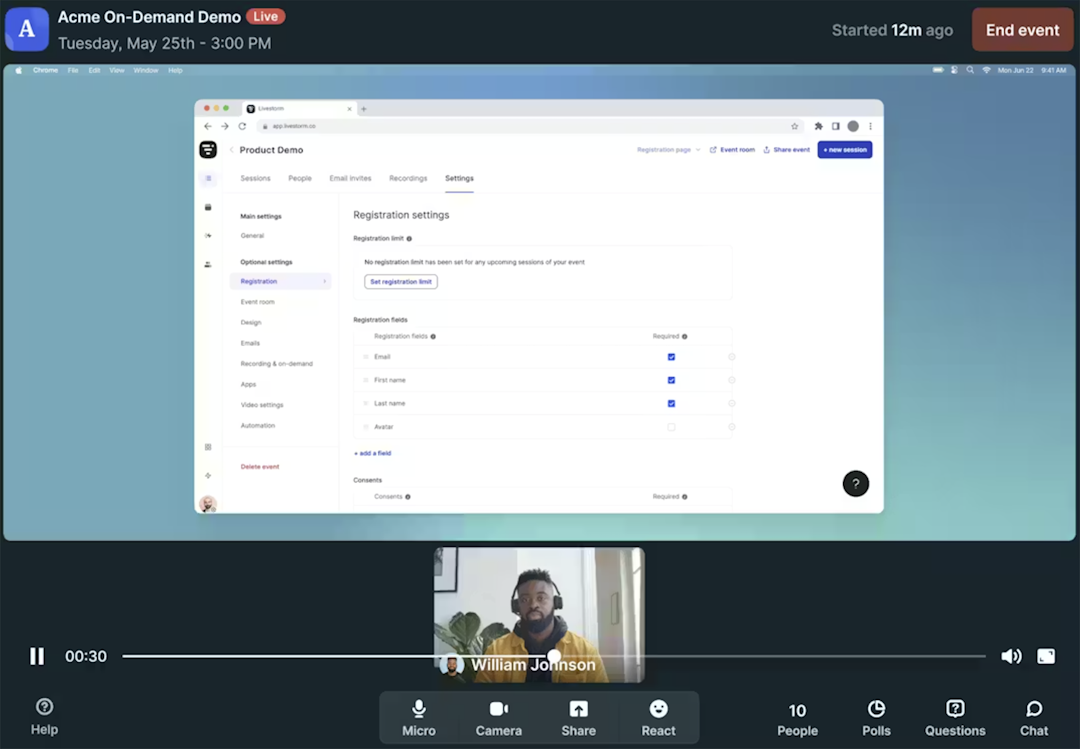
With simulive webinars, you automate the entire session. Livestorm plays back your video while triggering timed CTAs and polls without the host needing to be present. Registration pages stay open indefinitely, so one webinar can capture leads across time zones around the clock.
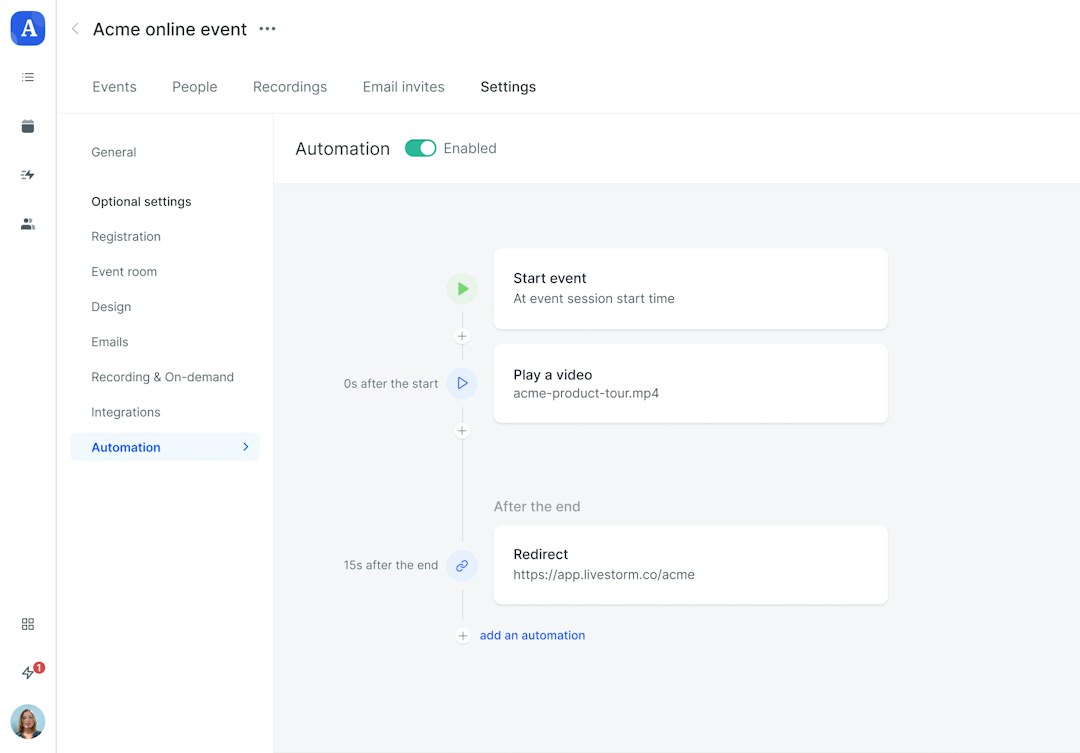
Livestorm also has robust automation and native integrations that connect with HubSpot, Salesforce, Marketo, Pardot, Pipedrive, and other CRM and marketing automation tools. Registration and engagement data syncs automatically, which means leads flow into your existing workflows without CSV exports or middleware.
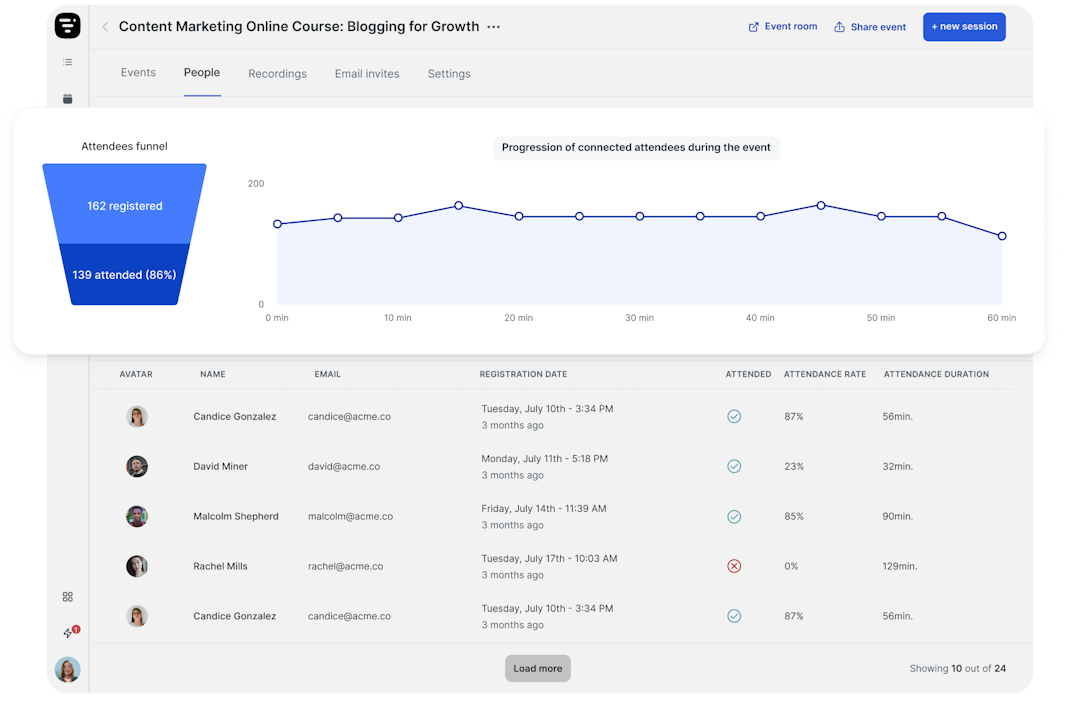
Analytics give you insight into registration, attendance, views, watch time, engagement levels, and traffic attribution. That last one is especially useful for evergreen webinars, since it helps you see which channels and campaigns are driving registrations weeks or months after launch.
Livestorm's evergreen webinar features
| Registration pages | Branded registration pages |
|---|---|
| Scheduling options | On-demand and recurring schedules |
| Webinar recording | Yes |
| Video upload | Yes |
| Event automation | Yes (simulive webinars) |
| CRM integrations | HubSpot, Salesforce, Pardot, Marketo, Pipedrive & more |
| Replay analytics | Registration, attendance, views, watch time, engagement & traffic attribution |
What customers say about Livestorm
"We have, on average, three times more replay downloads than participants. Therefore, our events have true long-term life." - Poppy Acton Davis, Global Account Manager, WPP
"Livestorm allows us to easily disseminate information, bring up questions, and, above all, share the replay to make the meeting accessible on-demand." - Adrien Gaucher, Account Manager, Spendesk
The fact that I can get a video to start and end automatically is really convenient and saves a lot of manual intervention." - Laura Parra, Field Marketing Specialist, Brevo
Livestorm pricing
Starts at $3 per attendee for up to 400 attendees and sessions as long as four hours.
2. EasyWebinar
EasyWebinar is a webinar platform with evergreen and real-time events. It has an AI-powered funnel builder, interactive tools like a countdown timer, and a built-in CRM for managing attendees and leads. It's geared toward small businesses like course creators and coaches, so enterprise teams should evaluate whether the interface and reporting meet their standards.

EasyWebinar's evergreen webinar features
| Registration pages | Branded registration pages |
|---|---|
| Scheduling options | Just in time & recurring schedules |
| Webinar recording | Yes |
| Video upload | Yes |
| Event automation | Yes (simulive webinars) |
| CRM integrations | HubSpot, Pardot, Keap, ActiveCampaign, Mailchimp & more |
| Replay analytics | Attendance, watch time & conversions |
Advantages of EasyWebinar
Has a built-in CRM with lead scoring capabilities that captures and tracks actions throughout the lead generation funnel
Offers AI-powered webinar funnels that simplify landing page and email sequence setup
Disadvantages of EasyWebinar
Some users mention that EasyWebinar's streaming interface looks less professional than other webinar platforms, so it may not be an option for enterprise teams
Others note that the analytics are limited, as they don't track email opens and clicks or UTM parameters
EasyWebinar pricing
Plans with evergreen webinar capabilities start at $96 per month (billed annually) for 200 live and 1,000 automated attendees. EasyWebinar has a 7-day free trial.
3. eWebinar
eWebinar is an automation-only platform that turns uploaded videos into interactive webinar experiences with flexible scheduling. Its built-in chat system lets hosts have one-on-one conversations with attendees during or after a session via email. However, teams that also need live webinar functionality will need a second platform, and white-labeling comes at an additional cost.
eWebinar's evergreen webinar features
| Registration pages | Branded registration pages & embedded forms |
|---|---|
| Scheduling options | On demand, just in time & recurring schedules |
| Webinar recording | Not available |
| Video upload | Yes |
| Event automation | Yes (simulive webinars) |
| CRM integrations | HubSpot, Marketo, Mailchimp, ActiveCampaign & more |
| Replay analytics | Registration, attendance, watch times, conversions & engagement |
Advantages of eWebinar
Has a private chat feature that webinar hosts can use to send personalized messages, including an option to follow up in real time or nurture via email
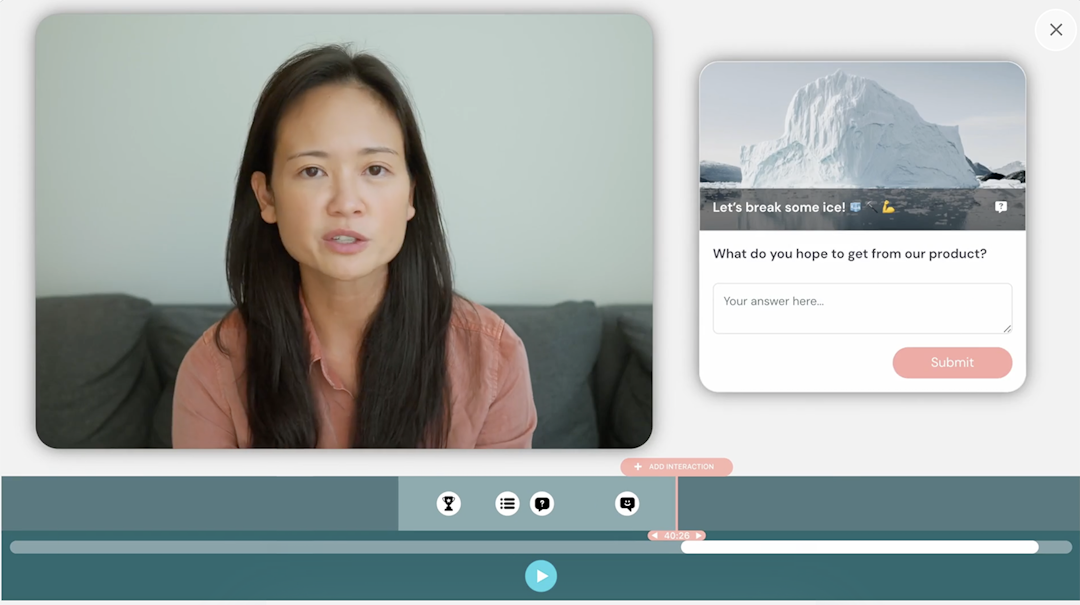
Offers over two dozen preplanned engagement options, including polls, quizzes, questions, special offers, and links
Disadvantages of eWebinar
Doesn't support live events, so teams would need a separate platform for a comprehensive webinar program
Requires an additional $84 per month fee to remove "Powered by eWebinar" branding from webinars, which adds to the cost
eWebinar pricing
Plans start at $84 per month (billed annually) for one active webinar and 1,000 registrants. Teams that need to host multiple webinars have to upgrade to the Level 2 plan, which starts at $169 per month (billed annually) for five active webinars.
4. WebinarKit
WebinarKit is a webinar software platform built around AI-powered content creation, generating sales scripts, slide decks, and full webinar funnels from product or service descriptions. It also has an AI chatbot to answer viewer questions and respond to objections. While it supports live and automated webinars, WebinarKit separates them into two different products that each require their own subscription.
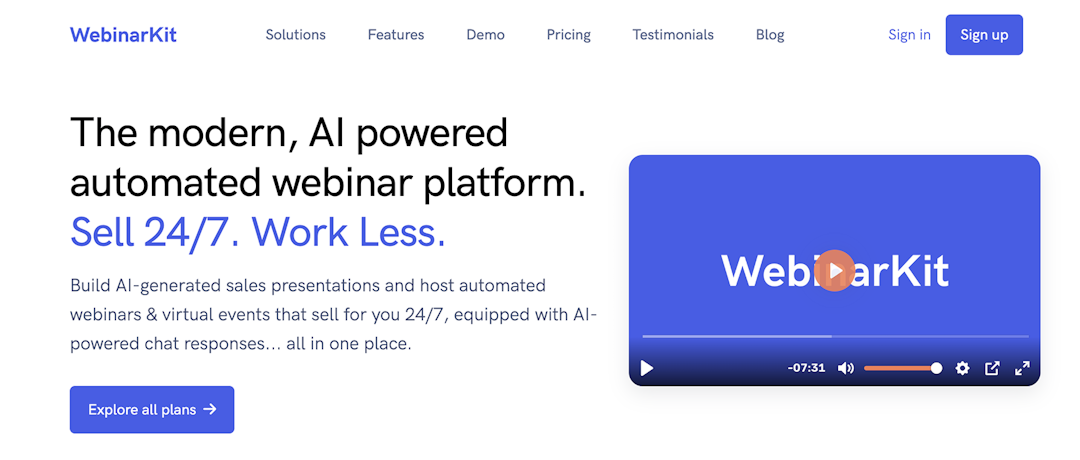
WebinarKit's evergreen webinar features
| Registration pages | Branded registration pages |
|---|---|
| Scheduling options | On demand, just in time & recurring schedules |
| Webinar recording | Yes |
| Video upload | Yes |
| Event automation | Yes (simulive webinars) |
| CRM integrations | Keap, ActiveCampaign, Mailchimp & more |
| Replay analytics | Registration, attendance, drop-off points, offer clicks & traffic attribution |
Advantages of WebinarKit
Offers AI-powered tools to build webinars (including scripts and slides), helping teams create content more efficiently
Has AI-powered chat to interact with viewers and address objections, helping teams sell more effectively
Disadvantages of WebinarKit
Doesn't have native integrations with HubSpot, Salesforce, Marketo, or other major CRMs, so it would require a custom connector
Separates evergreen and live webinars into separate products with distinct subscriptions and pricing
WebinarKit pricing
Starts at $24 per month (billed annually) for unlimited webinars and attendees, plus basic features. Video hosting and engagement features require an upgrade to the top-tier plan, which starts at $33 per month (billed annually). WebinarKit has a 7-day trial that's available for $1.
5. StealthSeminar
StealthSeminar is an automated webinar platform with split-testing tools for webinars, registration pages, and offers. It also has social proof tools, polls, and detailed sales reporting to help webinar hosts refine their approach over time. Teams will need separate tools for recording and webinar content creation, however, as StealthSeminar focuses on delivery and optimization rather than production.
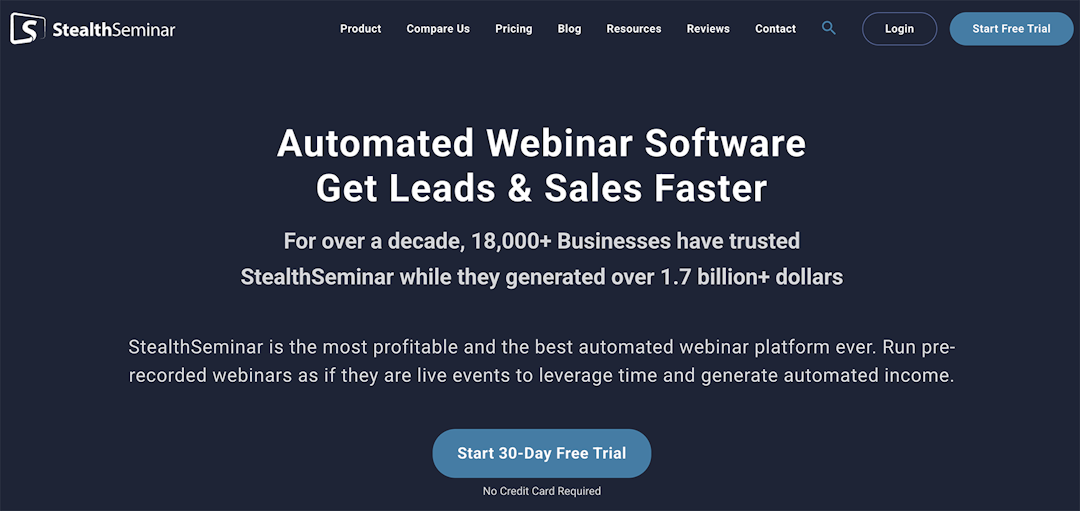
StealthSeminar's evergreen webinar features
| Registration pages | Branded registration forms |
|---|---|
| Scheduling options | On demand, recurring & just in time |
| Webinar recording | Not available |
| Video upload | Yes |
| Event automation | Yes (simulive webinars) |
| CRM integrations | HubSpot, ActiveCampaign, Keap, Mailchimp & more |
| Replay analytics | Registration, attendance, drop rate, engagement rate & conversions |
Advantages of StealthSeminar
Allows split testing for webinars, registration pages, and offers to help marketing teams boost webinar strategy outcomes
Offers coaching and resources to help hosts build authority and run successful webinar series
Disadvantages of StealthSeminar
Doesn't have webinar creation tools, so teams have to script and record content in a separate platform
Has no AI-powered tools for event setup or content repurposing, so teams have to manage webinars manually
StealthSeminar pricing
Starts at $58.29 per month (billed annually) for 100 simultaneous attendees and basic features. Webinars with more than 100 attendees require an upgrade to the top-tier plan, which starts at $145.83 per month (billed annually) for 300 simultaneous attendees. StealthSeminar offers a 30-day free trial.
6. BigMarker
BigMarker is a digital experience platform that spans webinars, virtual and in-person events, on-demand media hubs, and elearning. It also has enterprise-focused tools like AI-powered content generation, personalization for different audience segments, and embeddable webcasting. But the platform is built for enterprise-scale programs, so smaller teams may find the scope and pricing beyond what they need.
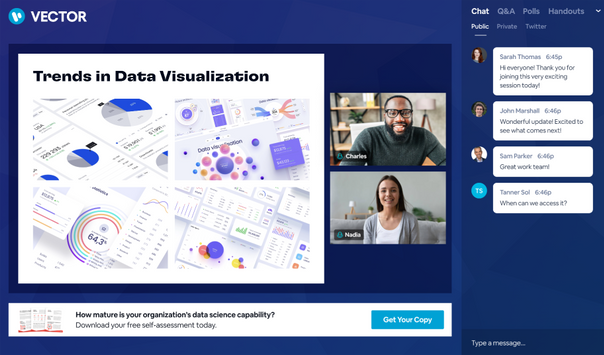
BigMarker's evergreen webinar features
| Registration pages | Branded registration pages with 100+ templates & personalized registration journeys |
|---|---|
| Scheduling options | On demand, just in time & fixed interval |
| Webinar recording | Yes |
| Video upload | Yes |
| Event automation | Yes (simulive webinars) |
| CRM integrations | HubSpot, Salesforce, Pardot, Marketo, Eloqua, ActiveCampaign & more |
| Replay analytics | Registration, attendance, engagement, conversions & traffic attribution |
Advantages of BigMarker
Has AI tools that capture intent signals, generate lead scores, and provide personalized follow-up messages to simplify lead generation
Provides branded video hubs where teams can create libraries of on-demand videos to improve discovery and conversions
Disadvantages of BigMarker
As a webinar platform designed for enterprise users, BigMarker isn't an ideal option for small and mid-sized businesses (SMBs)
In addition to webinars, BigMarker also supports in-person events and eLearning platforms, which may be overkill for teams that just need webinars
BigMarker pricing
Each of the three subscription tiers has custom pricing.
7. Zoho Webinar
Zoho Webinar is a browser-based platform that supports live webcasting and on-demand replays. It integrates with Zoho's broader suite of business and marketing apps, making it a natural fit for teams already in that ecosystem. But on-demand and evergreen capabilities are reserved for higher-tier plans, and the platform doesn't offer the webinar automation or AI tools found in dedicated webinar tools.
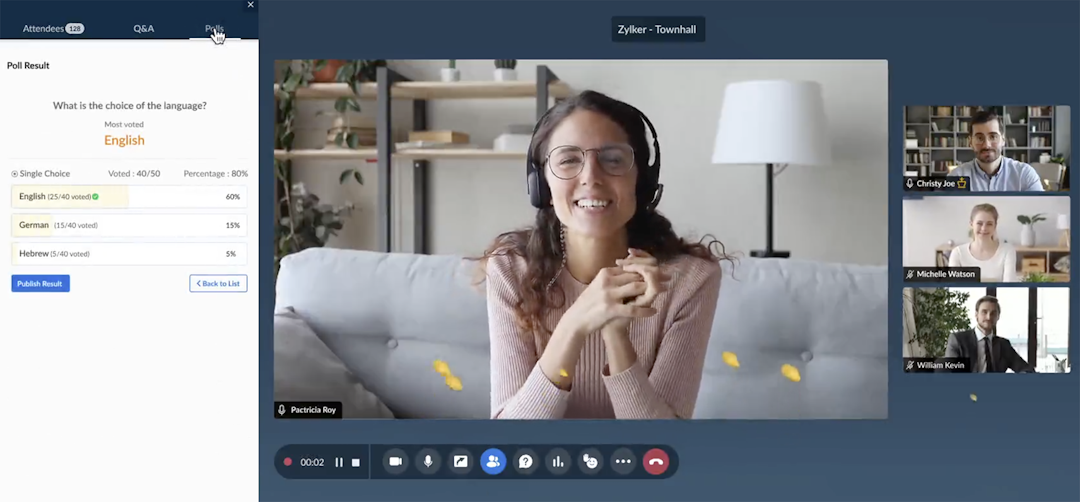
Zoho Webinar's evergreen webinar features
| Registration pages | Branded registration pages and forms |
|---|---|
| Scheduling options | On demand |
| Webinar recording | Yes |
| Video upload | Yes |
| Event automation | No |
| CRM integrations | HubSpot, Zoho CRM & Zoho Campaigns |
| Replay analytics | Registration, attendance, engagement & traffic attribution |
Advantages of Zoho Webinar
Supports webinar series, where attendees can register for one or all events scheduled across days or weeks
Has one lowest starting prices of any webinar tool, but on-demand events require an upgrade to a top-tier plan
Disadvantages of Zoho Webinar
Has limited marketing automation and CRM integrations, as it's designed as part of the larger Zoho ecosystem
Doesn't have automation capabilities or AI tools, so it requires more manual webinar setup and event management than other evergreen webinar tools
Zoho Webinar pricing
Zoho Webinar has a free plan for live webinars with up to 100 attendees. Plans with on-demand webinars start at $66 per month per organizer (billed annually) for 500 attendees. Zoho Webinar offers a 14-day trial.
Frequently asked questions
What is an evergreen webinar?
What are some examples of evergreen content?
Evergreen webinars work best when the content stays relevant for months without updates. Common examples include:
- Product demos and platform overviews
- Educational workshops on industry fundamentals
- Customer onboarding sessions
- Thought leadership on topics like strategy frameworks
If you're choosing what to make evergreen, start with the webinar you find yourself rerunning most often.
What are the benefits of hosting evergreen webinars?
With a reliable evergreen webinar, a single recording can generate leads and educate prospects around the clock and across time zones without pulling a presenter into every session. Every attendee sees your best version of the presentation, with consistent pacing and messaging. Evergreen webinars also shorten the path from registration to conversion, as prospects attend on their schedule rather than waiting weeks for the next live session.
Are there any free evergreen webinar platforms?
Livestorm offers a free plan that includes evergreen webinar features, making it a solid option for teams that want to host webinars at a smaller scale or test the format before upgrading. When comparing platforms, look for automated webinar scheduling, interactive elements for pre-recorded content, and replay analytics.


Ebooks
Webinar Promotion Handbook
Everything you need to promote your webinars and increase attendance.

About the author
Brillixa Herdhiana - Senior Growth Manager
Brillixa joined Livestorm as Growth Manager in 2021. Her experience enables her to contribute to business growth through lead generation from ads and organic channels.
Related categories
Featured resource
Ebooks
Webinar Promotion Handbook
Everything you need to promote your webinars and increase attendance.
Newsletter