


Livestorm is a browser-based webinar platform for B2B marketing, sales and training teams, with automated sessions and native CRM sync. Crowdcast is a browser-based live event tool for creators, educators and communities, with Stripe checkout, Patreon access and multistreaming.
Livestorm vs Crowdcast
Explore a detailed comparison of Livestorm and Crowdcast to see which is the best webinar software. Compare platforms by features, integrations, and price.
General information
Customer Rating
Average rating on review websites Capterra and G2 Crowd.
Last update: September 2026
9.2
9.2
Browser based
Webinar platforms that work directly in the browser, there's no need to download any software.
Livestorm: Yes
Crowdcast: Yes
Device versatility
Host events from a desktop, tablet or mobile.
Livestorm: Yes
Crowdcast: Yes
On-demand webinars
Create or access pre-recorded on-demand webinars, available any time.
Livestorm: Yes
Crowdcast: Yes
Automated webinars
Automate entire webinars or key actions like CTAs, start and stop times or page redirects.
Livestorm: Yes
Crowdcast: Yes
Promotion Features
Customizable registration pages
Add a banner, logo, social channels or speaker information to the event registration page without any coding skills.
Livestorm: Yes
Crowdcast: Yes
Customizable emails
Customize emails with ease by adding an event banner, social sharing buttons, or a signature.
Livestorm: Yes
Crowdcast: Yes
Customized email sequence
Customize your own email sequence and schedule them to be sent automatically.
Livestorm: Yes
Crowdcast: Yes
Embed forms
Embed a registration form on your own website to capture more registrants.
Livestorm: Yes
Crowdcast: Yes
Company page
Publish events to a public company page that gathers all upcoming and past events.
Livestorm: Yes
Crowdcast: Yes
Built-in social sharing
Share event registration pages on your company's social channels directly from your webinar platform.
Livestorm: Yes
Crowdcast: Yes
Custom registration forms
Customize the fields of your registration form to capture insights on your audience.
Livestorm: Yes
Crowdcast: Yes
Registration filter
Apply a filter to accept event registrations only from work email addresses.
Livestorm: Yes
Crowdcast: Yes
Activation Features
Chat
Send chat messages through a tab built right into your webinar room.
Livestorm: Yes
Crowdcast: Yes
Emoji reactions
Enable emoji reactions during live events to allow attendees to react in real-time.
Livestorm: Yes
Crowdcast: No
Q&A
Audiences can ask questions in a dedicated space.
Livestorm: Yes
Crowdcast: Yes
Question upvotes
Audiences can vote on questions that they most want to see answered. Organizers can sort them by date or most upvotes.
Livestorm: Yes
Crowdcast: Yes
Live answer notification
Display a notification that shows the question you are answering live during the webinar.
Livestorm: Yes
Crowdcast: Yes
Polls
Create drafts of polls in advance and publish them during your event. Or, create them live during your event to further activate your audience.
Livestorm: Yes
Crowdcast: Yes
Call-to-action button
Direct your attendees to a promotional offer via a CTA displayed in the event room.
Livestorm: Yes
Crowdcast: Yes
Virtual backgrounds
Change your background to personalize your webinar or look more professional.
Livestorm: Yes
Crowdcast: Yes
Digital whiteboards
Collaborate with digital whiteboards within the platform or through a native integration.
Livestorm: Yes
Crowdcast: Yes
Organization Features
Private chat
Chat privately with event organizers and moderators during the event.
Livestorm: Yes
Crowdcast: Yes
Registrants moderation
Control which registrants can and cannot access the event.
Livestorm: Yes
Crowdcast: Yes
One-click integrations
Integrate the software with any app to capture other valuable insights.
Livestorm: Yes
Crowdcast: Yes
Maximum number of attendees
The maximum number of attendees supported.
3000
1000
Unique contact list
Find all your event contacts in one place and get a 360 view of their activity within different events.
Livestorm: Yes
Crowdcast: No
SAML SSO
Secure your team's access to the platform with SAML SSO.
Livestorm: Yes
Crowdcast: No
Dial-in to webinars
Attendees can opt to dial-in to the webinar from a phone number.
Livestorm: Yes
Crowdcast: No
Reporting Features
Analytics reports
Track and analyze all of your data with our powerful analytics tool built into the dashboard.
Livestorm: Yes
Crowdcast: Yes
Webinar recordings
Record webinars automatically and send them to attendees at the end of each session.
Livestorm: Yes
Crowdcast: Yes
Where Livestorm wins against Crowdcast
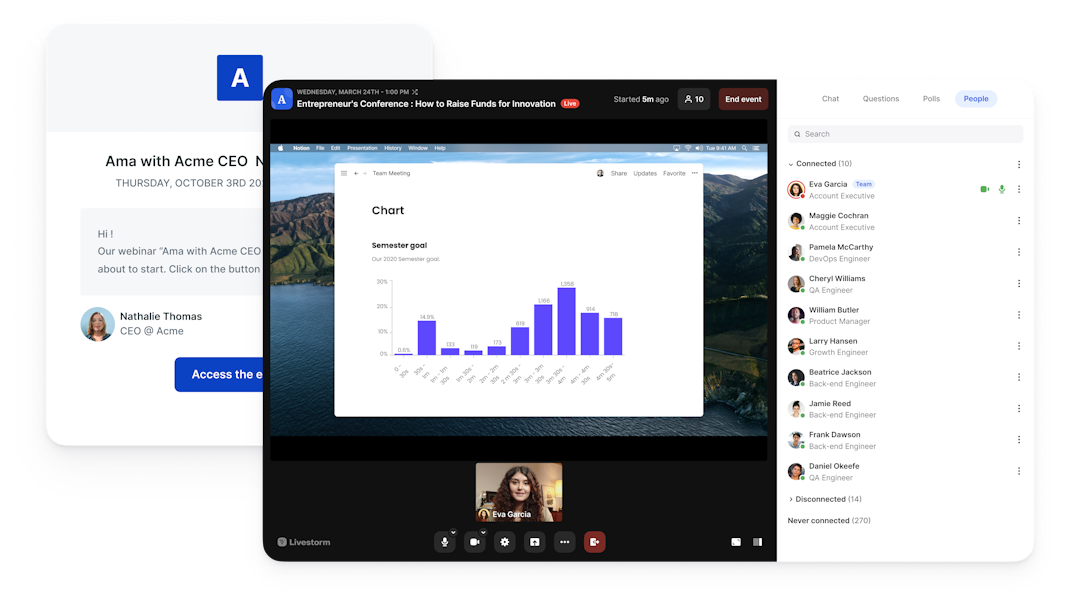
Livestorm vs Crowdcast: features
The short answer: Livestorm is built for business webinars, from branded registration to automated sessions and CRM-ready data, while Crowdcast is built for community and creator events with paid access and multistreaming.
Product focus and engagement. Livestorm targets marketing, sales and training teams, with polls, Q&A, up-voting, reactions, live CTAs and branded registration pages. Crowdcast targets creators, educators and communities, with chat, Q&A, polls and calls to action in a social, browser-based room.
Formats and scale. Livestorm runs live, on-demand and automated webinars in one product and hosts up to 3,000 live attendees per event. Crowdcast focuses on live sessions with replays, and its plans include 100, 250 or 1,000 live attendees.
Why teams switch: their events grew into a B2B lead channel, and they need evergreen sessions that keep generating leads after the live date.
Livestorm vs Crowdcast: integrations
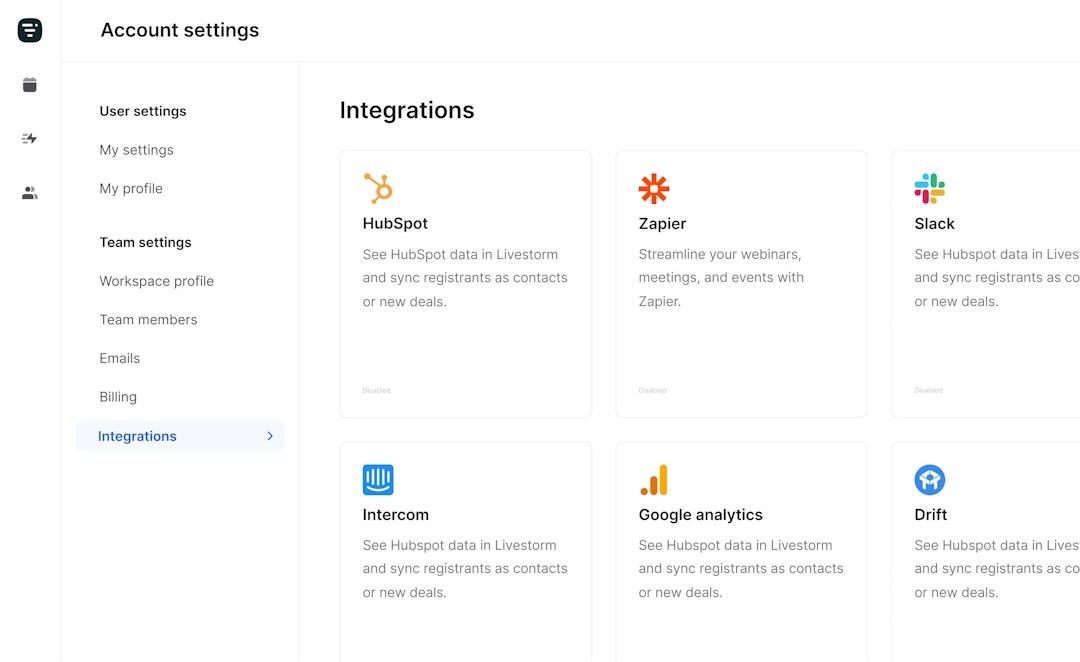
The short answer: Livestorm syncs natively with HubSpot on Pro and with Salesforce, Marketo, Pardot and Microsoft Dynamics on Enterprise, while Crowdcast relies on Zapier plus Stripe and Patreon.
CRM and payments. Crowdcast documents no native HubSpot or Salesforce integration, so teams connect a CRM through Zapier, but it integrates with Stripe for paid events and Patreon for patron-only streams. Livestorm maps registration, attendance and engagement data onto contact records and handles paid ticketing through Zapier.
Automation. Livestorm connects to 3,000+ apps through Zapier and Make, and its verified Claude connector (MCP) lets AI assistants work directly with your webinar data. Livestorm is also a HubSpot Leading Technology Partner (2026). Crowdcast links to hundreds of tools through Zapier.
Why teams switch: webinar leads need to land in HubSpot or Salesforce with engagement data attached, without maintaining Zapier workflows.
Livestorm vs Crowdcast: pricing
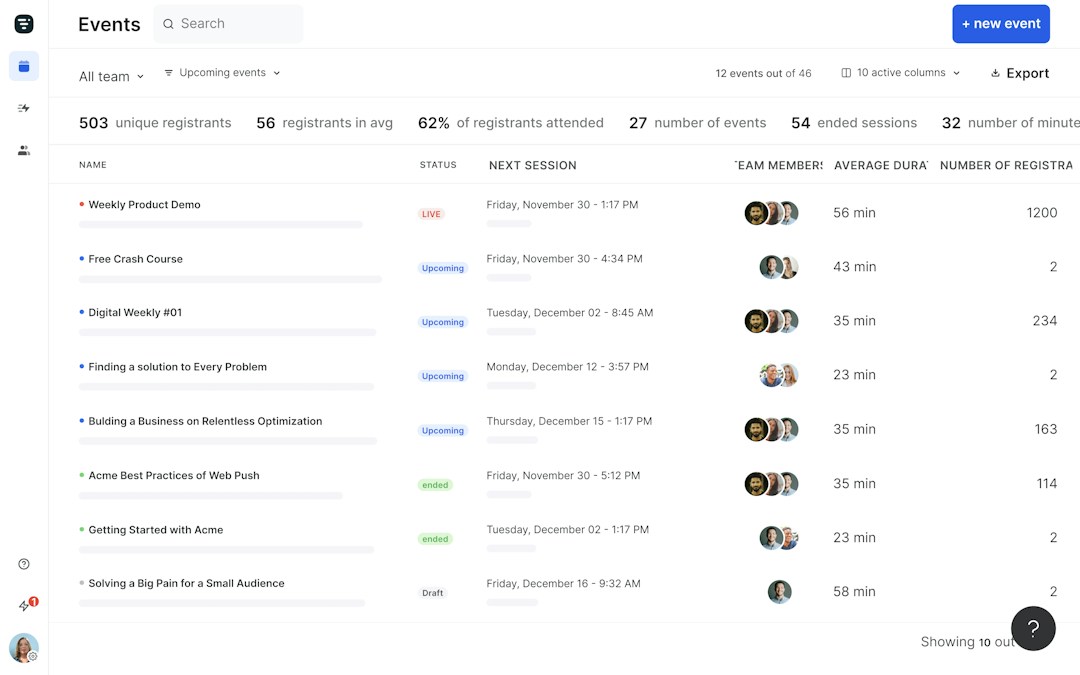
The short answer: Livestorm charges attendee credits for the people who join, while Crowdcast sells monthly plans capped by live attendees, streaming hours and seats.
Livestorm. A limited free plan for testing, then Pro from $3.00 per attendee and a custom Enterprise plan (as of September 2026). Events host up to 3,000 live attendees, team members are not counted, and no-shows do not use credits. Clip repurposing is sold as an add-on.
Crowdcast. Lite, Pro and Business cost $49, $89 and $195 per month, or $34.30, $62.30 and $136.50 billed annually, with a 5% fee on paid events on Lite and Pro and 2% on Business (as of September 2026). A 14-day trial is available.
Why teams switch: they run webinars with several hosts and varying attendance, and stop paying for seats and streaming hours. Pricing changes, so confirm current figures with each vendor.
Frequently Asked Questions
What is the difference between Livestorm and Crowdcast?
How does pricing compare between Livestorm and Crowdcast?
Livestorm charges attendee credits from $3.00 per attendee on Pro, and no-shows do not use credits. Crowdcast costs $49 to $195 per month, or $34.30 to $136.50 billed annually, with caps on live attendees, streaming hours and seats, as of September 2026.
Can I sell tickets to webinars on Crowdcast?
Yes. Crowdcast takes payments through Stripe, with a 5% transaction fee on Lite and Pro and 2% on Business, and supports patron-only events through Patreon. Livestorm handles paid ticketing through Zapier.
Does Livestorm integrate with HubSpot and Salesforce?
Yes. HubSpot sync is native on the Pro plan, and Salesforce, Marketo, Pardot and Microsoft Dynamics on the Enterprise plan, plus 3,000+ apps via Zapier and Make. Crowdcast relies on Zapier to move data into a CRM.
Do attendees need to download anything to join Livestorm?
No. Livestorm is 100% browser-based, so attendees and hosts join in one click from any device. Crowdcast also runs in the browser.
Can I switch from Crowdcast to Livestorm?
Yes. Attendees join Livestorm in the browser in one click, and registration and attendance data sync to your CRM. If you sell tickets, set up your checkout through Zapier and run a test event before going live.
Is Livestorm EU-hosted and GDPR compliant?
Yes. Livestorm is EU-hosted, ISO 27001 certified and GDPR compliant.
Livestorm, the best webinar software
Run great webinars right in your browser
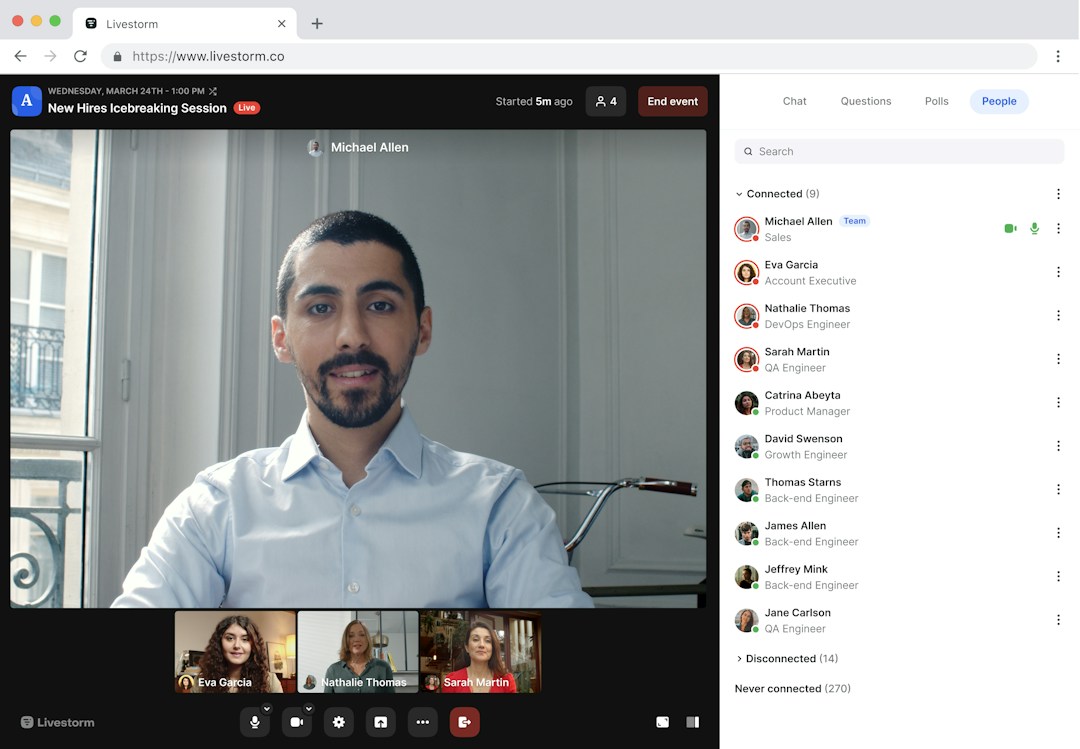
Livestorm makes it easy to run great webinars straight from the browser of any mobile or desktop. This makes if possible for your audience to join, no matter where they are in the world, without having to download or install anything.
Removing these extra steps helps attendance rates soar for no-download webinars. This is why Livestorm has a 53% higher attendance rate than the industry average.
Manage everything with our end-to-end platform
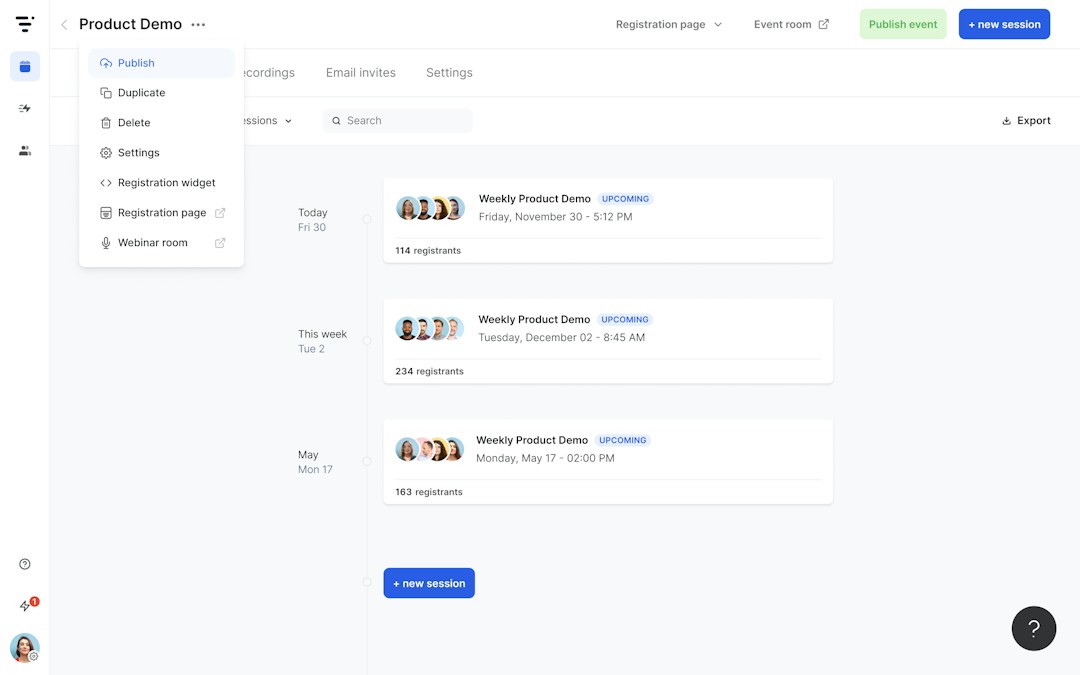
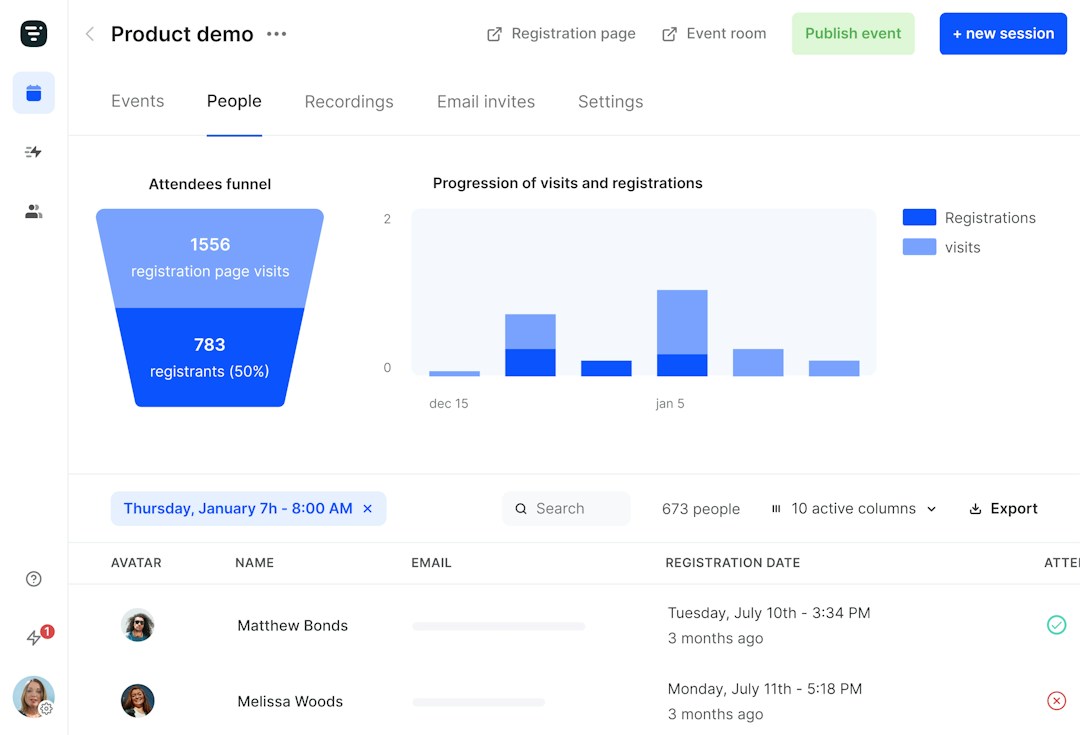
Every part of your webinar can be managed within Livestorm. You can organize, promote, analyze and host great webinars with only one end-to-end platform. Collaborate with your team using the intuitive dashboard.
Promote your webinar to your audience with customizable registration pages and automated emails. Most webinar platforms need integrations to be able to send emails or create registration pages, but with Livestorm you can do that right in your account.
Experience an intuitive webinar platform
Designed with ease-of-use in mind, Livestorm is a modern webinar solution. Enjoy a frictionless experience with intuitive controls that make it easy to plan, host, or promote your webinar sessions.
Attendees also benefit from a great user experience. Says Elise on the software review platform G2: "Livestorm is easy to use, the support is very responsive and the analytic system is very helpful."



'%3e%3cpath%20d='M10.0001%201.66675L12.5751%206.88341L18.3334%207.72508L14.1667%2011.7834L15.1501%2017.5167L10.0001%2014.8084L4.85008%2017.5167L5.83342%2011.7834L1.66675%207.72508L7.42508%206.88341L10.0001%201.66675Z'%20fill='%23FFD23F'/%3e%3c/g%3e%3c/svg%3e)
"The elegance of Livestorm's UI and its simplicity for creating beautiful landing pages made a big positive impact on the way we communicate with customers at scale."

Stan Massueras
European Sales Director

"Livestorm is really easy to use and offers a lot of customization. We are very happy with the visual rendering and the user experience."
Read the customer story
Poppy Acton Davis
Global Account Manager

"Livestorm offered an alternative to our 1:1 demos and helped us acquire new customers. We also saw much more engagement as a result!"
Read the customer story
Clement Spiers
Lead Generation Manager

"Livestorm made it easy to automate our customer trainings. The ability to set up prerecorded content while still offering live Q&A helps our team provide personalized attention at scale."

Diana Stegall
Manager, Customer Education
See how Livestorm stacks up



Try Livestorm for free
Get started in minutes and run your first engaging webinar today.
- No credit card needed
- No installation required