Livestorm vs Google Meet: which is best for webinars?
Compare Livestorm and Google Meet on features, integrations and pricing. Every claim is checked against each vendor's website, pricing and help pages, plus G2 and Capterra reviews.
The short answer: Livestorm is a webinar platform with registration, engagement and follow-up built around each event, while Google Meet is a video-meeting tool inside Google Workspace.
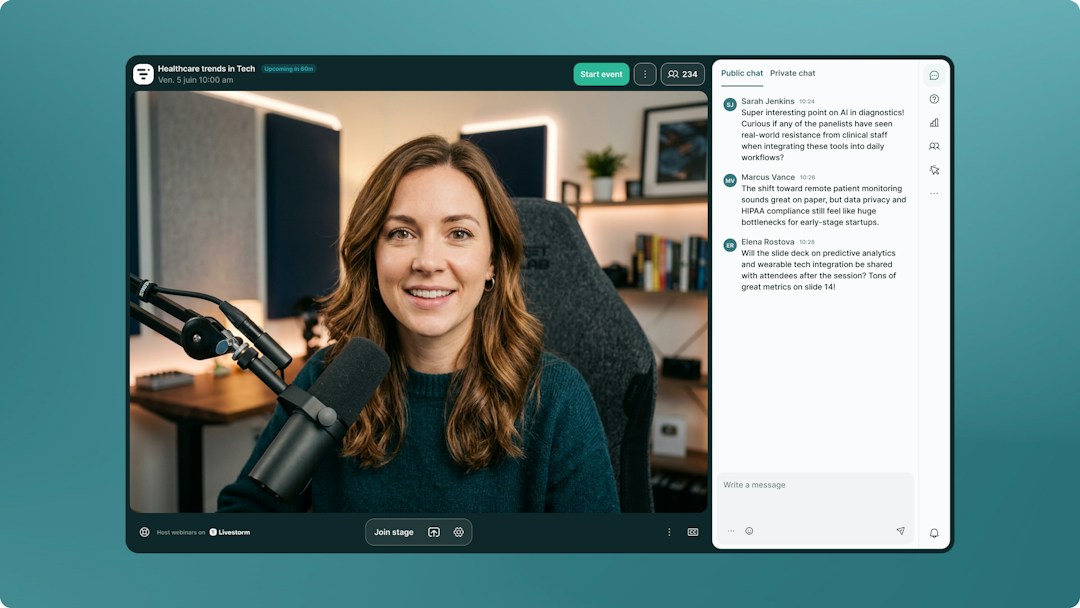
Webinar format: Livestorm runs fully in the browser and sets up branded registration pages, automated emails and the event room around each live session. Google Meet has no dedicated webinar mode: you schedule a call in Google Calendar and share the link.
Audience and engagement: Livestorm hosts up to 3,000 live attendees per event, with polls, Q&A, up-voting, reactions and live CTAs built in. Google Meet hosts 100 to 1,000 participants depending on plan, adds Q&A and polls from Business Standard, and attendance tracking from Business Plus.
CRM sync: Livestorm syncs registration, attendance and engagement data natively with HubSpot on Pro (it is a HubSpot Leading Technology Partner) and with Salesforce, Marketo, Pardot and Microsoft Dynamics on Enterprise. Google Meet has no built-in webinar sync, so data usually reaches a CRM through exports, Google Sheets or third-party add-ons.
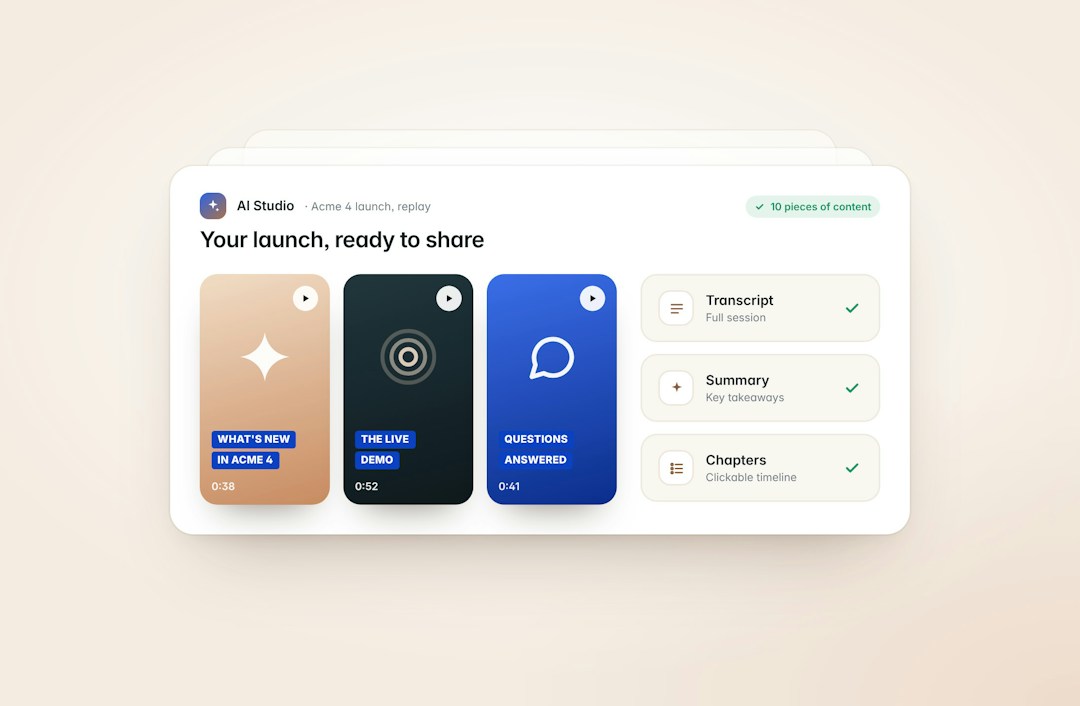
AI and automation: Livestorm's verified Claude connector (MCP) lets AI assistants work directly with your webinar data, and AI Studio turns replays into short clips. Google Meet works closely with Calendar, Gmail, Drive, Sheets and Forms, plus Google Workspace Marketplace add-ons.
Why teams switch: webinars become a repeatable channel, and a Calendar link no longer captures leads or gets them into the CRM.
The short answer: Livestorm charges only for the attendees who join, while Google Meet comes with Google Workspace user licenses and needs extra tools for registration and follow-up.
Why teams switch: they want registration, reminders and follow-up in one tool, and pay for who shows up.
Prices as of September 2026, from each vendor's pricing page (see Livestorm pricing). AI Studio, which turns replays into clips, is a paid add-on.
Pricing
Livestorm
Google Meet
What you pay for
Attendees who actually join
Google Workspace user licenses
Entry price
$3.00 per attendee (400-credit annual pack)
Business Starter: $7 per user/month on an annual plan (no Q&A or polls); free version: 100 participants, 60-minute group calls
Larger audiences
Lower price per attendee on bigger packs, up to 3,000 live attendees per event, custom Enterprise plan
Business Standard ($14) and Business Plus ($22) per user/month; 100 to 1,000 participants depending on plan
No-shows and team members
Not counted
Attendees are free; you pay for each Workspace user
Frequently Asked Questions
What is the difference between Livestorm and Google Meet?
Livestorm is a browser-based webinar platform with registration pages, live CTAs and native CRM sync. Google Meet is a video-meeting tool inside Google Workspace, best for calls and small internal sessions.
How does pricing compare between Livestorm and Google Meet?
Livestorm charges $3.00 per attendee on its 400-credit annual pack, with a lower price per attendee on bigger packs, and no-shows do not use credits. Google Meet is included in Google Workspace, from $7 per user per month for Business Starter on an annual plan (as of September 2026).
Can you run a webinar on Google Meet?
Yes, for small or internal sessions. Google Meet has no dedicated webinar mode, so you schedule a call in Google Calendar, with no branded registration pages or built-in CRM sync.
Can I switch from Google Meet to Livestorm?
Yes. Many teams keep Google Meet for internal calls and move external webinars to Livestorm, with registration and attendance data syncing to their CRM.
Is Livestorm EU-hosted and GDPR compliant?
Yes. Livestorm is EU-hosted, ISO 27001 certified and GDPR compliant.
Why teams choose Livestorm
Run your marketing webinars from one all-in-one platform
Plan, promote, host and analyze your webinars in one place. Build branded registration pages, send automated reminder and follow-up emails, and engage attendees with polls, Q&A and live CTAs, with no extra tools.
After the event, attendance and engagement data flow to your CRM, and AI Studio turns replays into short clips for your social channels.
Livestorm runs straight from the browser on any desktop or mobile device, so your audience can join from anywhere without downloading or installing anything.
Removing that extra step helps attendance: on Livestorm, 47.7% of registrants show up live on average (2026 Webinar Benchmark Report, 33,786 webinars analyzed).
Connect Livestorm to Claude with its verified connector, or to any AI agent that supports MCP, to create events, register attendees and analyze engagement in plain language.
Add-ons take it further: AI Studio turns every replay into short clips, and live translations show real-time AI subtitles in your attendees' language.
"The elegance of Livestorm's UI and its simplicity for creating beautiful landing pages made a big positive impact on the way we communicate with customers at scale."
"Livestorm is really easy to use and offers a lot of customization. We are very happy with the visual rendering and the user experience."
"Livestorm made it easy to automate our customer trainings. The ability to set up prerecorded content while still offering live Q&A helps our team provide personalized attention at scale."






'%3e%3cpath%20d='M10.0001%201.66675L12.5751%206.88341L18.3334%207.72508L14.1667%2011.7834L15.1501%2017.5167L10.0001%2014.8084L4.85008%2017.5167L5.83342%2011.7834L1.66675%207.72508L7.42508%206.88341L10.0001%201.66675Z'%20fill='%23FFD23F'/%3e%3c/g%3e%3c/svg%3e)