Livestorm is built for webinars and virtual events with external audiences: browser join, CRM sync and pricing based on attendees who join.
Zoom and Google Meet fit daily meetings, and Zoom Webinars scales to 50,000 attendees, beyond Livestorm's 3,000.
Cvent fits webinars that sit next to large in-person events, and it also owns ON24 and Goldcast.
Riverside and Crowdcast suit creators, WebinarJam and ClickMeeting suit selling through webinars, and GoTo Webinar and Zoho Webinar suit training.
Most alternatives cover one part of the job, while Livestorm keeps registration, the live room, follow-up and CRM sync in one place.
Livestorm is a browser-based webinar platform for marketing, sales and training teams. It's a strong fit for webinars and virtual events with external audiences, and it isn't the right tool for every job. If you're comparing options, this guide shows which tool fits which need, including the cases where another product is a better choice than ours.
Each section tells you what a tool is best at, what it costs and where it falls short, with a link to our detailed comparison.
Quick answer: The best Livestorm alternative depends on the job. Zoom and Google Meet fit daily meetings, Cvent fits webinars that sit next to large in-person events, Riverside and Crowdcast fit creators and communities, WebinarJam and ClickMeeting fit selling through webinars, and GoTo Webinar and Zoho Webinar fit training programs. For marketing webinars with external audiences, Livestorm remains the strongest fit.
Already using Livestorm?
We're sad to see you looking at alternatives, and we'd love a chance to help first. Tell us what isn't working: our support team, or your dedicated CSM if you have one, will look at what we can do together.
Livestorm puts registration pages, emails, the live room, replays and CRM sync in one place, and hosts and attendees join in one click with no download.
It's EU-hosted, ISO 27001 certified and GDPR compliant, and on average 47.7% of registrants show up live (Livestorm 2026 Webinar Benchmark Report, 33,786 webinars). It isn't built for daily internal video calls, and live events cap at 3,000 attendees.
Key features:
Live, on-demand and automated webinars for up to 3,000 live attendees, with automated reminder and follow-up emails
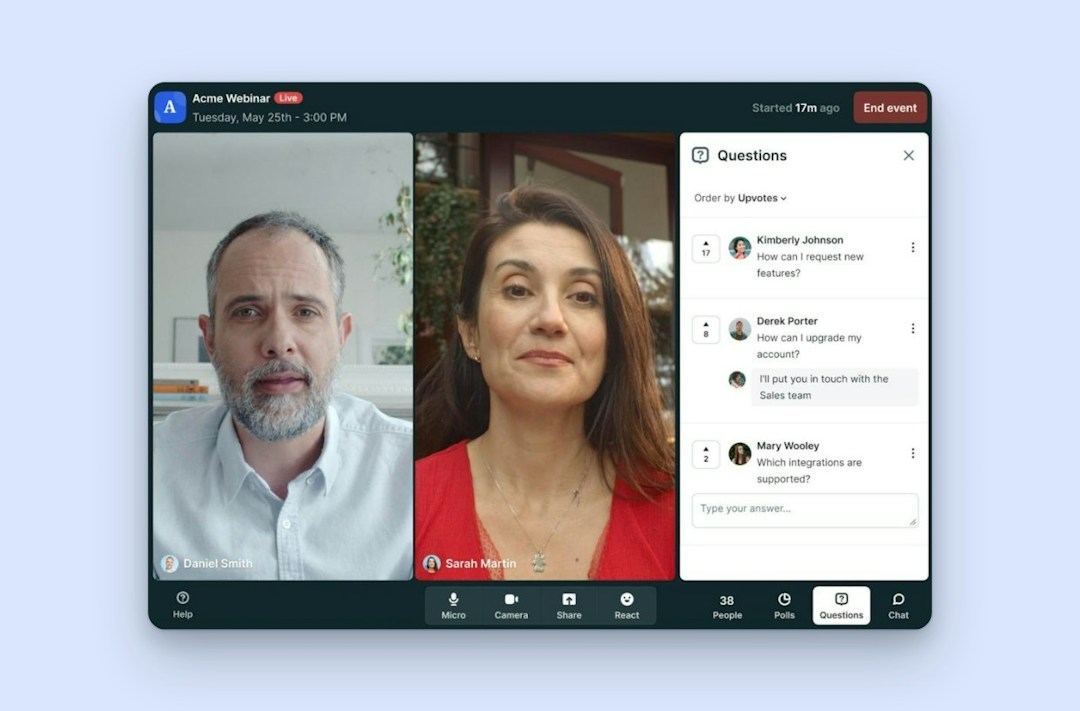
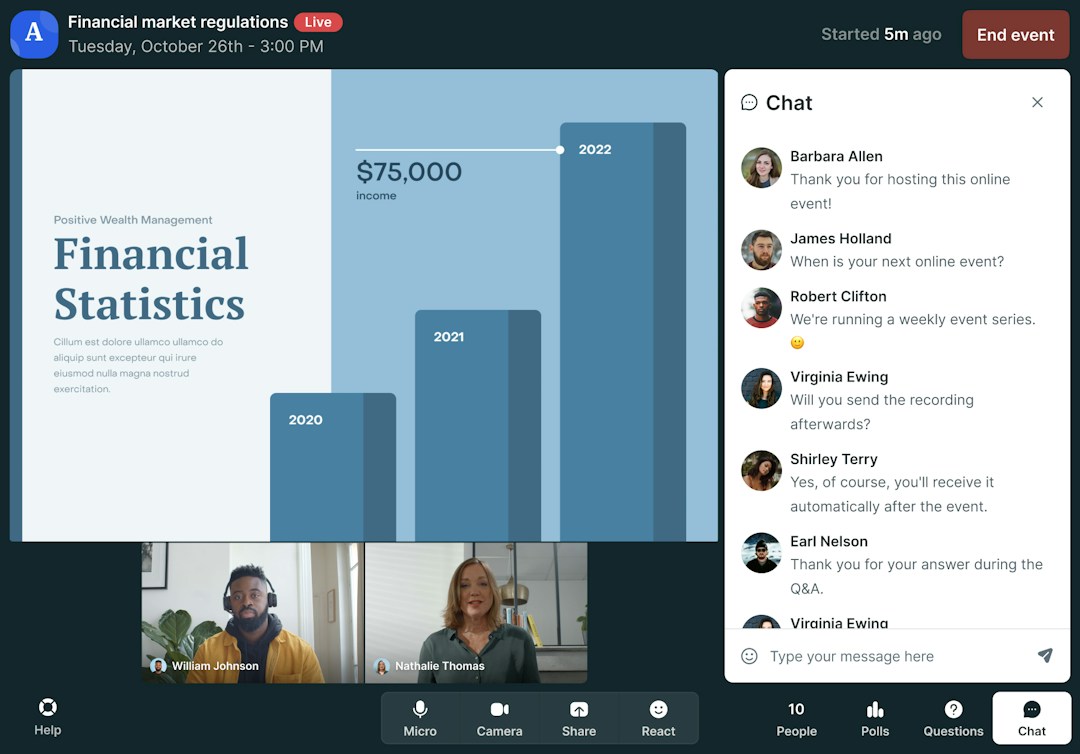
Branded registration pages and event rooms, with polls, Q&A, question upvotes, emoji reactions and live CTAs
Native HubSpot sync on every plan, including the free plan (Livestorm is a HubSpot Leading Technology Partner), Salesforce, Marketo, Pardot and Microsoft Dynamics as Enterprise add-ons, and Zapier or Make for 3,000+ apps
Pricing: Livestorm uses attendee credits, from $3.00 per attendee on the 400-credit annual pack, and hosts, moderators and no-shows don't use credits. A free plan lets you test the product, and a custom Enterprise plan covers larger needs (as of September 2026). See Livestorm pricing.
Livestorm
Marketing webinars
Runs fully in the browser, one-click join with no download
Native HubSpot sync on every plan, including Free
Pay only for attendees who join; no-shows don't use credits
Built for webinars, not daily internal video calls
Live events cap at 3,000 attendees
SAML SSO is a paid add-on
Why teams look for a Livestorm alternative
Livestorm is built for one job: webinars and virtual events for people outside the company. Teams usually look elsewhere when their main need is different:
You mainly need internal meetings. Livestorm isn't built for daily internal video calls, so a meetings suite fits better for team calls and one-on-ones.
Your audiences go beyond 3,000 live attendees. Livestorm's live events cap at 3,000, while Zoom Webinars reaches 50,000.
Your webinars sit next to large in-person events. If most of your program happens at physical venues, an event management suite can keep registration and attendee data in one place.
You mostly produce recorded content or stream to social platforms. For podcasts, video series and multistreaming, a recording studio fits better than a webinar platform.
You sell to consumers through webinars. Tools built around timed offers, SMS reminders or ticket payments cover sales funnels and paid classes more directly.
You run small, occasional sessions on a tight budget. Livestorm's paid plans charge per attendee who joins, so a low-cost per-organizer plan can cost less for small audiences.
If one of these sounds like you, the sections below point to the tool built for that job. If your main job is webinars for prospects, customers or partners, these reasons rarely apply, and most alternatives trade away something Livestorm includes: browser join, branded registration, native CRM sync or pricing based on attendees who join.
For daily meetings: Zoom or Google Meet
If your team mostly needs internal calls, stand-ups and one-on-ones, a meetings suite is the right tool. Many teams keep one for meetings and run external webinars in Livestorm. Companies on Microsoft 365 will usually pick Microsoft Teams: see Livestorm vs Microsoft Teams.
Zoom
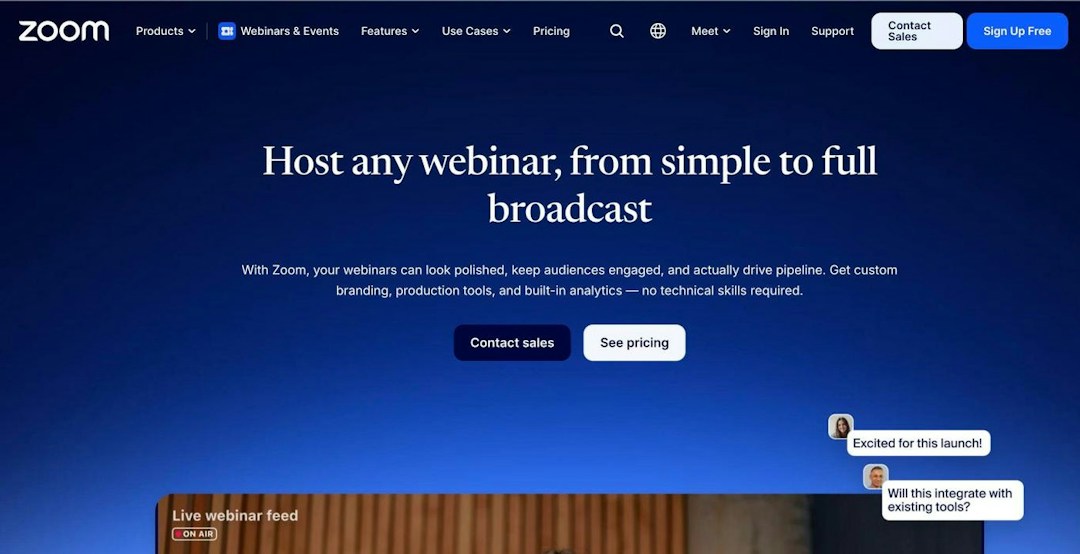
Source: zoom.com, October 2026.
Zoom is the video meetings tool most attendees already know, with Zoom Webinars and Zoom Events sold as add-ons on top. It fits teams that want daily meetings and occasional very large webinars from one vendor: Zoom Webinars hosts up to 50,000 attendees, well beyond Livestorm's 3,000. Webinars are priced by capacity tier, so you pay for the tier whoever shows up.
Key features:
Zoom Workplace meetings, with an app most attendees already have
Webinar capacity tiers from 300 to 50,000 attendees, and single-use events of up to 1 million
Zoom Events for ticketed events and multi-session hubs
End-to-end encryption option and HIPAA compliance for regulated teams
Pricing: Zoom's free Basic plan ends meetings after 40 minutes, with up to 100 participants. Zoom Webinars starts at $66.67 a month billed annually ($89 monthly) and needs a Zoom Workplace Pro license (as of September 2026).
How it compares with Livestorm: Zoom wins for daily meetings and audiences above 3,000. For external webinars, Livestorm makes webinars the core product rather than an add-on, lets attendees join from the browser with nothing to install, and charges for the attendees who join instead of a capacity tier.
Zoom
Meetings & big webinars
Familiar to most attendees, who already have the Zoom app
Zoom Webinars hosts 50,000; single-use events reach 1 million
Zoom Events adds ticketing and multi-session hubs
Webinars are a paid add-on on top of a Workplace Pro license
Browser join is limited; the best experience runs in the app
CRM sync mostly runs through marketplace apps or Zapier
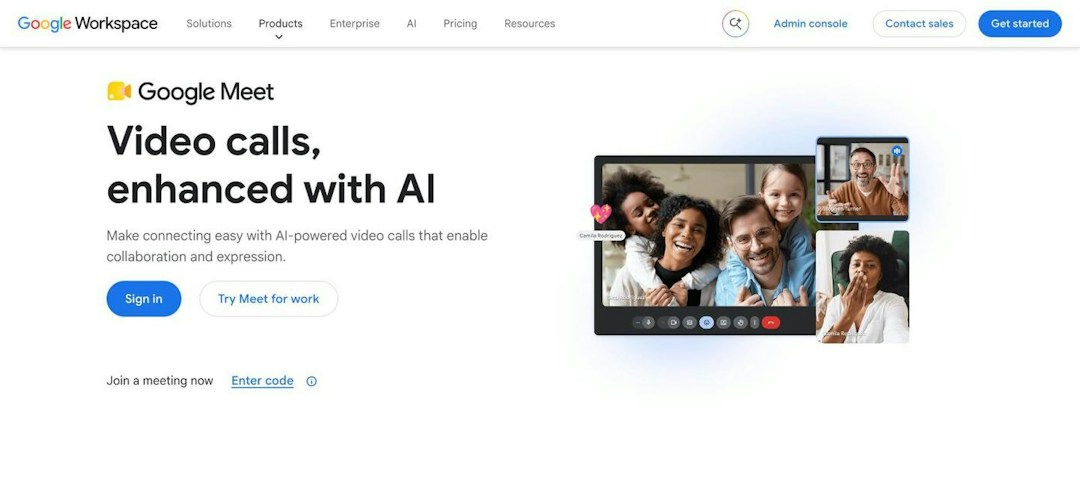
Google Meet is the video-meeting tool inside Google Workspace. It runs in the browser, guests join from a calendar link, and anyone who uses Gmail already knows it. It's a good pick for internal calls and small sessions, but it has no dedicated webinar mode or registration pages.
Key features:
Browser-based meetings that guests join from a Google Calendar link
Q&A, polls, breakout rooms and recording from Business Standard
Attendance tracking from Business Plus
Live streaming to up to 100,000 in-domain viewers on Enterprise plans
Pricing: Google Meet comes with Google Workspace, from $7 per user per month for Business Starter on an annual plan, without Q&A or polls. Business Standard costs $14 and Business Plus $22 per user per month. The free version hosts 100 participants for group calls of up to 60 minutes (as of September 2026).
How it compares with Livestorm: Meet is the simpler choice for internal calls. For external events, Livestorm adds what Meet leaves out: branded registration pages, automated reminder and follow-up emails, live CTAs and native CRM sync.
Google Meet
Google Workspace teams
Free version hosts 100 participants for calls up to 60 minutes
Runs in the browser and is familiar to Gmail users
Bundled with Gmail, Drive and Docs in Google Workspace
No dedicated webinar mode or branded registration pages
Polls, Q&A and breakouts need Business Standard or higher
Meetings cap at 100 to 1,000 participants depending on plan
For webinars next to large in-person events: Cvent
Cvent
Cvent is an event management platform built around in-person events, and Cvent Webinar adds virtual sessions to it. If your webinars sit next to large conferences and field events, it keeps registration, attendee data and reporting in one platform, and its engagement scoring and real-time alerts flag high-intent attendees to sales.
Worth knowing: Cvent bought Goldcast in December 2025 and closed its acquisition of ON24 on April 1, 2026, so it now sells three separate webinar products: Cvent Webinar, Goldcast and ON24. If you're looking at those too, see Livestorm vs ON24 and Livestorm vs Goldcast.
Key features:
Cvent Webinar shares registration, attendee data and reporting with the rest of the Cvent platform
Engagement scoring and real-time alerts that flag high-intent attendees to sales
Built for teams that already run their in-person events on Cvent
Pricing: Cvent doesn't publish prices for its webinar products. You get a quote through a sales demo, on the Cvent Webinar Pro or Premium plans (as of September 2026).
How it compares with Livestorm: Cvent is the stronger pick when in-person conferences are the core of your program. For webinars and virtual events, Livestorm publishes its pricing and has a free plan, so you can start without a sales demo, and you don't take on a full event suite to run them.
Cvent
Hybrid event programs
Shares registration and attendee data with Cvent's event tools
Engagement scoring and real-time alerts flag high-intent attendees
Fits teams already running in-person events on Cvent
Quote-only pricing through a sales demo
A full event suite to take on if you only need webinars
For creators, podcasts and communities: Riverside or Crowdcast
If your output is a podcast, a video series or a community of fans rather than a B2B webinar program, these two tools are built around creators.
Riverside
Source: riverside.com, October 2026.
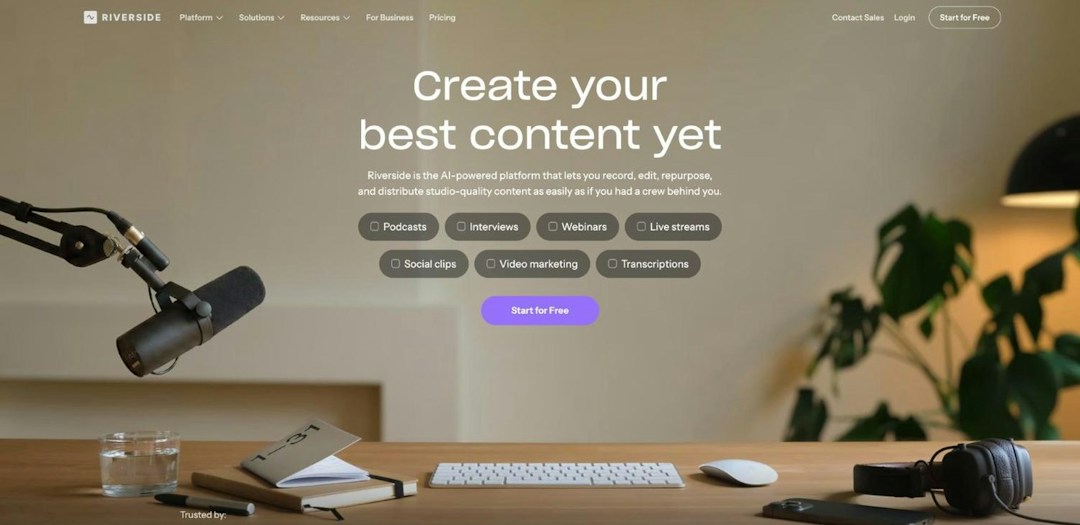
Riverside is a recording and content creation studio that adds webinars and live streaming on top. It records each participant locally in up to 4K video and 48kHz audio, then turns sessions into clips, posts and show notes with Magic Clips and its Co-Creator assistant. Its webinar plans cap registrants, at 100 on the Webinar plan and 10,000 on Business.
Key features:
Local recording of each participant in up to 4K video and 48kHz audio
Magic Clips and the Co-Creator assistant turn sessions into clips, posts and show notes
Webinars with registration forms, reminder emails, chat, Q&A, polls, reactions and live call-ins, plus multistreaming to YouTube, LinkedIn and custom RTMP destinations
HubSpot sync on the Webinar plan, Salesforce and Marketo on Business, plus webhooks, a registrant API and its own MCP connector
Pricing: Riverside has a free plan and a Pro plan at $24 a month billed annually. Registration, reminders and HubSpot sync come with the Webinar plan, at $79 a month billed annually ($99 monthly) for up to 100 registrants, and Business is custom priced for up to 10,000 registrants (as of September 2026).
How it compares with Livestorm: Riverside is ahead when the recording is the product: podcasts, video series and streaming to social platforms. When webinars need to generate pipeline, Livestorm prices on the attendees who join rather than on registrant tiers (Riverside's Webinar plan stops at 100 registrants), sends registrations, attendance and replay views to your CRM as they happen, and gives attendees live captions, with live translation as a paid add-on. For high-quality recordings, Livestorm's Local Recording, in public beta, records each speaker as separate files.
Riverside
Podcasts & recording
Local recording in up to 4K video and 48kHz audio
Magic Clips and Co-Creator turn sessions into clips and posts
Multistreams to YouTube, LinkedIn and custom RTMP destinations
Webinar plan caps at 100 registrants; 10,000 needs Business
Salesforce and Marketo sync need the custom Business plan
Reviewers often report upload, sync and processing glitches
Crowdcast is a live video platform for creators and communities. Hosts and attendees join from the browser, hosts can bring attendees on screen, registrations are unlimited, and you can sell tickets through Stripe or open events to your Patreon supporters. Plans cap monthly streaming hours and live attendees, with fees on top.
Key features:
Live sessions and replays that hosts and attendees join from the browser
Bring attendees on screen during a live session
Unlimited registrations on every plan
Ticket sales through Stripe, and events open to Patreon supporters
Pricing: Crowdcast's Lite plan costs $49 a month, or $34.30 a month billed annually. Plans include 100, 250 or 1,000 live attendees and 10 to 40 streaming hours a month, each extra live attendee costs $0.15, and Crowdcast takes 5% of ticket sales on Lite and Pro and 2% on Business, plus Stripe fees (as of September 2026).
How it compares with Livestorm: Crowdcast suits creators who sell tickets to their community. As a B2B program grows, Livestorm adds native HubSpot sync and other CRM integrations, automated webinars that keep running after the live date and live captions, and its pricing follows the attendees who join rather than monthly streaming hours.
Crowdcast
Creators & communities
Hosts and attendees join from the browser
Bring attendees on screen during live sessions
Sell tickets through Stripe or open events to Patreon supporters
Monthly streaming hours capped on every plan
Fees on ticket sales, extra attendees and extra seats
No native CRM sync; attendee data goes through Zapier
For selling through webinars: WebinarJam or ClickMeeting
If webinars are how you sell a course, a coaching program or a paid class, these tools put offers and payments at the center.
WebinarJam
Source: webinarjam.com, October 2026.
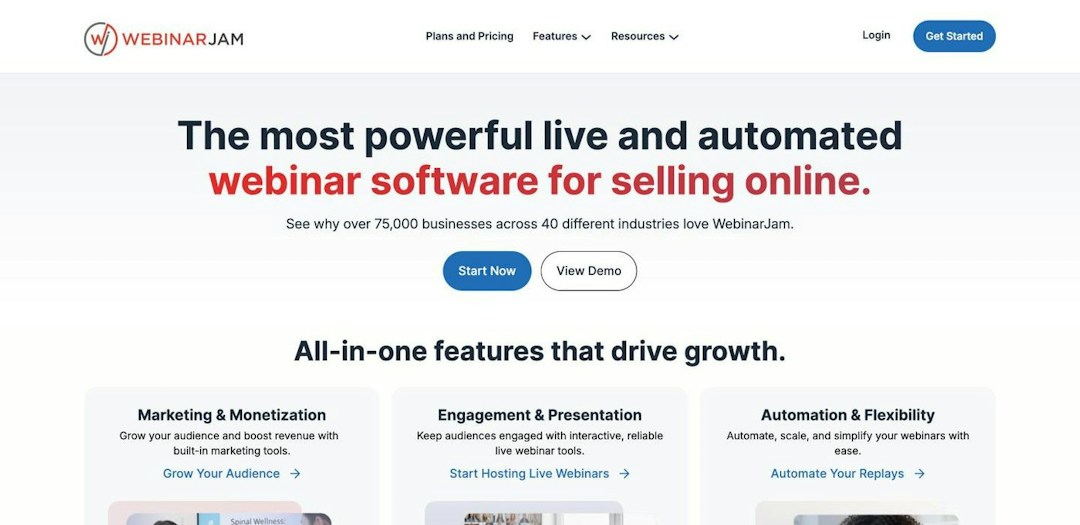
WebinarJam is a sales-funnel webinar tool for creators, coaches and small teams who sell through webinars. It treats each webinar as a sales event, with timed offers, countdowns and SMS reminders. Attendees join from the browser with nothing to download, and plans scale to 5,000 attendees.
Key features:
Registration pages, in-room offers, CTAs, polls and chat
Email and SMS reminders, whiteboard and video injection
Automated webinars through EverWebinar, included from the Basic plan
Native ActiveCampaign integration, plus Zapier, an API and webhooks
Pricing: WebinarJam sells flat plans billed annually: Starter at $39 per month for 100 attendees, Basic at $79 for 500, Professional at $229 for 2,000 and Enterprise at $379 for 5,000. A 14-day trial costs $1 (as of September 2026).
How it compares with Livestorm: WebinarJam is built for consumer sales funnels. For B2B teams whose webinar data has to reach the CRM, Livestorm adds native HubSpot sync, Q&A with question upvotes, EU hosting, ISO 27001 certification and GDPR compliance.
WebinarJam
Sales & launch webinars
Attendees join from a browser with nothing to download
Email and SMS reminders, whiteboard and video injection
Enterprise plan hosts up to 5,000 attendees and six hosts
Each plan caps attendees, hosts and session length
Automated webinars are not included on the Starter plan
No native HubSpot integration; Zapier or n8n instead
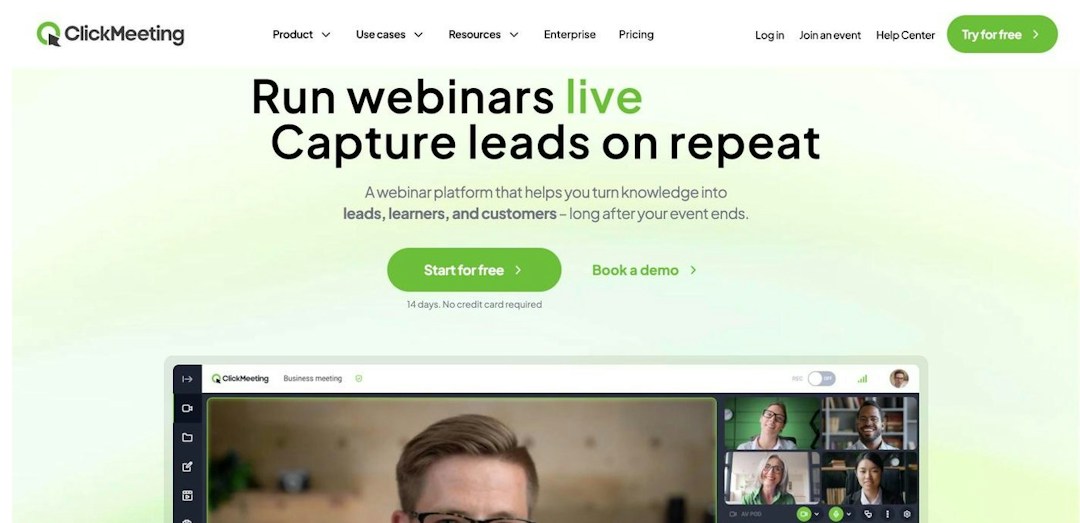
ClickMeeting is a browser-based webinar tool built for online classes, training and paid sessions. It suits trainers, teachers and experts who sell access to webinars for smaller audiences, with ticket payments built in. Self-serve plans go up to 500 attendees, with a custom Enterprise solution for larger events.
Key features:
Live and automated webinars that run in the browser
Built-in PayPal and Stripe payments to sell tickets for paid events
Virtual whiteboard and breakout rooms for interactive classes
Integrations with HubSpot, Pipedrive, Keap and Moodle, plus Zapier
Pricing: ClickMeeting prices its plans by your largest expected audience, with up to 20% off annual billing, a custom Enterprise plan for larger events and a free trial with no credit card required (as of September 2026).
How it compares with Livestorm: ClickMeeting fits paid classes for smaller audiences. Livestorm charges for the attendees who join rather than your largest expected audience, hosts up to 3,000 live attendees against 500 on ClickMeeting's self-serve plans, and adds question upvotes to Q&A.
ClickMeeting
Training & paid webinars
Runs in the browser for organizers, presenters and attendees
Built-in PayPal and Stripe payments for paid webinars
Whiteboard, breakout rooms and Moodle integration suit online classes
Priced by largest expected audience, so you pay for peak capacity
Extra presenters, parallel sessions and storage sold as add-ons
For training and internal programs: GoTo Webinar or Zoho Webinar
If your webinars are mostly training, onboarding or internal town halls rather than marketing events, these tools cover that job, and Zoho Webinar is one of the lowest-cost options on this list.
GoTo Webinar
Source: goto.com, October 2026.
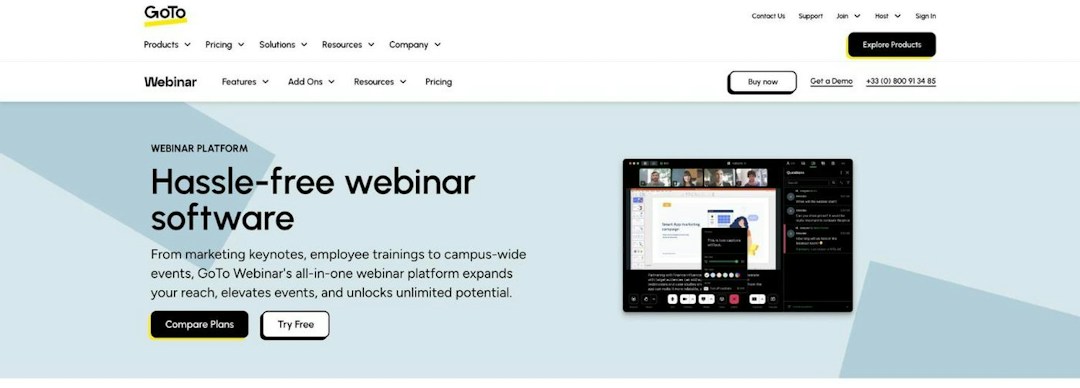
GoTo Webinar is a long-established, webinar-only product from GoTo. It suits teams that run regular training sessions and internal events for up to 3,000 attendees and want one dedicated tool, with breakout rooms, practice mode and certificates.
Key features:
Plans for 500, 1,000 or 3,000 participants
Breakout rooms, practice mode, certificates and a native mobile app
Simulive events and AI summaries from the Elevate plan
Recording with transcription and live captions
Pricing: GoTo Webinar charges per organizer, by audience size. Reach costs $59 per month billed annually for up to 500 participants, Elevate costs $103 for up to 1,000, and Complete (up to 3,000) is quote-based. There's a free trial but no free plan (as of September 2026).
How it compares with Livestorm: GoTo Webinar is a solid, long-running choice for training. Livestorm runs entirely in the browser, brands your registration pages and event rooms, adds question upvotes to Q&A, and charges for the attendees who join rather than an audience tier.
GoTo Webinar
Corporate training
Long-running webinar product with a proven reliability record
Breakout rooms, practice mode and a native mobile app
Recording with transcription, AI summaries and live captions
Reviewers often describe the interface as dated
Browser join available, but the experience leans on apps
Lighter registration branding and fewer conversion features
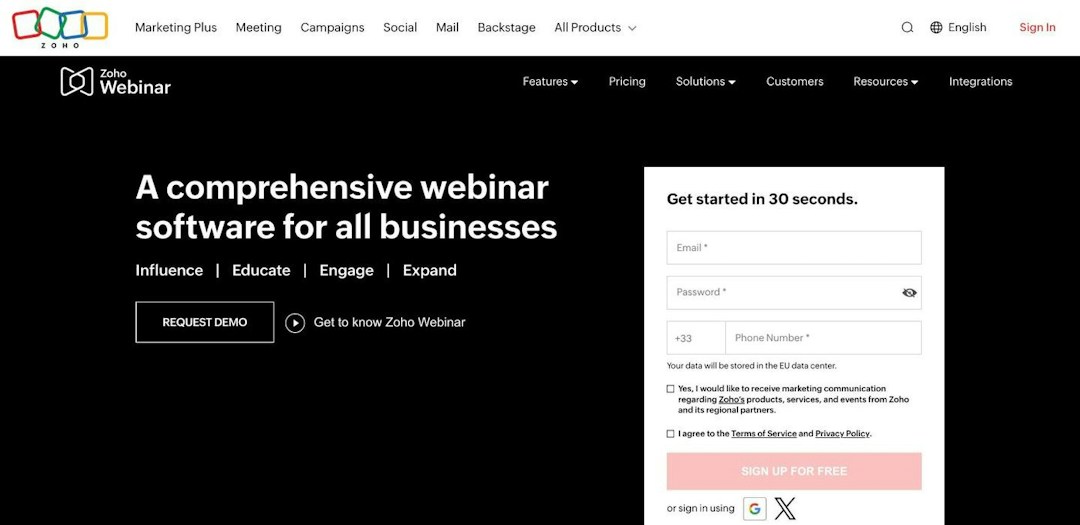
Zoho Webinar is Zoho's webinar tool for training, onboarding and town halls. It's a good fit if your business runs on Zoho apps, and a low-cost way to run registered webinars: the free plan covers 20 attendees, and paid plans start at $8 per organizer per month. Attendees can join from the browser.
Key features:
Polls, Q&A, emoji reactions, raise hand, annotation and dial-in
AI transcripts, summaries and smart chapters on recordings
Native Zoho CRM, Zoho Campaigns and Zoho Backstage integrations, plus HubSpot from the Professional plan
Up to 5,000 live attendees on Enterprise
Pricing: Zoho Webinar has a free plan for up to 20 attendees and 60 minutes per webinar. Paid plans are priced per organizer and by audience size, from $8 per month billed annually on Standard, and Enterprise adds on-demand webinars and up to 5,000 attendees (as of September 2026).
How it compares with Livestorm: Zoho Webinar is the lower-cost option for small sessions, especially on Zoho CRM. If your CRM is HubSpot, Salesforce, Marketo, Pardot or Microsoft Dynamics, Livestorm connects to it natively, so registrations and attendance land where your sales team works.
Zoho Webinar
Teams on Zoho CRM
Supports up to 5,000 live attendees on Enterprise
Free plan, then low per-organizer pricing
Native Zoho CRM, Campaigns and Backstage integrations, plus HubSpot
On-demand webinars and email customization are Enterprise only
Registration page branding starts on the Professional plan
Salesforce and Marketo aren't among its native integrations
Livestorm is built for teams that run webinars and virtual events for people outside the company. It's likely the better fit if:
You run webinars for prospects, customers or partners, and want attendees to join from the browser with no download
You want registration pages, emails, the live room, replays and CRM sync in one place, with native HubSpot sync on every plan, plus Salesforce, Marketo, Pardot and Microsoft Dynamics as Enterprise add-ons
You want more from every session: live captions during the event, then a transcript and an AI-written summary, follow-up email, blog post and social posts once it ends
You'd rather pay for attendees who join than for a capacity tier: hosts, moderators and no-shows don't use credits
You need EU hosting, ISO 27001 certification and GDPR compliance
You want your AI assistant to work with your events through the verified Claude connector (MCP)
Run your next webinar with Livestorm
Registration pages, emails, the live room and CRM sync in one place, right in your browser.
$3.00 per attendee (400-credit annual pack); free plan
3,000
4.6/5 (2,000+)
Zoom
Meetings & big webinars
Free Basic plan; Zoom Webinars $66.67/month billed annually, plus a Workplace Pro license
50,000 (Zoom Webinars)
4.6/5 (6,000+)
Google Meet
Google Workspace teams
$7 per user/month (Business Starter, annual plan); free version
100 to 1,000, by plan
4.6/5 (60,000+)
Cvent
Hybrid event programs
Quote only
Not published
4.5/5 (<100)
Riverside
Podcasts & recording
Free plan; Webinar plan $79/month billed annually
10,000 registrants (Business)
4.8/5 (2,000+)
Crowdcast
Creators & communities
Lite $49/month, or $34.30/month billed annually
1,000 (Business), then $0.15 per extra attendee
4.6/5 (200+)
WebinarJam
Sales & launch webinars
$39/month billed annually (Starter)
5,000 (Enterprise)
3.8/5 (300+)
ClickMeeting
Training & paid webinars
Priced by audience size; free trial
500 (custom on Enterprise)
4.4/5 (400+)
GoTo Webinar
Corporate training
$59/month billed annually (Reach)
3,000 (Complete)
4.4/5 (2,000+)
Zoho Webinar
Teams on Zoho CRM
Free plan; Standard $8/organizer/month billed annually
5,000 (Enterprise)
4.6/5 (100+)
Ratings: average of G2 and Capterra, October 2026. Prices as of September 2026, from each vendor's pricing page.
How to choose a Livestorm alternative
Start with the job you need the tool for, then check these points:
Main use case. Meetings, external webinars, in-person event programs, recorded content and selling through webinars each call for a different tool. Pick the job first.
Audience size. Livestorm hosts up to 3,000 live attendees per event. Zoom Webinars reaches 50,000, while Crowdcast plans go up to 1,000 live attendees and ClickMeeting's self-serve plans up to 500.
CRM sync. If webinars feed your pipeline, check which CRMs sync natively and on which plan. Livestorm syncs with HubSpot on every plan, with Salesforce, Marketo, Pardot and Microsoft Dynamics as Enterprise add-ons, while Crowdcast and WebinarJam rely on Zapier for HubSpot.
Pricing model. Livestorm charges for attendees who join. Most alternatives charge per user, per organizer or by capacity tier, so you pay for the tier whoever shows up, and Cvent quotes through sales.
Data hosting and security. Livestorm is EU-hosted, ISO 27001 certified and GDPR compliant. In a regulated industry, check each vendor's certifications against your requirements.
Our verdict
Most tools on this list do one part of the job well. If you run webinars and virtual events for prospects, customers or partners, Livestorm covers the whole program: it runs in the browser, keeps registration, emails, the live room, replays and CRM sync in one place, and charges only for the attendees who join. Compare plans on Livestorm pricing.
If your main need is different, pick the tool built for it: Zoom or Google Meet for daily meetings, Cvent for webinars next to large in-person events, Riverside or Crowdcast for creators, WebinarJam or ClickMeeting for selling through webinars, and GoTo Webinar or Zoho Webinar for training programs.
Already a Livestorm customer and still deciding? Talk to our support team or your CSM first. We'd love to help.
Table of content
Frequently Asked Questions
What are the best Livestorm alternatives?
It depends on what you need. Zoom and Google Meet fit daily meetings, Cvent fits webinars that sit next to large in-person events, Riverside and Crowdcast fit creators and communities, WebinarJam and ClickMeeting fit selling through webinars, and GoTo Webinar and Zoho Webinar fit training programs. For marketing webinars with external audiences, Livestorm is built for the job.
Who are Livestorm's main competitors?
For webinars and virtual events, Livestorm competes with platforms such as ON24, Cvent, Goldcast, GoTo Webinar, Zoom Webinars, Webex Webinars, ClickMeeting, Zoho Webinar, WebinarJam, BigMarker and WebinarGeek. Meetings tools like Zoom, Microsoft Teams and Google Meet come up when teams mainly need internal calls.
How much does Livestorm cost?
Livestorm uses attendee credits, from $3.00 per attendee on the 400-credit annual pack, and hosts, moderators and no-shows don't use credits. A free plan lets you test the product, and a custom Enterprise plan covers larger needs (as of September 2026). See Livestorm pricing.
Is Livestorm free?
Livestorm has a limited free plan that's good for testing before you move to a paid plan. If you need a free tool for meetings, Google Meet's free version hosts 100 participants for group calls of up to 60 minutes and Zoom's free Basic plan ends meetings after 40 minutes. For small webinars, Zoho Webinar's free plan hosts 20 attendees for up to 60 minutes (as of September 2026).
What is Livestorm used for?
Marketing, sales and training teams use Livestorm to run live, on-demand and automated webinars and virtual events for people outside the company, such as prospects, customers and partners. Hosts and attendees join from the browser, and each event comes with registration pages, automated emails, engagement tools like polls and Q&A, and CRM sync.
Can I get help before switching from Livestorm?
Yes, and we'd love that. Contact our support team, or your dedicated CSM if you have one, and tell us what isn't working. We'll look at what we can do together.