

Comparison guide

Webinar Platform Comparison 2026

Compare the leading webinar platforms side by side, including Livestorm, Zoom, GoToWebinar, ON24, and Microsoft Teams, on ease of use, pricing, CRM, and engagement.

Webinar software comparison table (2026)

Dedicated webinar platforms

PlatformBest suited forPricing modelNative CRM
LivestormMarketing and training webinarsPer attendee, from $3.00 (Pro); Enterprise customHubSpot (Pro); Salesforce, Marketo, Pardot, Dynamics (Enterprise)
Adobe ConnectTraining and virtual classroomsLicense or room-basedMarketo
BigMarkerWebinars and virtual eventsCustom annual pricingCRM and marketing automation integrations
ClickMeetingSMB webinarsSubscription tiered by attendeesHubSpot, Pipedrive
CrowdcastCommunity and creator eventsTiered subscriptionVia Zapier
DemioSMB marketing webinarsPer host, by attendee room sizeHubSpot
GoTo WebinarRecurring webinar programsPer organizer, by audience tierHubSpot, Salesforce, Marketo
ON24Enterprise demand generation (part of Cvent)Enterprise license, quote-basedHubSpot, Salesforce, Marketo
WebinarGeekSMB webinars (EU)Tiered by attendeesHubSpot
WebinarJamCreator and SMB webinarsFlat tiers, monthly or annualVia Zapier

Meeting tools with webinar features

PlatformBest suited forPricing modelNative CRM
Google MeetMeetings in Google WorkspaceBundled with Google WorkspaceHubSpot (meeting links only)
Microsoft TeamsInternal meetings and town hallsBundled with Microsoft 365 or a Teams licenseHubSpot; Salesforce via meetings app
WebexEnterprise meetings and webinarsLicense-basedSalesforce, Marketo
ZoomMeetings plus large webinarsCapacity tier on top of a Zoom Workplace licenseHubSpot, Salesforce, Marketo

Where Livestorm stands out in a comparison

In a side-by-side, Livestorm is fully browser-based, so attendees join in one click with no download. It prices by attendees rather than per-seat licenses, so you pay for who shows up. It syncs natively with HubSpot, Salesforce, Marketo, and Pardot, which is the most common reason teams switch. It is EU-hosted with ISO 27001 certification and GDPR compliance, a deciding factor in finance, pharma, and the public sector.

With Livestorm AI Studio, replays become ready-to-publish clips, social posts, and emails, solving what happens after the webinar, where most platforms stop.

Livestorm is a G2 Leader in the webinar category with a 4.7 out of 5 rating across G2 and Capterra, and customers report a 53% higher attendance rate than the industry average.

Try it for free
Play
00:00

How to compare webinar platforms

Webinar platforms differ most in four areas. Use these to match a tool to your use case:

  • Access. Browser-based platforms let attendees join with one click. Tools that require a desktop download tend to lose attendance.
  • Pricing model. Per-seat or per-license pricing means paying for named hosts whether or not they are used. Per-attendee or usage-based pricing means paying for who actually shows up.
  • Native CRM sync. A direct HubSpot, Salesforce, Marketo, or Pardot integration keeps lead data flowing automatically. A Zapier bridge or CSV export creates manual work.
  • Engagement and branding. Chat, polls, Q&A, CTAs, and custom registration pages turn a broadcast into an experience.
  • Repurposing. Some platforms stop at the recording. Others turn a replay into reusable content. Livestorm AI Studio repurposes replays into ready-to-publish clips, social posts, and emails, so one webinar becomes weeks of content.

One distinction to keep in mind: meeting tools like Zoom, Microsoft Teams, and Google Meet are built for two-way calls. Purpose-built webinar platforms add registration, branding, automated reminders, replays, and reporting, which is what marketing and training teams need.
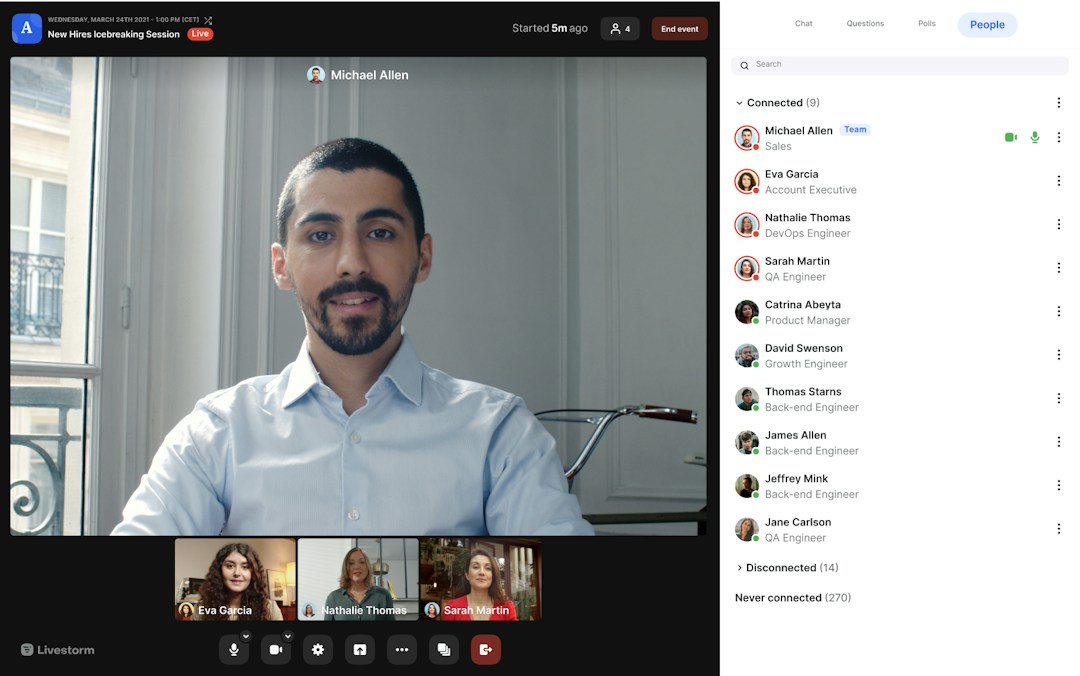

Livestorm event room

Try Livestorm for free

Get started in minutes and run your first engaging webinar today.

Try it for free
  • No credit card needed
  • No installation required